




Brief Introduction #
The key to a successful and growing business is effective communication. Even in an online marketplace, clear communication with your store owners is essential. The Announcement module in MultiVendorX enables seamless communication by allowing admins to share important messages, updates, or educational tutorials directly with vendors. With this feature, you can keep your vendors informed, engaged, and aligned with your marketplace goals.
Required Module #
- Announcement
How to enable and configure the Announcement module #
The admin can easily configure the module by following these steps:
- Go to Admin Dashboard → MultiVendorX → Modules
- Switch to the Notification tab
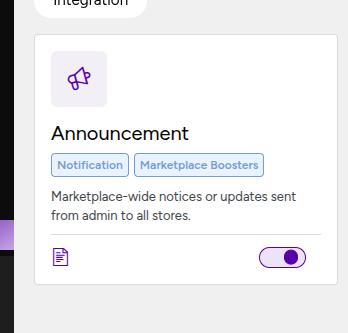
- Find the Announcement module and enable it
Add new announcement from admin? #
- Go to MultiVendorX → Announcement
- Click Add New
- Enter the announcement title and message
- Choose whether it applies to all stores or specific stores
- Set the announcement as publish or pending or draft as per your requirement
- Finally click Publish to make it visible to Store owners.

How stores view the announcements? #
Store owners receive announcement messages from the admin through their dashboard. Here’s how they can view the messages.
- Store owners log in to their Store Dashboard
- Click the Announcement icon at the top of the dashboard
- View the messages sent by the admin

Note: Whenever a new announcement is published from the admin side, store owners will also receive the announcement via email at their registered email address.


