




Tagged: Vendor Dashboard Footer UI
- This topic has 7 replies, 3 voices, and was last updated 9 months ago by
Sangita Support Squad.
-
AuthorPosts
-
-
March 20, 2025 at 6:56 PM #240076
sahailycoffee
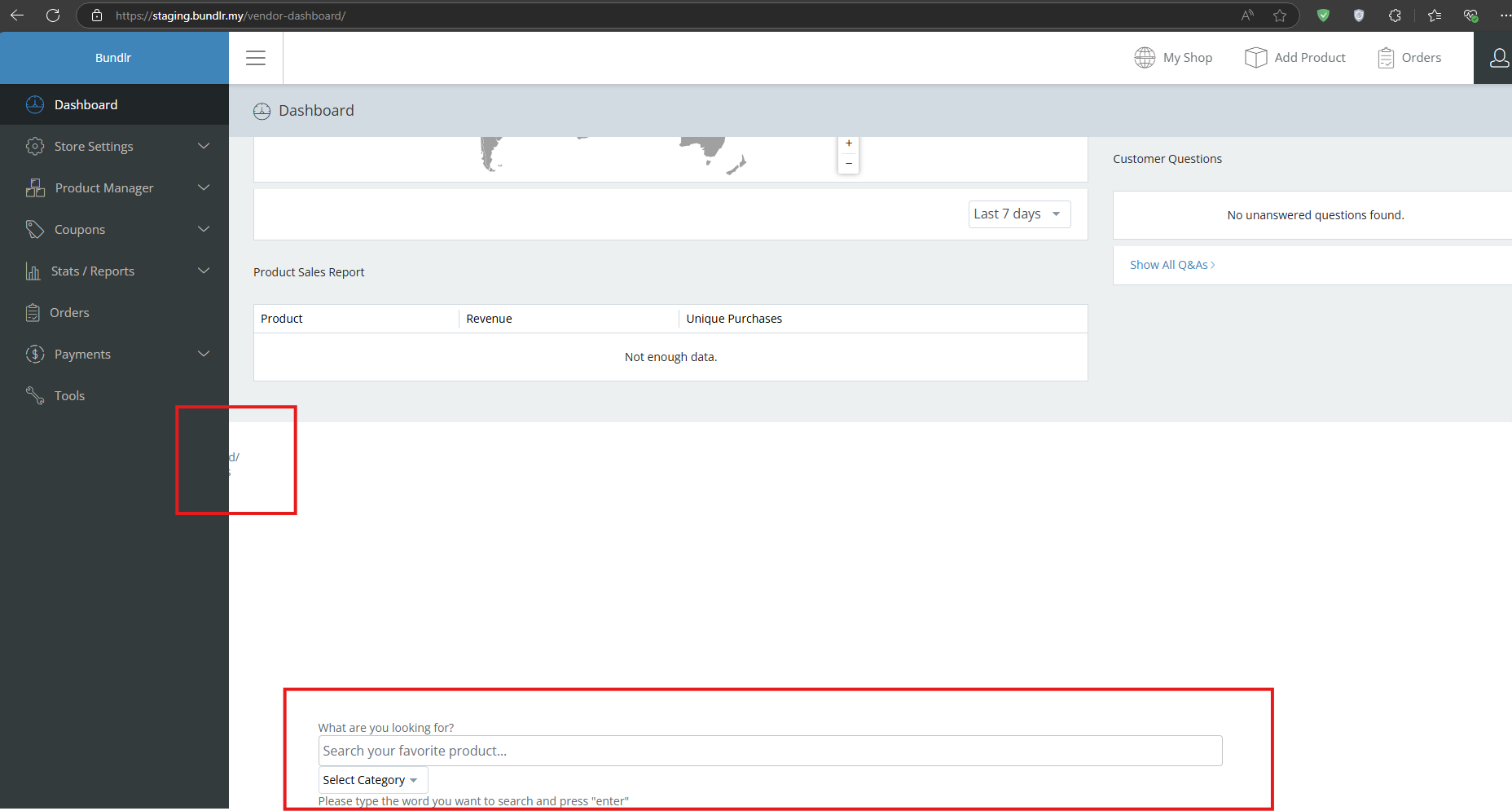
ParticipantI am encountering an issue with the footer section on the MultivendorX vendor dashboard. It appears that the footer is either overflowing or glitching, causing elements below to be misaligned or not displaying correctly. This issue is affecting the layout and user experience, as the content is not properly contained.
– Are there any custom CSS settings that might help the issue?
– Is there a way to hide or fix this issue through custom CSS, or is there a recommended solution?Attachments:
-
March 20, 2025 at 8:36 PM #240081
Sangita Support Squad
KeymasterThank you for reaching out to us. It looks like there may be a conflict on your end, which is causing the issue with the footer. To troubleshoot, please try deactivating all plugins except WooCommerce and MultiVendorX, and switch to a default theme such as Twenty Twenty-Five or Storefront. Then, check if the issue still persists.
Additionally, you can resolve this by adding custom CSS to hide the affected sections in the footer. If you need further assistance, please share test vendor access with us so we can investigate the issue and provide a solution.
When sharing access, please ensure that your reply is marked as private.
Let us know how it goes!
-
April 3, 2025 at 9:52 AM #240393ParticipantThis reply has been marked as private.
-
April 3, 2025 at 1:49 PM #240396
Anushka Sinha
ModeratorHi there ! Thankyou for getting back with us.
We do have plan to add this feature on our end i.e. we will create an option for customer to mark the order as Delivered.We do have plan to release the update in our next update. For the time being, please follow the GitHub link to get update -https://github.com/multivendorx/MultiVendorX/issues/827
-
April 6, 2025 at 8:31 AM #240467Participant
Great to hear that! I hope it will be released soon.
I’ve also found a few more issues:
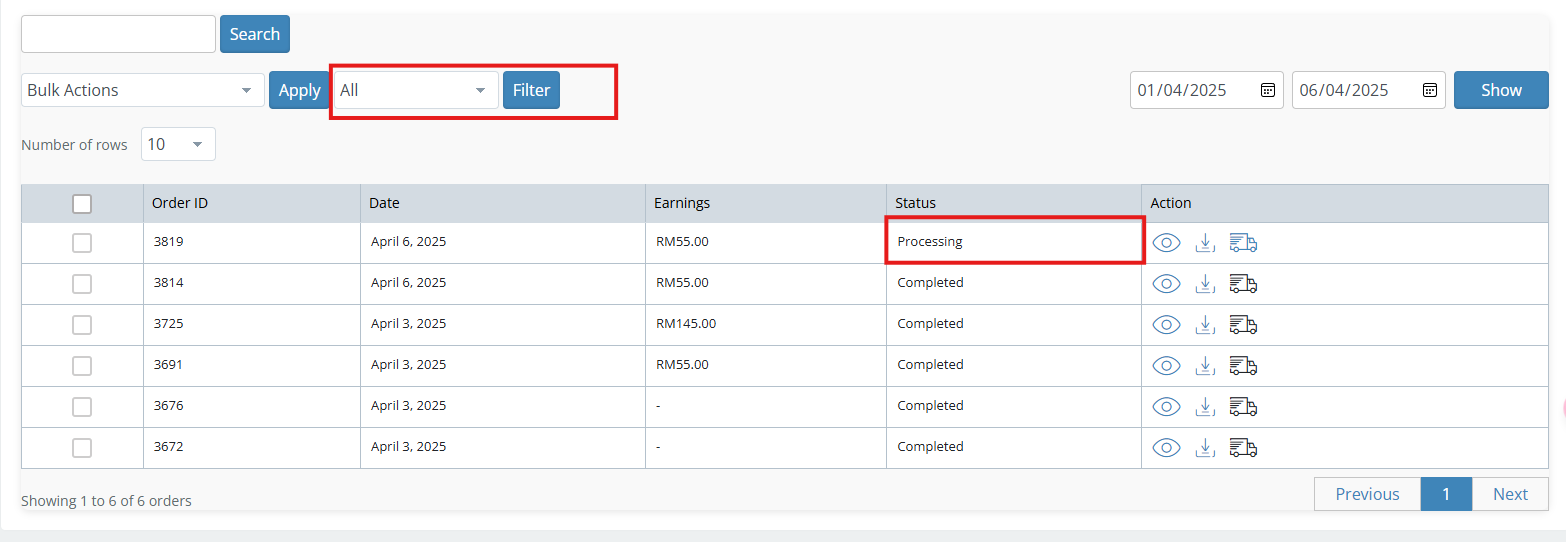
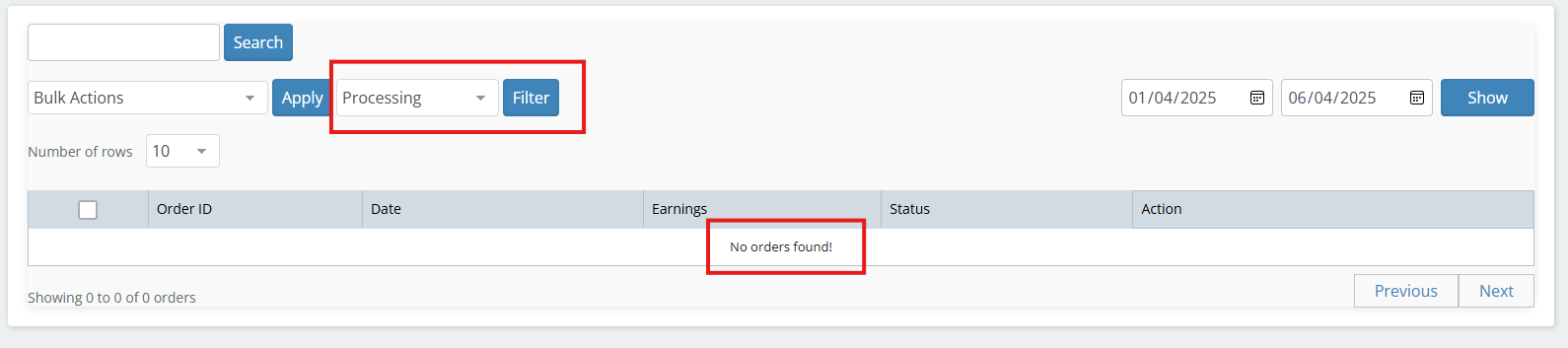
1. In the Vendor Dashboard’s Order section, I can’t filter orders based on statuses like COMPLETED, PROCESSING, etc. The filter only works properly when set to ALL. ( Refer the image )
2.When I receive a new order, I don’t get any notifications. It’s hard to know when a new order comes in.
I’m wondering—does the dashboard not show the number of new orders at all? Or does it only send notifications via email if SMTP is set up?
Thank You
Attachments:
-
April 6, 2025 at 5:37 PM #240475Keymaster
Hello there, Thanks for getting back. Kindly provide us some time to check and we will get back to you accordingly.
-
April 7, 2025 at 12:11 PM #240489Moderator
Hi @sahailycoffee!
Thank you for reaching out to us!
Our replies are inlined here:1. In the Vendor Dashboard’s Order section, I can’t filter orders based on statuses like COMPLETED, PROCESSING, etc. The filter only works properly when set to ALL. ( Refer the image )
>>I’m sorry to hear that you’re experiencing this issue. We’ve informed our development team, and they are working on a solution. We plan to address this in the next one or two updates. In the meantime, please use the following GitHub link to stay updated on the progress of this issue: https://github.com/multivendorx/MultiVendorX/issues/9382.When I receive a new order, I don’t get any notifications. It’s hard to know when a new order comes in.
I’m wondering—does the dashboard not show the number of new orders at all? Or does it only send notifications via email if SMTP is set up?
>> I’m sorry to hear that you’re experiencing this issue. Though this flow is managed by Woocommerce ,I’ve reviewed the flow on our side, and everything seems to be working correctly. Could you please check if the Email Log is being triggered on your end. I would also recommend asking your server team to verify the Email Log configuration to ensure everything is set up properly.
Also, I would like to inform you that it is not necessary to set up SMTP to send notification via email.For further reference kindly check out this thread : https://wordpress.org/support/topic/creating-my-own-email-notification-in-woocommerce-settings-email/
-
September 8, 2025 at 10:31 AM #249751Keymaster
It’s been a while since we last heard from you, so we’ll assume your issue has been resolved and will close this thread for now. If you encounter any problems or need assistance in the future, please don’t hesitate to create a new support thread—we’ll be happy to help.
-
-
AuthorPosts
- The topic ‘Vendor Dashboard Footer UI’ is closed to new replies.
