






Brief Introduction #
Interested in retaining customers? Keep customers informed about products from their favourite store using the Follow Store feature. MultiVendorX’s Follow Store feature keeps customers posted about updates made by vendors. To learn more about this feature keep reading
Overview #
- Let customers follow the store they prefer
- View customers that store followers
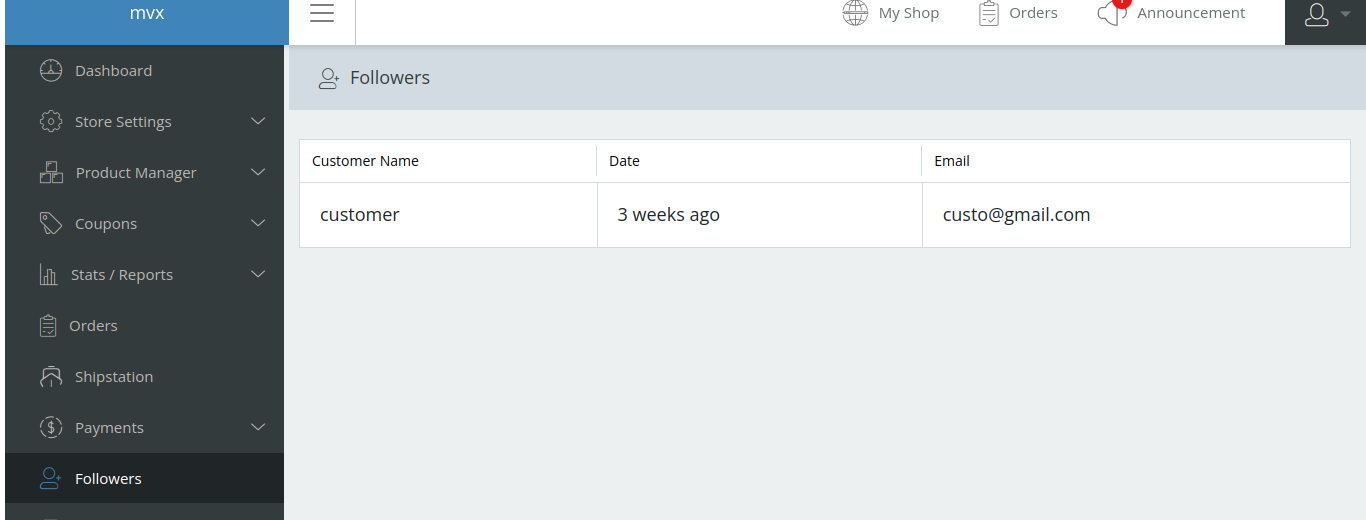
- Let vendors view the customer who follows them
Follow Store Configuration #
Give customers the option to keep posted about new store updates by enabling the Follow Store option. let’s see how this works
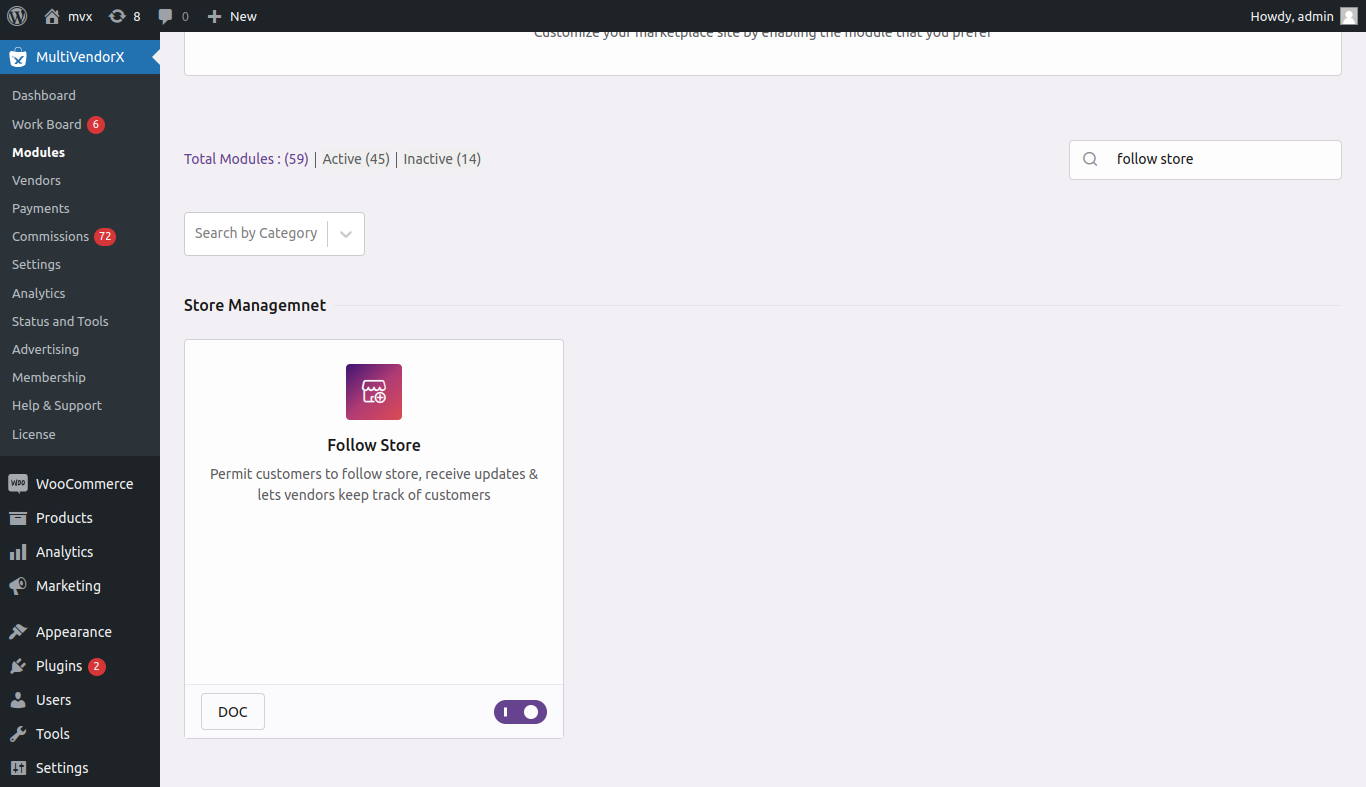
- Go to Admin Dashboard and then select the MultivendorX menu option. Once selected, pick the Modules option from the menu list displayed below.
- On the Modules page, go to Store Management.
- Under the Store Management section, enable the Follow Store module.
View Store Followers #
You see the number of followers a store has by going through the given steps:
- Go to the Vendor option available in the MultiVendorX menu. Select the vendor Id you prefer to view
- Select the Followers Tab and view the customers that follow the store
Follow A Store #
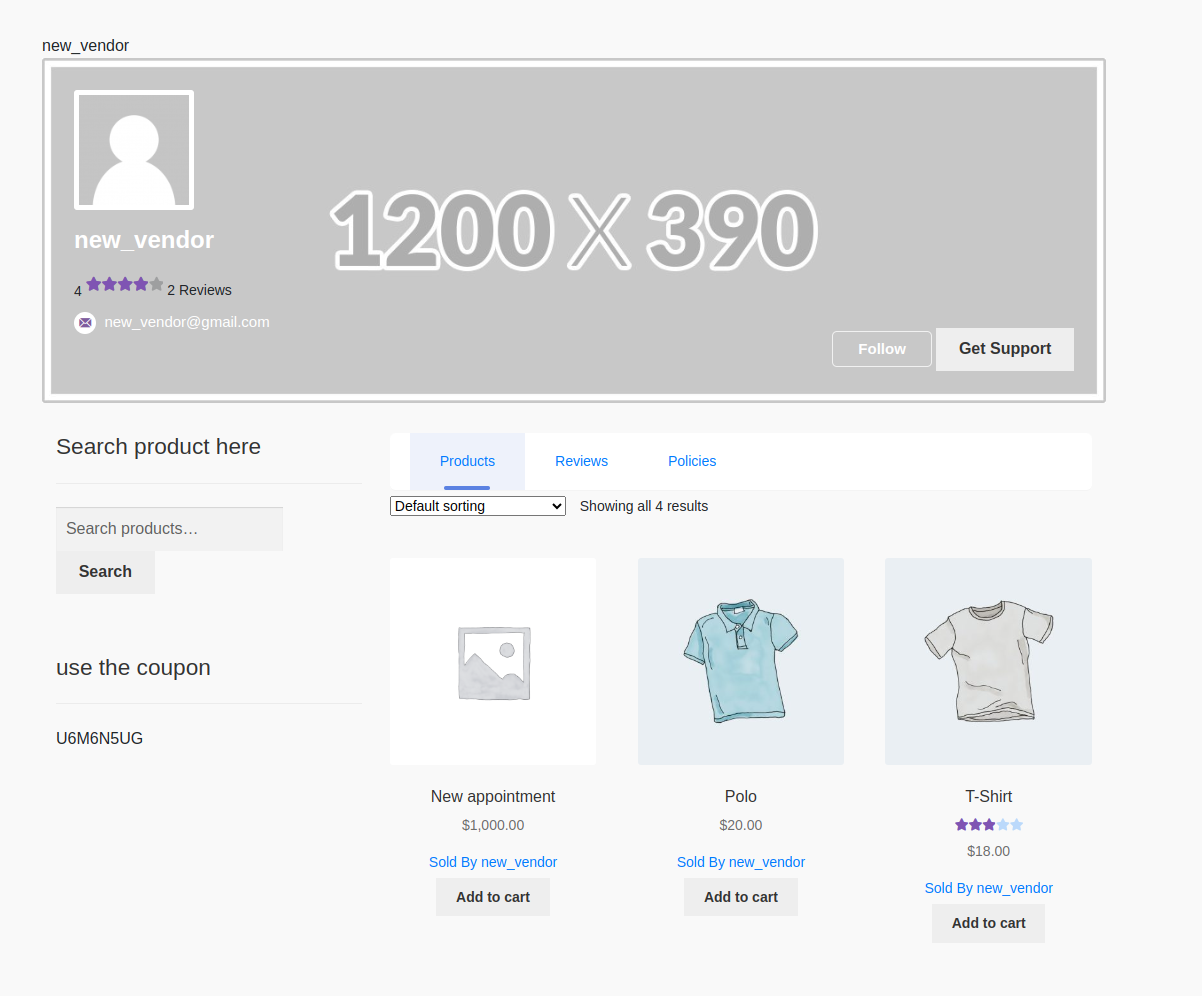
Customers can follow their favorite store by selecting the follow button available on the vendor’s store page. This way whenever there is a new product in the store they will receive a mail notifying them of the update.
When a customer follows a vendor, we sent the customer mail, when the vendor does the following activities :
- New Product Add
- New Coupon Add
With this, we come to the end of the tutorial. Hope you were able to follow. For any query or issue flag your query in the support forum.


