Forum Replies Created
-
AuthorPosts
-
Phillip May
Participanti deactivated MVX and purchased Dokan. I should have done that from the very beginning. Everything in Dokan works as advertised, there are no incomplete features no css problems and no addons to have conflicts with each other. I purchased MVX and expected it to work as advertised, but it does not. You have a ton of work before MVX is worth what you charge, its not even ready for use yet unless people want very basic features, but everything that works correctly is already available in the free version of WCFM so why pay for MVX. I wish i figured this out within the 15 day refund window because now i own a plugin i cant use and even if you do eventually fix it however long it takes just comes off my yearly subscription, so lets say it takes you 3-4 months to fix all the issues and make it useable then I have to wait for you to do that while my subscription runs out. i regret my purchase.
Participanti cant access the download maybe its better to just get a refund ad ill just use dokan
Participantso no matter what i do i can not get rid of the nagging pestering annoying “review multivendorx” banner from the admin area.
none of the “addons” are correctly integrated, it looks like you just make sure they basically work and do not actually spend any time making sure the features actually work as expected.
multivendorx has no support for measurements we use in the USA like miles instead of KM
its been weeks and still o patch to get rid of this retarded annoying begging for a review i already gave you
no progress on fixing the appointments addonat this point ive spent money on almost every single addon plugin you support and i have massive regret i should have just gone with Dokan or WCFM and had none of these issues at all
at this point i see no reason to continue using MVX Pro at all, its not cheaper than alternatives and it has more problems than alternatives and i have no desire to wait months for your team to finish making it useable
Participantso, whats the deal? This is not an extra, i expect things like this to work because you claim on your sales page that it does, yet the css in the backend AND all the features of the addon are not integrated properly.
I at least need a css fix for times and google calendar ability for appointments
Participantthe appointent addon sopports it natively, you guys need to fully integrate the appointments plugin and check for conflicts with booking ad product addons.
appointments should allow google without booking addon as you see it supports it:
https://bookingwp.com/plugins/woocommerce-appointments/Participantgreat, where do vendors sync their google calendars for appoinments, i dont see the option on my test vendor unless i install bookings addon
Participantwhy hasnt this been resolved in the latest update?
Participantit works now i dont know why it didnt before
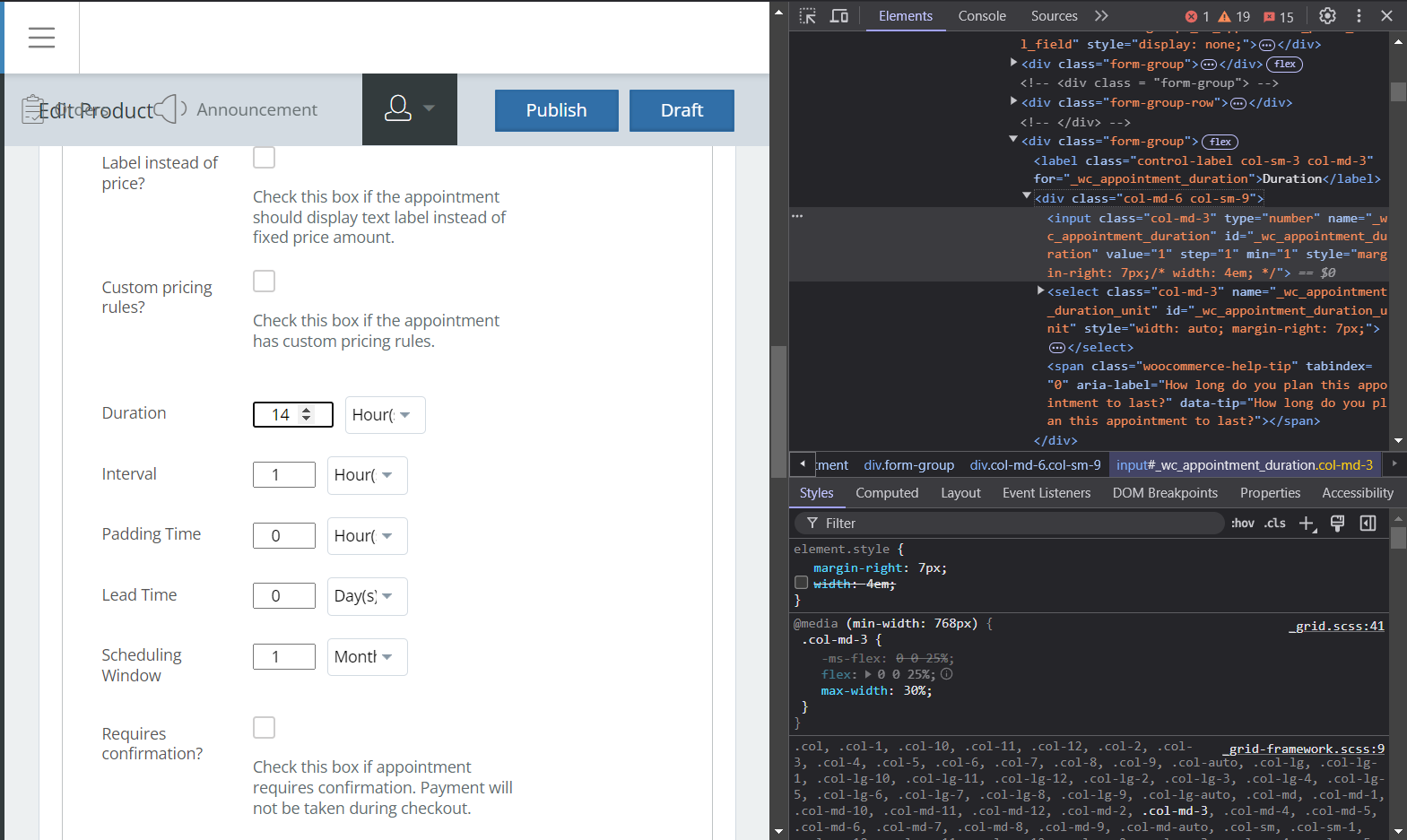
Participanthere you can see in brave browser your commented out “width: 4em” gets applied in brave.
also max width needs to be 30%Attachments:
Participantok no worries is there some css i can add to my child theme to make the appointment time form fields wider
Participanti am just using the distance module for now
Participanttranslating the text will not change the math that the shipping plugin uses and this is a bad suggestion
Participanti need shipping options to allow for miles not just kilometers I am in the USA we dont use km
ParticipantSangita as you can see even in your demo video the field only show a single digit, this is not correct display.
Participantstill a constant problem it wont go away
Attachments:
-
AuthorPosts