






- This topic has 42 replies, 2 voices, and was last updated 1 year, 11 months ago by
Sangita Support Squad.
-
AuthorPosts
-
-
April 25, 2024 at 1:51 PM #219254
webmaster
ParticipantAfter the server was migrated to a new host provider All other plugins are functioning correctly. The only plugin that does not work at the moment is multivendorx
New server is running Nginx with PHP-FMP
Please assist urgently.
-
April 25, 2024 at 1:56 PM #219256
Sangita Support Squad
KeymasterHello @webmaster, sorry to hear that you have faced an issue on your end. Kindly let us know exactly what issue are facing on your end so that we can assist you accordingly to solve that.
-
April 25, 2024 at 2:02 PM #219257Participant
Multivendorx will not open on the WP Dashboard and vendors get information that is jumbled when logging into vendor dashboard
-
April 25, 2024 at 2:08 PM #219258Keymaster
@webmaster, For the issue on the admin dashboard, kindly enable the debug mode on your end and share the error log with us alternatively you can share a temporary admin and FTP access with us so that we can check the issue and help you accordingly.
For the issue in the vendor dashboard, it seems the endpoints are not set accrdingly in the MultiVendorX settings section hence everything is broken there.
Kindly share the erro or share the access with us.
Also while sharing the access don’t forget to mark your reply as private. -
April 25, 2024 at 2:35 PM #219259ParticipantThis reply has been marked as private.
-
April 25, 2024 at 3:00 PM #219261Keymaster
Kindly take a back up of your site and share the admin access of your site with us.
-
April 25, 2024 at 3:55 PM #219264ParticipantThis reply has been marked as private.
-
April 25, 2024 at 4:13 PM #219265ParticipantThis reply has been marked as private.
-
April 25, 2024 at 4:31 PM #219266Keymaster
@webmaster,We are getting this https://prnt.sc/gAXrp8bq9tFb while accessing your site.
-
April 25, 2024 at 4:46 PM #219267Participant
Hi Please try again. server resource was updated which cause the cloudflare response.
-
April 25, 2024 at 5:00 PM #219269Keymaster
We are not able to access your site. Our team is looking into the issue. Kindly provide us some time. As soon as we will add a fix on your end we will keep you posted.
-
April 25, 2024 at 5:31 PM #219271Participant
Hi Sangtia
The user log show you login in so how are you not able to access the site?
-
April 25, 2024 at 5:34 PM #219272Keymaster
Sorry for my bad, There was a typo mistake in my previous reply. I wanted to say that we are now able to access your site. Our team is debugging the issue on your end. Kindly provide us some time. We will get back to you accordingly.
Thanks for your understanding.
-
April 25, 2024 at 5:49 PM #219273Keymaster
Hello @webmaster, our team is debugging the issue on your site but we are getting the timeout error multiple times while debugging. So kindly reach out to your server team and ask them to fix this so that we can debug the issue without any interruption.
-
April 25, 2024 at 5:53 PM #219274Participant
The Debugging is not an issue at all. I can see you are busy debugging at the moment. The site is live why do you need it displayed can you not use the logs. If you want it displayed, we will have to put the site on Maintenace mode.
Please send timeout screenshot as the site has not timeout on our side.
-
April 25, 2024 at 5:55 PM #219275Participant
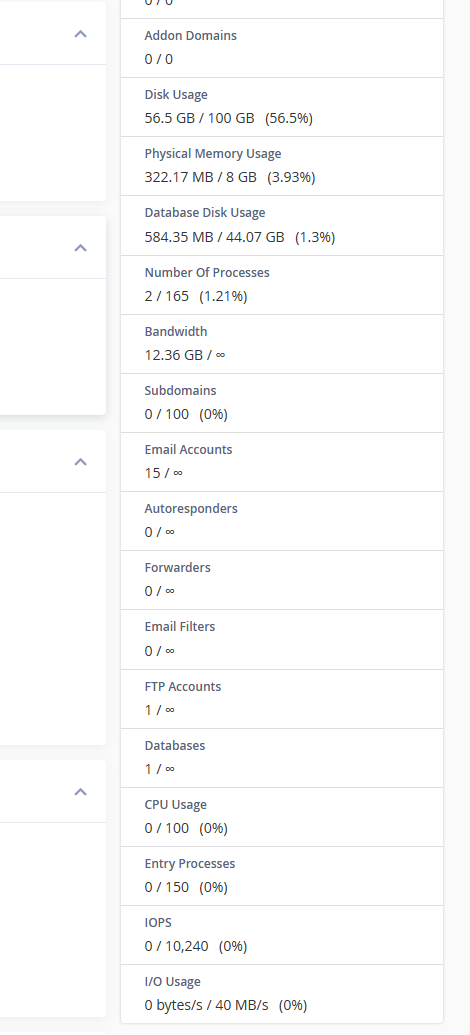
Please see screenshot server is idling.
Attachments:
-
April 25, 2024 at 6:11 PM #219278Keymaster
@webmaster, we have disabled the Wp-debug log on your end. So the errors will not be displayed on your end. However, our team is facing loading issue on your site and as a result of it they are getting the timeout error. If possible please reach out to your server team to fix this.
Thanks for your understanding and cooperation.
-
April 25, 2024 at 6:23 PM #219280Participant
No, I set display to false, when my client sent me a WhatsApp with a big debugging error on the vendor page. I will ask the team quick but the server is running 4 other sites with no issues. This server is proxied by cloudflare do you think that could be the issue.
-
April 25, 2024 at 6:34 PM #219282Participant
We have increased the Server vCores. There are no timeouts happening on our end. please send a screenshot
-
April 25, 2024 at 6:36 PM #219283Keymaster
@webmaster, To be very honest as we are not server specialists, we may not be the best-equipped to address your query regarding server-related issues. We recommend reaching out to your server admin for assistance in this matter.
Rest assured, our team is actively working on debugging the issue on your end. Once we’ve implemented a solution, we’ll promptly inform you.
Thank you for your continued cooperation and understanding
-
April 26, 2024 at 2:20 AM #219292Participant
Got it working. Thanks for the help
-
April 26, 2024 at 2:36 AM #219294Participant
Got the dashboard for MVX working on the wp-admin page but the vendor dashboard is now poitning to some random thing that doesnt exist on the server. Please thing is important, and vendors are now getting upset that they cant get to the account. PLease make this urgent.
-
April 26, 2024 at 10:19 AM #219298Keymaster
@webmaster, We are getting this https://prnt.sc/1zCHOFJNQimu while accessing any page on your site. Kindly look into it and when it is fixed please do let us know. Also please share the error that you are getting on your vendor dashboard and a temporary vendor access too with us so that we can look into the issues and help you accordingly to solve that.
-
April 26, 2024 at 5:47 PM #219304Participant
Hi This issue has been resolved please assist promptly.
-
April 26, 2024 at 5:51 PM #219305Keymaster
@webmaster, thanks for the update. Can you please share details about the issues that you are facing on your end currently so that our team can look into those and assist you accordingly to solve them.
-
April 26, 2024 at 6:41 PM #219306Participant
Vendors cant access their dashboard a Random page with no info is shown
-
April 26, 2024 at 6:46 PM #219307Keymaster
Kindly share a vendor login details with us so that we can check this.
Also while sharing the access don’t forget to mark your reply as private. -
April 26, 2024 at 9:02 PM #219310ParticipantThis reply has been marked as private.
-
April 26, 2024 at 9:16 PM #219311Keymaster
Hi there, thanks for sharing the access. Can we deactivate the plugins and themes on your end to debug the issue further?
-
April 26, 2024 at 9:36 PM #219312Participant
Sure I will inform the client
-
April 26, 2024 at 9:58 PM #219313Keymaster
While accessing the admin dashboard we are facing “service unavailable” and “error establishing database connection” repeatedly.
So it is really hard for us to check the issue by deactivating plugins and themes.So we would request you to deactivate all plugins except WooCommerce MultiVendorX and MultiVendorX pro and switch to some default theme such as twenty twenty four or storefront and if the issue persists in the vendor dashboard.
Also please do keep us posted regarding the same. -
April 26, 2024 at 10:22 PM #219314ParticipantThis reply has been marked as private.
-
April 26, 2024 at 10:59 PM #219315Keymaster
Sure, kindly create a staging site where the issue is replicated and share the staging site url, temporary admin and FTP access with us.
Also while sharing the access don’t forget to mark your reply as private.
-
April 30, 2024 at 3:14 AM #219402ParticipantThis reply has been marked as private.
-
April 30, 2024 at 9:59 AM #219405Keymaster
Hello there, Thanks for sharing the test site access. But we are not able to login to access the admin dashboard with the shared access(https://prnt.sc/MS-KU8iOmXHp).
Kindly share the correct credentials and also in our next update we will fix the deprecated errors.
-
April 30, 2024 at 5:42 PM #219434Participant
Hi Tested login details and now working 100%
-
April 30, 2024 at 6:17 PM #219435Keymaster
Hello @webmaster, We are now able to login to your site. We are getting the issue with the allowed memory size on the admin dashboard and we will add fix for that according on your end.
But the vendor dashboard is coming accordingly (https://prnt.sc/Zb9Vllx_jfB4).Our team is debugging the allowed memory size issue and we will provide you with the solution accordingly but please provide us with some time.
-
April 30, 2024 at 6:45 PM #219439Participant
Hi Sangita
The Vendor dashboard I got working on the weekend. It is just the multivendorx in the wp admin dashboard. there is errors that i sent to you in a screenshot.
-
April 30, 2024 at 6:50 PM #219440Keymaster
Thanks for the update. Our team is debugging the issue on your end. Kindly provide us with some time. As soon as we will add a fix on your end we will let you know.
Thanks for your cooperation and understanding so far.
-
May 2, 2024 at 4:36 PM #219498Participant
Hi Sangita,
I trust you having a good week thus far.
Most of the issues have been resolved. Client can access dashboard and vendors can access their dashboard. I resolved this by uninstalling the MVX base and pro plugin removing the folder from the theme folders and reinstalling the plugins again.
The 2 issues that are left is the screenshot I have sent with Deprecated code in function file. I have tried to fix this but doesn’t matter how I phrase the code MVX just generates more error.
The last issue is that when vendors are creating their products. they select a category first and then complete as per normal. Once the product is published the product is shown as uncategorised rather than the category that was selected. If you have a fix for this, please send to me.
Regards
Andrew -
May 2, 2024 at 5:22 PM #219500Keymaster
@webmaster, We will add fix for the deprecated issues in our plugin in our future updates.
Now regarding the issue with the categories, we are not facing any such issue mentioned by you on our end. The categories are getting assigned accordingly(https://prnt.sc/EKeWQ7wMLxEF).It seems there might be some theme/plugin conflict on your end. Just to be sure deactivate all plugins except WooCommerce , MultiVendorX and MultiVendorX Pro on your end and switch to some default theme such as twenty twenty four or storefront and check again.
If still the issue persists please do create a staging site where the issue is replicated and share the staging site url, temporary admin nad FTP access of your site with us. Also while sharing the access don’t forget to mark your reply as private.
-
May 2, 2024 at 6:26 PM #219502Participant
Hi Sangita
Thank you for the reply. I know its hard to say but by when do you think the update will be.
I will test as requested and give feedback.
Regards
Andrew -
May 2, 2024 at 6:48 PM #219505Keymaster
Giving an exact ETA is really not possible at this moment. But not to worry we will try to add the fixes as soon as possible and also keep you posted regarding the same.
Thanks for your understanding.
-
-
AuthorPosts
- You must be logged in to reply to this topic.
