






Tagged: API Key
- This topic has 10 replies, 3 voices, and was last updated 1 year, 9 months ago by
Sangita Support Squad.
-
AuthorPosts
-
-
May 11, 2024 at 7:43 PM #219821
Picflick
ParticipantHi,
I downloaded and installed the latest MVX Pro plugin and it notified me that the API license key is not activated. I navigated to the ‘license’ page and inserted the API key as per my MVX Profile, however it says ‘Cannot activate API Key. No API Resources available.’. What is the issue?Attachments:
-
May 11, 2024 at 7:49 PM #219823
Team MultiVendorX
KeymasterHi Picflick, we have already reset the keys.
Can you please deactivate the plugin and activate this again. After that enable the key.
Please do keep us posted. -
May 12, 2024 at 4:43 PM #219825Participant
Thank you. It is working again.
But my vendors are not able to login to the dashboard though…
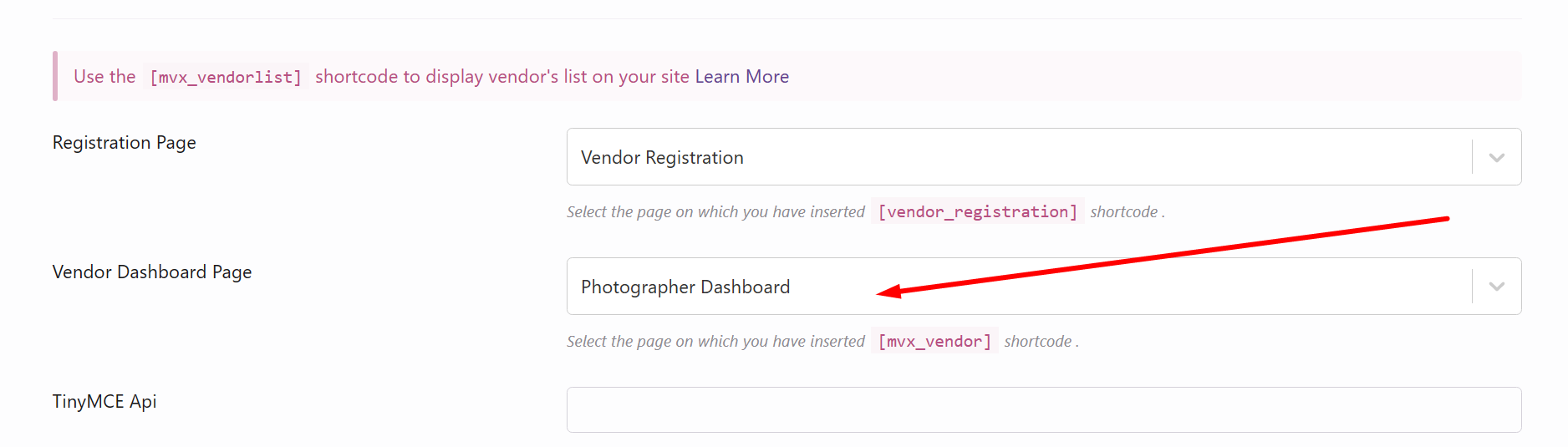
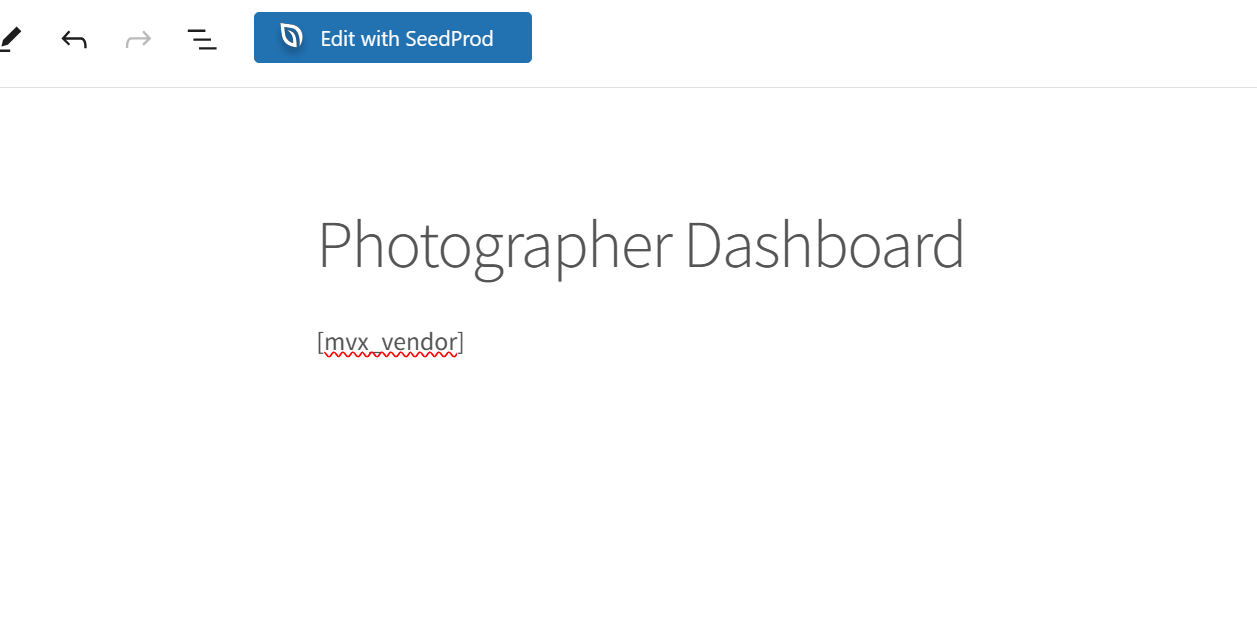
The vendor dashboard page has been set up (https://ibb.co/NyNznxB) and the page has the short code (https://ibb.co/F6P2x67). -
May 12, 2024 at 5:16 PM #219844
Sangita Support Squad
KeymasterHello there, sorry to hear that you have faced an issue. But we are not able to access the images sent by you. Can you please check and share the images so that we can look into it and help you accordingly.
-
May 13, 2024 at 9:49 AM #219850Keymaster
We are now able to access the images now.
Can you please share exactly what issue are your vendors facing while logging into their vendor dashboard through the page so that we can assist you accordingly.
-
May 14, 2024 at 12:47 AM #219914Participant
Hi,
I have attached the images.
The issue that they are experiencing is that the webpage does not let them refresh: https://www.loom.com/share/a3da0f1020d24d42abd7d585a604aa1c?sid=2aa8981f-40d1-4099-8960-ec72cae0dd32
Regards,Attachments:
-
May 14, 2024 at 10:06 AM #219920Keymaster
@Picflick, thanks for sharing the video with us.
Can you please check the vendor login from the vendor dashboard once by disabling all plugins except WooCommerce, MultiVendorX and MultiVendorX Pro and check whether the issue remains. Also switch to some default theme such as twenty twenty four or storefront.
If still the issue remains with the default plugins and theme please do create a staging site that should be an exact replica of your live site and share the staging site url, temporary admin and FTP access with us so that we can check the same on your end.
Also while sharing the access don’t forget to mark your reply as private.
-
May 20, 2024 at 1:12 AM #220060Participant
Resolved – thank you Sangita
-
May 20, 2024 at 10:09 AM #220065Keymaster
Glad to hear that.
Let us know if you need any further assistance from our end. -
June 29, 2024 at 7:14 PM #221087Participant
Hi. You can close this thread 🙂
-
June 29, 2024 at 9:06 PM #221092Keymaster
Thanks for the update. We are closing this thread. If you need any further assistance please create a new support ticket.
-
-
AuthorPosts

- The topic ‘Cannot activate API Key. No API Resources available.’ is closed to new replies.
