






- This topic has 11 replies, 2 voices, and was last updated 1 year, 5 months ago by
Sangita Support Squad.
-
AuthorPosts
-
-
August 7, 2024 at 10:43 PM #222171
frenchb
ParticipantHello
I’d like the “shipping” tab to appear when the seller creates a product, but I don’t want the seller to be able to manage shipping and shipping costs. I just want him to be able to include the dimensions and weight in the product description with this tab.
Do you have a code to integrate into the theme to make this tab appear please?
Thank you.
Attachments:
-
August 8, 2024 at 11:35 AM #222173
Sangita Support Squad
KeymasterHello, If you do not enable any shipping modules in the MultiVendorX modules submenu of the admin dashboard, there will be no shipping options available in the vendor dashboard.
However, if you only want to remove the Shipping submenu under Store settings (but not from the Add Product page), you can achieve this with custom code. The shipping option will still be present on the Edit Product page.
To remove the Shipping submenu from the navigation bar, add the following code to the functions.php file of your current active theme:
add_filter('mvx_vendor_dashboard_nav', 'callback_mvx_vendor_dashboard_nav', 99);
function callback_mvx_vendor_dashboard_nav($vendor_nav){
unset($vendor_nav['store-settings']['submenu']['vendor-shipping']);
return $vendor_nav;
}Let us know if you need any further assistance from our end.
-
August 8, 2024 at 1:37 PM #222178Participant
Hello,
I’ve already removed the “Shipping” menu.
The problem is that I’d like to have a field in product creation where the vendor can enter the dimensions of the product without managing shipping.
If I deactivate the shipping section, do you have a code to add a custom field in the product creation section to add the dimensions and weight of the product ?
Thank you for your feedback.
-
August 8, 2024 at 1:43 PM #222179Keymaster
@frenchb, Thanks for getting back to us. As you want to add a custom tab in the product meta section hence you will have add your own custom code for that.
You may have a look at the code here https://multivendorx.com/docs/code-snippet/add-new-tab-in-add-product-page/ for reference for adding custom tab in the product meta section.
If you need any further assistance please do let us know.
-
August 8, 2024 at 5:52 PM #222191Participant
I’ve tried these codes but they don’t work. Nothing appears in the product creation for the vendor.
Do you have an update for these codes please ?
Thank you.
-
August 8, 2024 at 6:29 PM #222195Keymaster
Hello @frenchb, You can check the updated reference code from here https://multivendorx.com/docs/code-snippet/add-new-tab-in-add-product-page/ for adding new tab in the vendor’s add product page.
Let us know if you have any further query.
-
August 8, 2024 at 9:11 PM #222198Participant
Thank for your feedback.
Sorry but these codes don’t work.
-
August 8, 2024 at 10:03 PM #222202Keymaster
Have you added the code on your end?
Also can you please let us know what are you getting after adding the code on your end as this worked fine for our other users.
-
August 8, 2024 at 10:11 PM #222204Participant
Yes i’ve added the code but i’ve nothing.
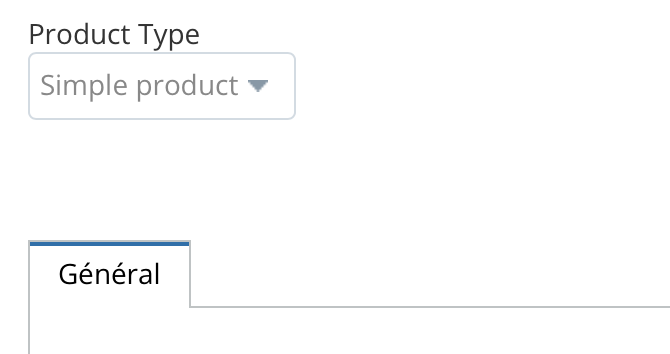
Normally i must have a new tab on the side of “Général”.Attachments:
-
August 9, 2024 at 1:00 AM #222206Participant
Hello,
I tried the code again yesterday after many hours.
It works, but to see the new tab appear you need to go to Settings / Products / Products Fields and activate “Advance”. The other activated options (Linked Product / Attribute / Policies / Product Tag / GTIN) do not display the new tab.
But there are several problems:
1) The first problem is that the new tab I create (for example ‘Delivery’) will replace the ‘Advance’ tab and its contents (and only the ‘Advance’ tab, not the other tabs).
2) The second problem is that if I change the ID in the CSS code to the correct target (for example, “_weight” for me as a replacement “custom_tab_product_data”) I have 2 others problems :
2.1) if I deactivate the “Shipping” option (in the Disbursement setting) and deactivate the delivery modules, the “Delivery” tab will keep its title but will have the same content as the “General” tab.
2.2) if I activate the “Shipping” option and the Shipping modules, I have the same content as the “Shipping” tab.Do you have a solution please ?
Thank you.
-
August 9, 2024 at 11:24 AM #222210Keymaster
Hi @frenchb,
Thanks for sharing your findings with us. We reviewed the custom code you shared for adding a custom tab. While it does take the place of the “Advanced” tab, it doesn’t copy the content from the Advanced tab (as seen here: https://prnt.sc/_TWowdWqilfL).
Please note that the custom code we provided is meant to guide you on adding a custom tab in the product meta section from the vendor’s end. You’ll need to further customize it to meet your specific requirements.
Also we’ve already provided a solution for adding the Shipping tab and removing the Shipping submenu from the vendor dashboard. Please refer to reply #222173 for details.
Now if you wish to implement a custom flow tailored to your needs, you’ll need to add your own custom code. Alternatively, you can hire our service team for assistance at https://multivendorx.com/custom-development/.
If you have any further questions, feel free to reach out.
-
October 10, 2024 at 9:13 AM #236045Keymaster
It’s been a while since we last heard from you, and we assume your query has been resolved. We will be closing this thread. Should you need any assistance or encounter any issues in the future, please feel free to create a new support thread.
-
-
AuthorPosts

- The topic ‘Shipping tab in seller dashboard’ is closed to new replies.
