






- This topic has 19 replies, 3 voices, and was last updated 9 months, 1 week ago by
Sangita Support Squad.
-
AuthorPosts
-
-
March 21, 2025 at 1:59 AM #240091
willalaw
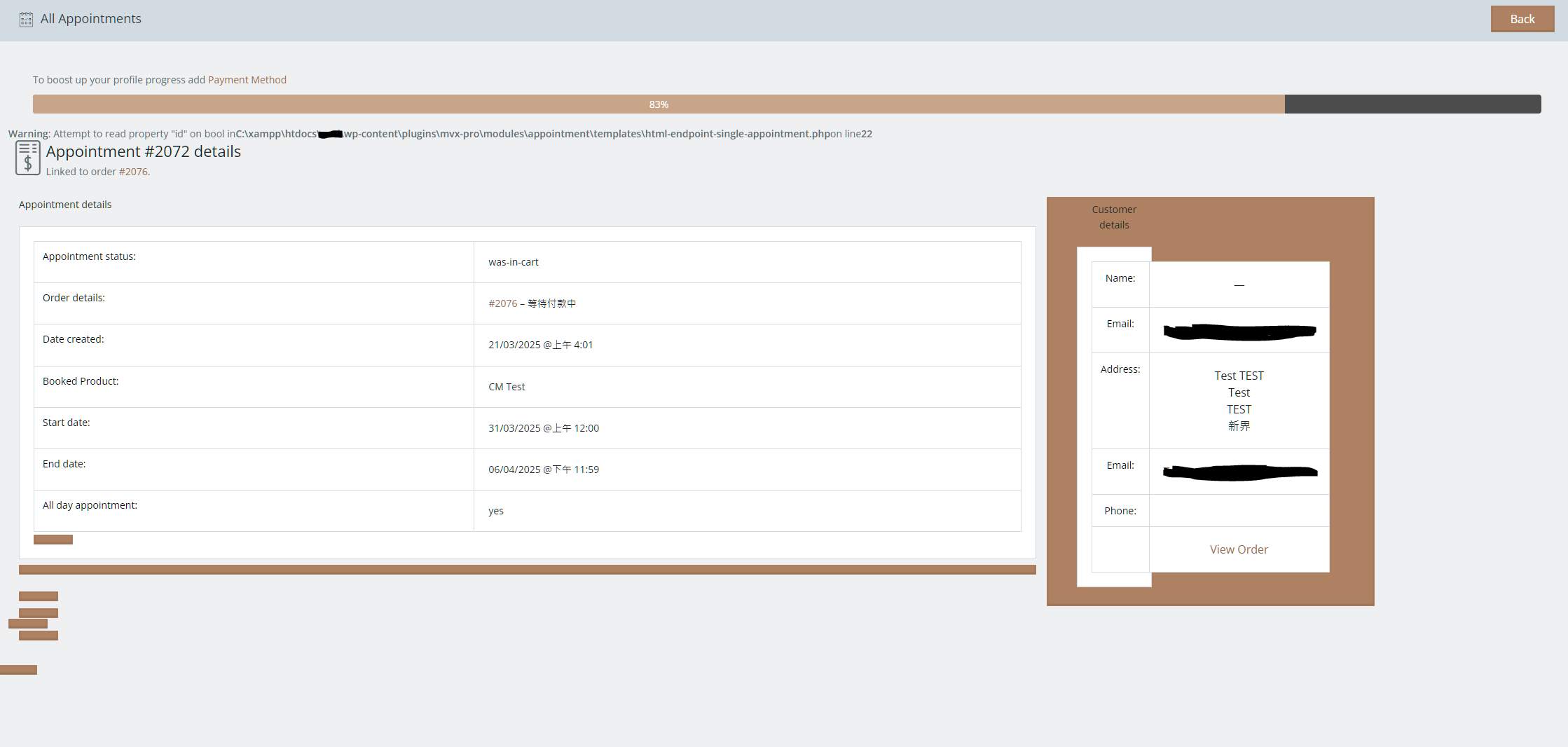
ParticipantThe HTML appears to be problematic.
Attachments:
-
March 21, 2025 at 10:53 AM #240094
Sangita Support Squad
Keymaster@willalaw, Apologies for the inconvenience. I have informed our development team about this issue, and they will investigate and apply a fix accordingly. We’ll keep you updated as soon as it’s resolved.
Thank you for your patience!
-
April 1, 2025 at 6:44 PM #240372Keymaster
Hello @willalaw, We have included a fix for this issue in the latest version of MultiVendorX Pro. Please update to version 1.3.20 and check if everything works as expected on your end.
If you need any further assistance, feel free to let us know. We’re happy to help!
-
April 3, 2025 at 7:18 PM #240416Participant
Thank you, I’ve checked the new version and it works fine.
However, I still have some issues and questions about the appointment module.
Regarding Bugs:
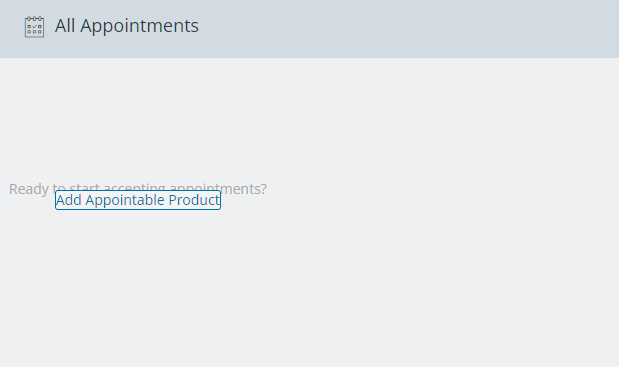
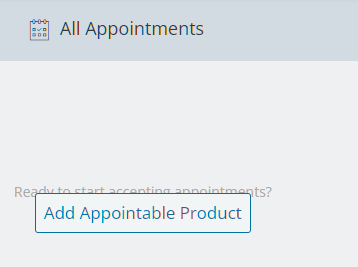
On the “All Appointments” page, I noticed a text overlapping issue that affects the readability of the information displayed. Additionally, on the “Add Product” page, the <h3> heading appears next to the current heading rather than on the next line, which looks somewhat strange and inconsistent.
Regarding Functionality Queries:
When selecting “Add Appointable Product” from the “All Appointments” page, it directs to the “Add Product” page. However, when choosing “Add Product” from the Product Manager, it directly leads to the “Edit Product” page.
I want to know if is this intentional.Also, is there a way to skip the “Add Product” page and directly enter the “Edit Product” page with preselected categories when navigating from the “All Appointments” page?
Lastly, regarding the “Requires Confirmation” option for Appointments, I was wondering if there are any plans to introduce a feature that allows vendors to confirm their appointments instead of relying on administrators or staff to handle the confirmation process.
-
April 3, 2025 at 8:50 PM #240417Keymaster
@willalaw, Thank you for getting back to us! We’re happy to assist you with the HTML glitch issue.
Regarding the other concerns, please allow us some time to review them, and we will get back to you shortly.
-
April 4, 2025 at 2:39 PM #240430
Anushka Sinha
ModeratorHello @willalaw!
Thank you for reaching out to us! Our replies are inlined here:
1.On the “All Appointments” page, I noticed a text overlapping issue that affects the readability of the information displayed.
>> I’m sorry to hear you’re experiencing this issue. I’ve reviewed the flow on our side, and everything appears to be functioning correctly. I’ve attached a screenshot of what we’ve checked on our end for your reference : https://tinyurl.com/29l3rngs.
I would request you to please share a screenshot of the issue that you are facing so that we can understand it better and help you resolve it.
2. Additionally, on the “Add Product” page, the <h3> heading appears next to the current heading rather than on the next line, which looks somewhat strange and inconsistent.
>> Can you please share a screenshot of the heading that you are referring to so that we can understand it better and help you accordingly.
3. Regarding Functionality Queries:
When selecting “Add Appointable Product” from the “All Appointments” page, it directs to the “Add Product” page. However, when choosing “Add Product” from the Product Manager, it directly leads to the “Edit Product” page.
I want to know if is this intentional.Also, is there a way to skip the “Add Product” page and directly enter the “Edit Product” page with preselected categories when navigating from the “All Appointments” page?
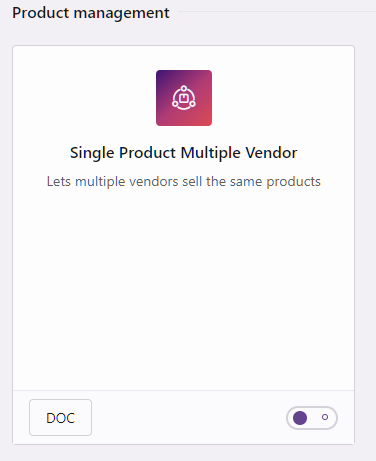
>> It appears that the SPMV module is currently enabled on your end, which is causing the redirection to the ‘Add Product’ page when selecting ‘Add Appointable Product’ from the ‘All Appointments’ page. If you’d prefer to be redirected to the ‘Edit Product’ page instead, you just need to disable the SPMV module from the admin dashboard.
4. Lastly, regarding the “Requires Confirmation” option for Appointments, I was wondering if there are any plans to introduce a feature that allows vendors to confirm their appointments instead of relying on administrators or staff to handle the confirmation process.
>> Thank you for bringing this to our attention!
We do have plans to include the functionality of allowing vendors to confirm their appointments in a future update. We will keep you informed once this feature is implemented. -
April 4, 2025 at 8:29 PM #240449Participant
Thanks for your reply.
I’ve checked the module but there’s showing i am not using SPMV module.
Attachments:
-
April 4, 2025 at 10:46 PM #240453Keymaster
Hi there, Thanks for sharing the screenshots. Since the CPG option is enabled on your end, you are first being redirected to the “Add Product” page, and after selecting a category, you are taken to the “Edit Product” page.
To disable CPG, navigate to the Admin Dashboard → MultiVendorX → Settings → General, and turn off the CPG option accordingly.
If you need any further assistance, please let us know!
-
April 4, 2025 at 11:52 PM #240455Participant
umm…I didn’t enable the CPG option either.
-
April 5, 2025 at 5:53 PM #240464Keymaster
This does seem unusual. When the CPG setting is enabled, only then the product category selection page appears before the add product page in the vendor dashboard.
To help us investigate this further on your end, could you please create a staging site that is an exact replica of your live site? Once it’s set up, kindly share the staging URL along with temporary admin access so we can take a closer look and assist you accordingly.
Also while sharing the access don’t forget to mark your reply as private.
-
April 6, 2025 at 7:09 PM #240479ParticipantThis reply has been marked as private.
-
April 7, 2025 at 9:57 AM #240487Keymaster
Hi @willalaw, Thank you for sharing access to your staging site. We’ve logged in and reviewed the flow. As observed, once the “CPG” option is disabled, the vendor is correctly redirected to the edit product page. You can view the recorded video here: https://www.awesomescreenshot.com/video/38452029?key=d8a0fa37a5193759088a78c776bfe3d5.
We kindly request you to test the flow on your live site and let us know if you need any further assistance from our side.
-
April 7, 2025 at 1:00 PM #240490Participant
Sorry, I think you misunderstood. I previously mentioned that it’s the page you are directed to after entering the “add appointments” section from the “appointments” tab, not the page from “product manager” where you add a product.
-
April 7, 2025 at 4:45 PM #240495Moderator
Hi @willalaw,
Thank you for your explanation.
This seems a bit unusual, as we are unable to access the “Add Appointments” section from the “Appointments” tab in the vendor dashboard.Could you please share how you’re currently adding appointable products from the vendor dashboard Appointment tab? This will help us better understand your process and provide further assistance with this flow.
Thank you for your patience. We look forward to assisting you!
-
April 9, 2025 at 10:37 AM #240529ParticipantThis reply has been marked as private.
-
April 9, 2025 at 6:52 PM #240541Keymaster
Hi there, Thank you for sharing the video with us. We’ve successfully reproduced the issue related to the page redirection on our end and will be including a fix in an upcoming update.
In the meantime, we’ve applied the fix directly to your staging site. Please review the flow there and, if everything works as expected, you can upload the updated plugin file to your live site.
We’ll keep you informed once the fix is officially included in our next release. Thank you for your understanding and cooperation.
-
April 9, 2025 at 7:37 PM #240545Participant
Many thanks! It correctly skips the process of selecting a category right now.
However, the HTML overlapping problems seem to be the same. The button clearly covers most of the text.
When you go through the “Add Appointable Product” option, the default product type is not set to an appointable product. If it is set to correct product type could achieve better user experience. -
April 9, 2025 at 8:21 PM #240550Keymaster
Hi there, Great to hear that the fix worked well for you! As for the other issues, no worries—our team will be working on the Appointment module, and we’re aiming to include the necessary fixes in our upcoming update.
We’ll keep you posted on the progress. Thanks for your continued support!
-
May 10, 2025 at 6:32 PM #240933Participant
Could you share the code for the issue related to the page redirection again? I lost that data when updating the plugin.
Also, is there any update about the progress of the appointment module? -
May 10, 2025 at 6:45 PM #240934KeymasterThis reply has been marked as private.
-
-
AuthorPosts


- The topic ‘Appointment Module HTML Glitch’ is closed to new replies.
