






Tagged: Commission Disbursement
- This topic has 21 replies, 3 voices, and was last updated 7 months, 3 weeks ago by
Sangita Support Squad.
-
AuthorPosts
-
-
July 26, 2025 at 12:59 PM #248970
Rebekah Drew
ParticipantI’m currently setting up Stripe Connect with Standard accounts and Direct Charges on my MultiVendorX-powered marketplace (The Costume Vault) and everything appears to be configured correctly — however, the “Commission Disbursement Method” dropdown under MultiVendorX > Settings > Payment > Commission is not showing any options.
Here’s what I’ve already confirmed:
Stripe Connect and marketplace modules are activated in the Modules section.
Stripe Connect is enabled and configured with:
Standard account type
Direct Charges selected
Live Client ID and Redirect URI added
Stripe Connect is set as an active payment method in Settings > Payment
Stripe platform and connected account are fully set up and verified
I’ve saved settings multiple times, cleared cache, and tested in incognito/private window
Both webhooks are added to Stripe for the membership module (platform and connected account)
Despite all of this, the Commission Disbursement Method field remains blank with the message:
“Kindly activate your preferred payment method in the Module section.”
Can you please help me troubleshoot why this dropdown is not appearing and what additional steps (if any) may be required to activate this functionality?
Thanks in advance for your help — I really appreciate it.
-
July 26, 2025 at 4:20 PM #248975
Anushka Sinha
ModeratorHi there,
Thank you for reaching out and sharing all the setup details.Not to worry, I’d like to clarify that this isn’t an error- it’s simply a general notice informing users to enable their preferred payment module. Once that’s done, vendors will be able to see and choose the relevant payment option from their end.
Since you’ve already activated the required modules and have set up Stripe Connect, vendors should now see the ‘Stripe’ connect option under the Payment section on their dashboard (here is a screenshot: https://snipboard.io/bsoT8Z.jpg ). They can connect their Stripe accounts accordingly to receive their commissions.
If you need any further assistance, feel free to reach out – we’re happy to help.
-
July 27, 2025 at 1:30 PM #248986Participant
Thanks so much for your reply.
I was hoping the setting I mentioned might be the reason I’m seeing the following error at checkout:
“There are no payment methods available. This may be an error on our side. Please contact us if you need any help placing your order.”
Here’s what I’ve set up so far:
The admin Stripe account is fully configured and connected.
Both Stripe Connect and Stripe Marketplace modules are active.
I’ve created a test vendor account and successfully linked it to Stripe.
Despite all this, no payment options appear during checkout — even in incognito mode or when I make everything live. I’ve double-checked all settings but can’t pinpoint what might be missing.
Could you please advise what else might be required to get Stripe working properly on the checkout page?
Thanks in advance for your help!
-
July 28, 2025 at 7:45 AM #248996Participant
Hi again,
I just wanted to let you know that I’ve resolved the issue. It turned out that the WooCommerce block checkout was causing the problem—once I disabled it and reverted to the classic shortcode-based checkout, everything started working as expected.
It seems that the marketplace payment settings aren’t currently compatible with the block version of the checkout.
Thanks again for your help!
-
July 28, 2025 at 11:32 AM #248999Moderator
Hi there,
Thank you for the update – glad to hear the issue has been resolved!
Just to keep you informed, both the Stripe Marketplace and PayPal Marketplace payment modules currently support only the classic shortcode-based WooCommerce checkout. As a result, they may not function as expected with the block-based checkout at this time.That said, no worries – we want to let you know that this feature is already on our priority list. While we currently have a few things in our development queue, we’ll be working on this shortly and will keep you updated as soon as we have any progress to share.
We truly appreciate your patience and understanding.
-
July 29, 2025 at 11:21 AM #249034Participant
thanks, also can you tell me a way for vendors to get back to the set up wizard from their vault if they click the ‘not right now’ button?
-
July 29, 2025 at 12:47 PM #249035Moderator
Hi there,
Thank you for getting back with us.The MultiVendorX setup wizard is designed to guide new vendors through their initial store setup. However, if a vendor clicks the “Not right now” button, the wizard is skipped and they are redirected to the vendor dashboard.
As per our default flow, once a vendor skips the wizard, they will not be able to revisit the setup wizard from their dashboard.If you need any further assistance feel free to reach out to us.
-
July 31, 2025 at 12:53 PM #249076Participant
Thanks for the reply, can I also ask, we would like to take a copy of our website and put it on a development server to test new features however we only have one multivendorx pro license, what is the process for having one live site using the license and then being able to make a copy for development? thanks 🙂
-
July 31, 2025 at 1:09 PM #249077Participant
also can i disable the vendor set up wizard all together? so they just get directed to the dashboard without the wizard?
-
July 31, 2025 at 2:51 PM #249078
Sangita Support Squad
KeymasterHi there,
Thank you for getting back to us.
Currently an active license ensures you get the updates and support for the Pro plugin. Now if you’d like to use the Pro version on a test site, you can do so without activating the license on that site.
Regarding the vendor setup wizard — by default, it appears the first time a vendor logs in to their dashboard. If you’d prefer to disable this behavior, it will require adding custom code on your end.
Please let us know if you need any further assistance.
-
August 1, 2025 at 12:49 PM #249104Participant
thanks so much for your help, are you able to point me in the right direction for deactivating the vendor set up wizard, I have tried several solutions and nothing seems to stop the vendor being redirected there after checkout.
-
August 1, 2025 at 2:21 PM #249107Participant
also, I added the ‘store name’ field to my registration form but it doesn’t input the store name chosen, it seems to revert to part of the email address entered?
-
August 1, 2025 at 6:42 PM #249122Keymaster
Hello There,
To disable the Vendor Setup Wizard, you can simply add the following code to the functions.php file of your currently active theme:
add_filter( 'mvx_vendor_store_setup_wizard_enabled', '__return_false' );
Regarding the store name issue, please note the following:
When vendor approval is set to manual, there is a known issue where the store name is not saved correctly.
When vendor approval is set to automatic, the store name entered by the vendor is saved properly without any issues.
We are currently working on a major revamp of MultiVendorX’s core structure, and this flow will be fully addressed in an upcoming release.
In the meantime, for users relying on manual vendor approval, we’ve created a temporary workaround. This patch ensures the store name is saved correctly by overriding the metadata. However, we recommend using it only if absolutely necessary, as it is not a long-term solution.
If you would like to proceed, you can download the temporary plugin from the link below and follow these steps:
Temporary Patch: https://github.com/user-promi/MultiVendorX/archive/refs/heads/store-name.zip.— Delete the currently installed MultiVendorX via WP Admin → Plugins.
— Unzip the downloaded GitHub plugin.
— Rename the folder to dc-woocommerce-multi-vendor, then zip it again.
— Install this updated plugin on your site.
Please note: This workaround is only applicable for manual approvals and will not work if automatic approval is enabled.
We truly appreciate your patience and understanding as we work to enhance this flow in the upcoming version. If you have any further questions, feel free to reach out.
-
August 2, 2025 at 8:01 AM #249131Participant
thanks so much for the reply, my vendor approval method is set to automatic and the store name still doesn’t not populate properly, he seems to take part of the email address to make the store name instead. I have filmed a loom for you to see the flow and show what happens https://www.loom.com/share/d987e8d497f74f75aec8ef8c5e3cd3bb?sid=89ad0f0b-cac3-49e6-b4a1-30646edae99e
-
August 2, 2025 at 8:47 AM #249132Keymaster
Sorry to hear that you’ve faced this issue. Could you please confirm which version of MultiVendorX you are currently using? In the latest release of MultiVendorX, if vendor approval is set to automatic, the store name is correctly fetched from the registration form input.
-
August 2, 2025 at 9:37 AM #249138Participant
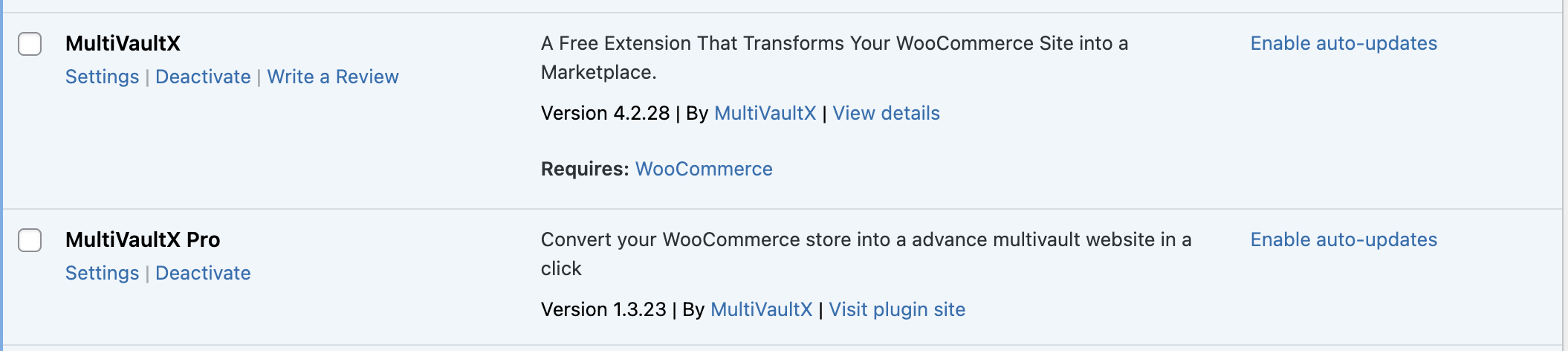
screenshot of versions I am running 🙂
Attachments:
-
August 2, 2025 at 12:15 PM #249140Participant
also is there anyway to change the label in the storefront social media area from ‘Twitter’ to ‘X’? I know the icon is the X icon on the vendor store page but the label in the dashboard is still ‘twitter’.
Thanks!
-
August 2, 2025 at 6:15 PM #249144Keymaster
Hi There, Thank you for getting back to us.
Regarding the store name issue, could you please create a staging site (a replica of your live site) and share temporary admin and FTP access with us? This will allow us to check the flow and investigate the issue properly.
As for the Twitter name, I will inform our team, and they will update it accordingly. Once the change is done, we will keep you posted.
Also, when sharing the access details, please remember to mark your reply as private.
-
August 3, 2025 at 1:43 PM #249155ParticipantThis reply has been marked as private.
-
August 4, 2025 at 5:51 PM #249174Keymaster
Hello There, Thank you for getting back to us and for sharing the access details.
As mentioned earlier, there is currently an issue where the store name from the registration form is not being saved correctly. To help you continue without disruption, we’ve created a temporary workaround. This patch ensures that the store name is saved by overriding the metadata.However, please note that this is only a temporary workaround and is not recommended at all. It should be used only if absolutely necessary.
If you wish to proceed, follow the steps below:
Temporary fix : https://github.com/user-promi/MultiVendorX/archive/refs/heads/store-name.zip.
— Delete the currently installed MultiVendorX from WP Admin → Plugins.
— Download and unzip the plugin from the above link.
— Rename the folder to dc-woocommerce-multi-vendor and then zip it again.
— Install this updated plugin on your site.
We are currently working on a major revamp of MultiVendorX’s core structure, and this flow will be fully addressed in an upcoming release. Once the permanent fix is ready, we recommend switching back to the standard plugin version.
Let us know if you need any further assistance.
-
August 5, 2025 at 4:54 AM #249193Participant
Hi, thanks for your reply, my vendor approval is set to automatic though? I thought ‘When vendor approval is set to automatic, the store name entered by the vendor is saved properly without any issues.’?
Also will there be any updates on the social media icons as mentioned?
Thanks!
-
August 5, 2025 at 11:39 AM #249201Keymaster
Hello There, Thank you for your cooperation.
As mentioned earlier, there are currently some issues with the store name saving flow. Our team will be addressing this in the upcoming revamp, and once implemented, you should no longer experience any problems with saving store names from the registration form.
Regarding the social media profile logos, thank you for your suggestion. In our revamp, we will include the latest logos for all platforms and keep you posted.
We appreciate your patience and support.
-
-
AuthorPosts
- You must be logged in to reply to this topic.

