






- This topic has 69 replies, 3 voices, and was last updated 1 year, 5 months ago by
Sangita Support Squad.
-
AuthorPosts
-
-
June 19, 2024 at 3:50 PM #220798
Ram Kumar
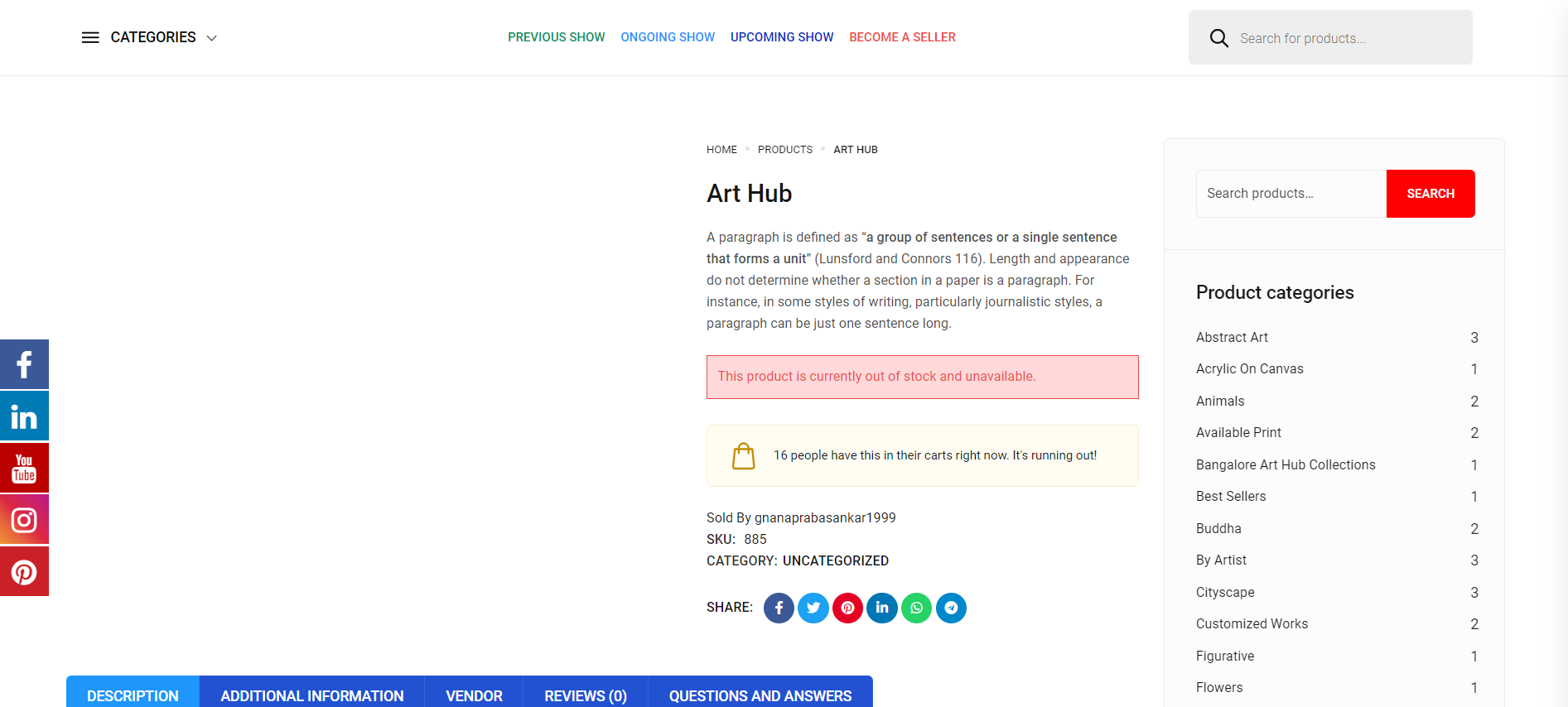
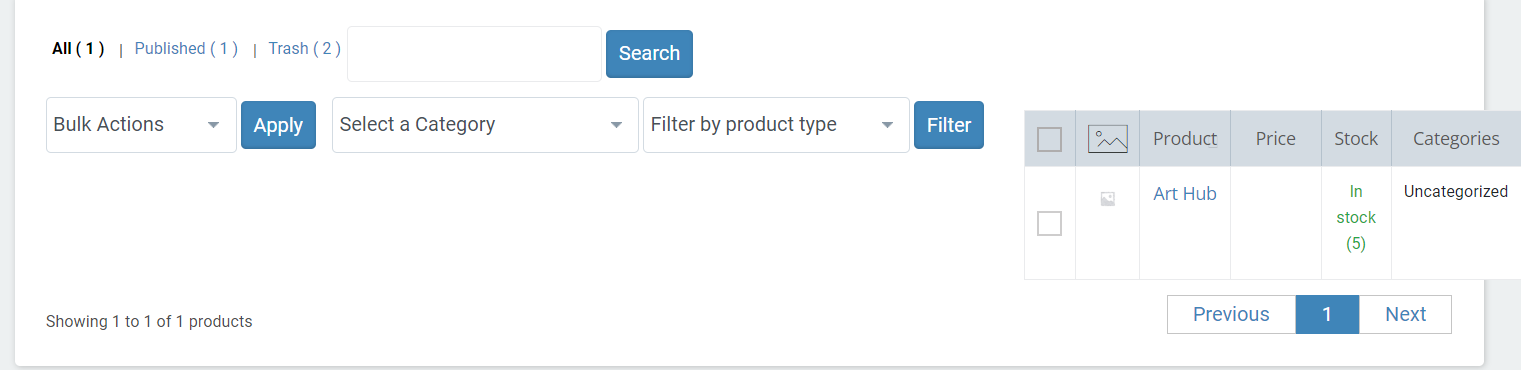
Participant1. Hello, In our vendor dashboard if we add variable product with stock quantity it will show the quantity level in all the places except product detail page. If we open the product detail page it is showing out of stock Please fix this issue as soon as possible. Below i Gave the product link and screenshot also. https://bah.protechnologys.in/index.php/product/art-hub/
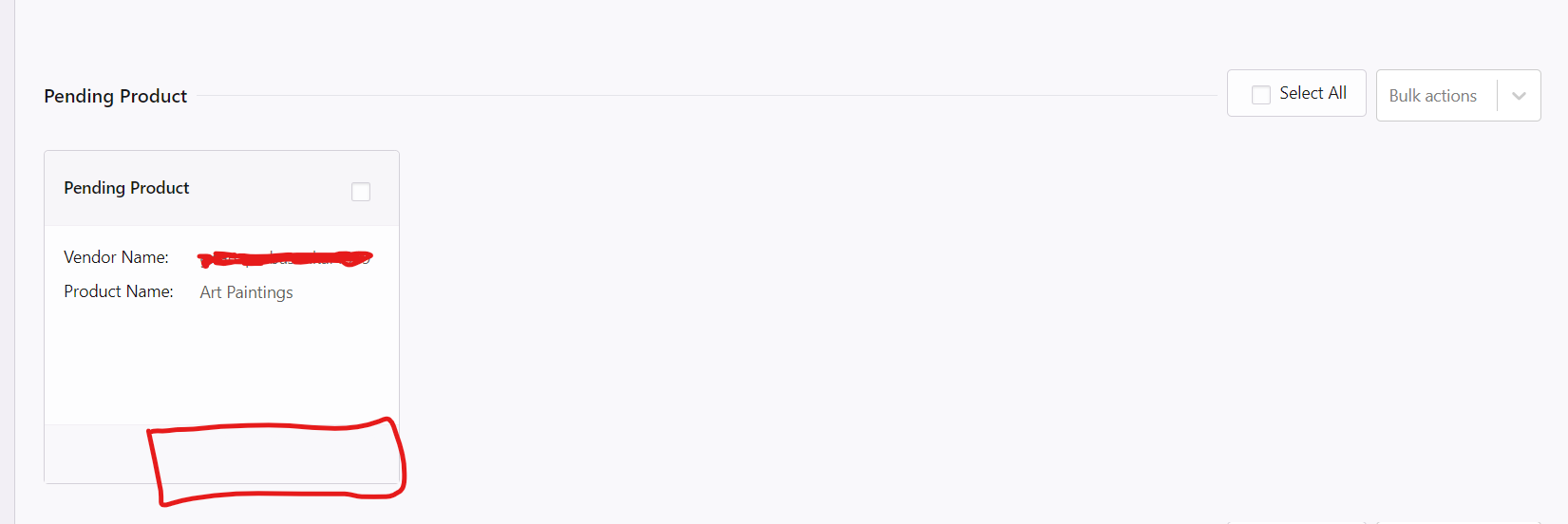
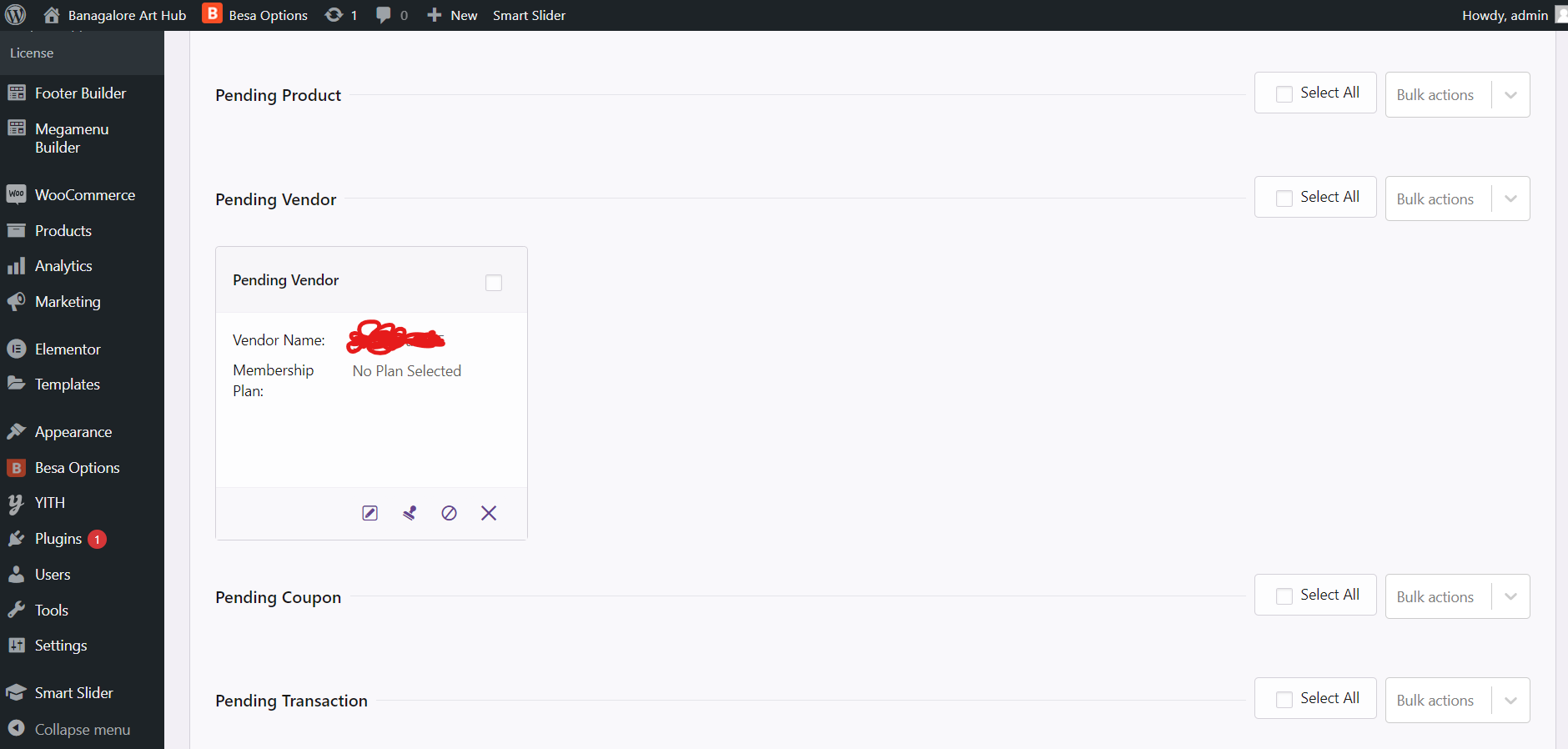
2. And In Pending Product column it doesn’t show the icons for edit dismiss approve options for that also i gave screenshot.
3. And In vendor dashboard we cant able to access the plugins, what we have installed in admin dashboard. Please fix that issue also we need some plugins from admin dashboard to add the products in vendor dashboard.
Please fix all these issues as soon as possible. Thank you
-
June 19, 2024 at 4:53 PM #220806
Sangita Support Squad
Keymaster@Ram Kumar, Sorry to hear that you have faced issues on your end. Our replies are inline with your queries –
1. In our vendor dashboard if we add variable product with stock quantity it will show the quantity level in all the places except product detail page. If we open the product detail page it is showing out of stock Please fix this issue as soon as possible. Below i Gave the product link and screenshot also. https://bah.protechnologys.in/index.php/product/art-hub/
2. And In Pending Product column it doesn’t show the icons for edit dismiss approve options for that also i gave screenshot.>> we have checked both of these on our end but did not face any such issue mentioned by you. Now it seems there might be some theme/plugin conflict on your end and as a result you are facing the issues. Just to be sure, deactivate all plugins except WooCommerce, MultiVendorX and MultiVendorX Pro on your end and switch to some default theme such as twenty twenty four or storefront and check whether the issues still persists with the default plugins and theme.
If still the issue persist please do create a staging site that should be an exact replica of your live site and share the staging site url, temporary admin and FTP access of your staging site with us so that we can look into the issues and assist you accordingly to solve those.
Also while sharing the access don’t forget to mark your reply as private.3. And In vendor dashboard we cant able to access the plugins, what we have installed in admin dashboard. Please fix that issue also we need some plugins from admin dashboard to add the products in vendor dashboard.
>>The vendor dashboard is a static page of our plugin and there only those options appear whose support is provided through our plugin. Now if you want to let your vendor access a third party plugin functions from their end hence you will have to add support for that by addding custom code on your end.
Let us know if you need any further assistance from our end. -
June 20, 2024 at 10:07 AM #220829ParticipantThis reply has been marked as private.
-
June 20, 2024 at 10:11 AM #220830ParticipantThis reply has been marked as private.
-
June 20, 2024 at 12:50 PM #220831Keymaster
Hello @Ram Kumar Thanks for getting back to us. Our replies are inline with your queries –
1. Hello, I tried the way of uninstalling all the plugins and adding the products in Vendor Dashboard. If I uninstall the Elementor Plugin then only products are working in vendor dashboard, but elementor plugin is most important for us so we cant able to uninstall that plugin. Please give some alternative solutions for this issue.
>>I have reviewed the process with the Elementor plugin activated and can confirm there is no conflict between our plugin and Elementor. Additionally, many of our users utilize the Elementor plugin without reporting any issues.Now as you are facing issues on your end I kindly request you to provide temporary admin and FTP access to your staging site to us. This will allow us to investigate the matter on your end and offer an appropriate solution.
2. And we need to access plugins in vendor dashboard what we have installed in admin dashboard, we cant able to implement custom coding here so give alternative solutions for access the plugins.
>>I understand your situation. However, please note that the vendor dashboard page in our plugin is static, which means it does not support the functionalities of other plugins. Only third-party plugins that we have specifically made compatible are accessible from the vendor dashboard.To enable vendors to use additional plugin functionalities, you will need to add custom code on your end to achieve the desired flow.
Let us know if you need any further assistance from our end. -
June 20, 2024 at 4:01 PM #220837ParticipantThis reply has been marked as private.
-
June 20, 2024 at 4:01 PM #220836ParticipantThis reply has been marked as private.
-
June 20, 2024 at 4:02 PM #220835ParticipantThis reply has been marked as private.
-
June 20, 2024 at 4:28 PM #220842Participant
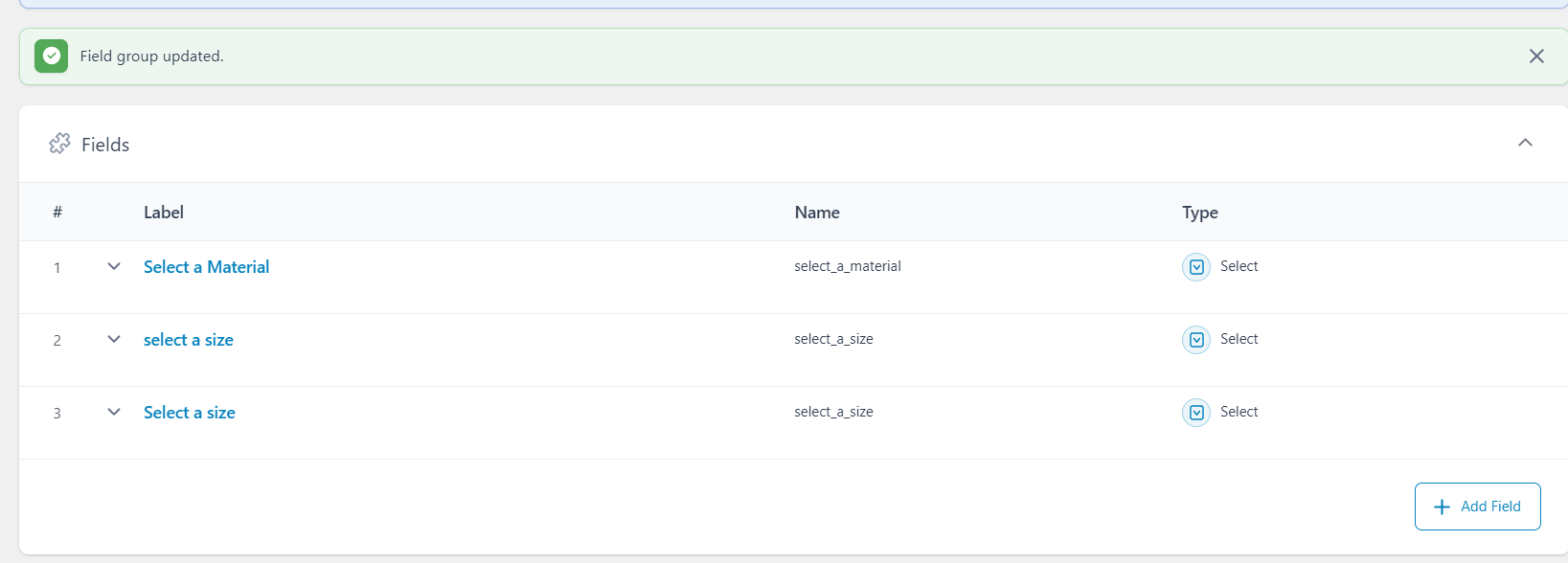
I added ACF custom field in admin dashboard but it doesnt showing in vendor dashboard Below I attached screenshot for your reference. Please fix that issue as soon as possible.
-
June 20, 2024 at 4:30 PM #220845Keymaster
@Ram Kumar, Thank you for providing the access details.
Could you please confirm if we have permission to deactivate and activate plugins/themes on the site to troubleshoot the issue?
-
June 20, 2024 at 4:36 PM #220847Participant
Yes you can actibve and deactive the plugins but please send me the video will you are adding the products
-
June 20, 2024 at 5:19 PM #220848Keymaster
Thanks for the confirmation. We deactivated all the plugins except WooCommerce, MultiVendorX, MultiVendorX Pro, Advanced custom field, Elementor plugin on your site and also switched to the default Twenty twenty four theme. After that we checked all the issues mentioned by you(issue with variable products, icons not appearing on the work board submenu, acf fields not coming).
Everything is working absolutely fine. You can check the video here https://www.awesomescreenshot.com/video/28811510?key=02a8d316de5c4b7e6da12e08d0dd9e4e.
So check all the above mentioned things carefully again on your site and let us know if you need any further assistance from our end.
-
June 20, 2024 at 8:01 PM #220860ParticipantThis reply has been marked as private.
-
June 20, 2024 at 10:17 PM #220864Keymaster
Hello there, Thanks for getting back.
Our ACF module provides the option to add the custom fields in the edit product page of the vendor dashboard. Now if you want to display them on the single product page then we would request you to get in touch with the ACF plugin team. They will assist you accordingly to achieve your required flow.Let us know if you need any further assistance from our end.
-
June 21, 2024 at 10:01 AM #220869Participant
okay thanks. We need electron theme in our website without electron theme we cant do nothing so please fix the issue in vendor dashboard out of stock product in electron theme. below i gave the credentials.
FTP IP : ftp://77.37.34.150
Hostname : https://ftp.protechnologys.in
FTP username : u794574126.bah
FTP Password : Bangaloreart123$
FTP port : 21Admin Dashboard
URL : https://bah.protechnologys.in/
username: superadmin
password: Bangalorearthub123$Please Fix these issues as soon as possible
-
June 21, 2024 at 10:03 AM #220868Participant
okay thanks, here i need our electron theme, without electron theme we cant do nothing so please install the theme and fix the variable product out of stock issue.
FTP IP : ftp://77.37.34.150
Hostname : https://ftp.protechnologys.in
FTP username : u794574126.bah
FTP Password : Bangaloreart123$
FTP port : 21Admin Dashboard
URL : https://bah.protechnologys.in/
username: superadmin
password: Bangalorearthub123$Please Fix these issues as soon as possible. You can access our domain
-
June 21, 2024 at 12:35 PM #220873Keymaster
Hello There, Thanks for sharing the details with us. Kindly provide us some time to check and we will get back to you accordingly.
-
June 21, 2024 at 4:46 PM #220876Keymaster
Hi @Ram Kumar,We investigated the issue on your end and found that it is caused by a conflict with your theme. Unfortunately, it’s difficult for us to provide a fix because we are not familiar with the specific hook they are using, which is preventing the stocks for variable products from being added or updated.
We recommend reaching out to the theme team to describe the issue. You can also keep us in the loop of your email so that we can assist them if any assistance is needed from our end.
-
June 22, 2024 at 12:22 PM #220892Participant
okay thanks. which woocommerce theme did you prefer for multivendorX. Please tell us the theme details we will try to install that theme.
-
June 22, 2024 at 1:34 PM #220893Keymaster
Hello @Ram Kumar, Thanks for getting back to us.
You can find the list of MultiVendorX compatible themes here: https://multivendorx.com/third-party-themes/.
However, just to share our observations with you, many of our users successfully use the Woodmart theme on their websites. But please note, there may be occasional issues on the cart page related to the theme. Don’t worry—if you encounter any problems, the theme team will assist you with the fix accordingly.
Let us know if you need any further assistance from our end.
-
June 24, 2024 at 3:48 PM #220921Participant
Hello, We are planning to buy a theme from the list given by you. Please give us assurance that if we buy this theme, multivendorX will work without any issues. Because hereafter we cant able to spend money for this issue and theme. If you give assurance like multivendorX will work on this theme then we will buy this theme. Below I attached the selected theme please check and let us know. Thank you.
-
June 24, 2024 at 4:27 PM #220922Keymaster
Hi Ram Kumar,Thank you for your response.
The theme’s team has confirmed compatibility of their themes with our plugin, leading us to include them in our compatibility list. However, it’s important to note that we haven’t conducted our own tests with these themes, making it difficult for us to provide complete assurance.
Therefore, we recommend contacting the theme developers directly to verify compatibility with MultiVendorX before making any purchase decisions for your site.
Please feel free to reach out if you require any further assistance.
-
June 29, 2024 at 1:12 PM #221056Participant
Hello, We bought multivendorX Pro plugin for vendor dashboard. We used Api key and product Id in one of my website but now we dont want that website we just deactivate the plugins in old website , so we used the same API Key and Product Id for another website but it doesn’t accept the key cant able to active the API Key. so please check the issue and let me know
-
June 29, 2024 at 1:36 PM #221057Keymaster
Hello There, We just checked your order and found out that you have already activated your 1 out of 1 license in one of your sites. Hence when trying to activate it in a new site you are facing difficulty to do that.
So to activate the plugin on a new site, kindly first delete the active site from here https://multivendorx.com/my-account/api-keys/ and then activate it on the new site.Let us know if you need any further assistance from our end.
-
June 29, 2024 at 2:05 PM #221058Participant
Cant able to create registration form. Whenever We tried to open the settings page it is not opening, below i attached screenshot.
Attachments:
-
June 29, 2024 at 2:15 PM #221061Keymaster
Hello @Ram Kumar, Sorry to hear that you are facing an issue on your end. But as I can recall this page was working fine on your end earlier. So it’s possible that an update to a plugin or the installation of a new plugin may have caused a conflict, resulting in the current issue.
To diagnose the problem, please deactivate all plugins except WooCommerce, MultiVendorX, and MultiVendorX Pro on your site. Then, test the functionality to see if the issue persists. Next, reactivate each plugin one by one to identify which one is causing the problem.
Please keep us updated with your findings.
-
June 29, 2024 at 2:22 PM #221062Participant
We uninstalled all the plugins except the three plugins still it is not working. Please check and solve the issues
-
June 29, 2024 at 2:41 PM #221063Participant
https://testing.protechnologys.in/
username : admin
password : Password1$Please check this issue and solve
-
June 29, 2024 at 3:34 PM #221064Keymaster
@Ram Kumar, Thank you for sharing access. Upon checking your site, it seems the issue arises because your server is restricting the API call from our plugin.
Have you recently changed your server settings?As long as I can remember this issue was not present before on your end.Also, please ensure your .htaccess file is configured correctly. To be confirm that the issue is coming because of restriction in API call from server end , I am forwarding this to our dev team and we’ll get back to you with an update.
Meanwhile, could you please share your site’s FTP access details with us? Also while sharing it don’t forget to mark your reply as private.
Note: Our responses might be slightly delayed over the weekend. Thank you for your patience and understanding.
-
June 29, 2024 at 3:53 PM #221065ParticipantThis reply has been marked as private.
-
June 29, 2024 at 5:18 PM #221075Keymaster
Thanks for sharing the access details. Let me share this with my dev team and once I hear back from them I will keep you posted regarding the same. Also, in the meantime please ensure your .htaccess file is configured correctly.
Note: Our responses might be slightly delayed over the weekend. Thank you for your patience and understanding.
-
June 29, 2024 at 5:48 PM #221076Participant
Variable Products not working in vendor dashboard and it didnt show the products fields also below i shared some screenshots please check and fix the issue.
-
June 29, 2024 at 7:26 PM #221088Keymaster
To let the vendors add the variable products kindly go to admin dashboard >> MultiVendorX >> Modules, from here enable the variable module accordingly under the Marketplace types. After that the vendors will have the option of variable products in the product type section.
Also for the product fields to appear on the vendor dashboard, you need to go to the admin dashboard >> MultiVendorX >> Settings >> Products, from here select the product fields.
Let us know if you need any further assistance from our end.
-
July 1, 2024 at 10:04 AM #221115Participant
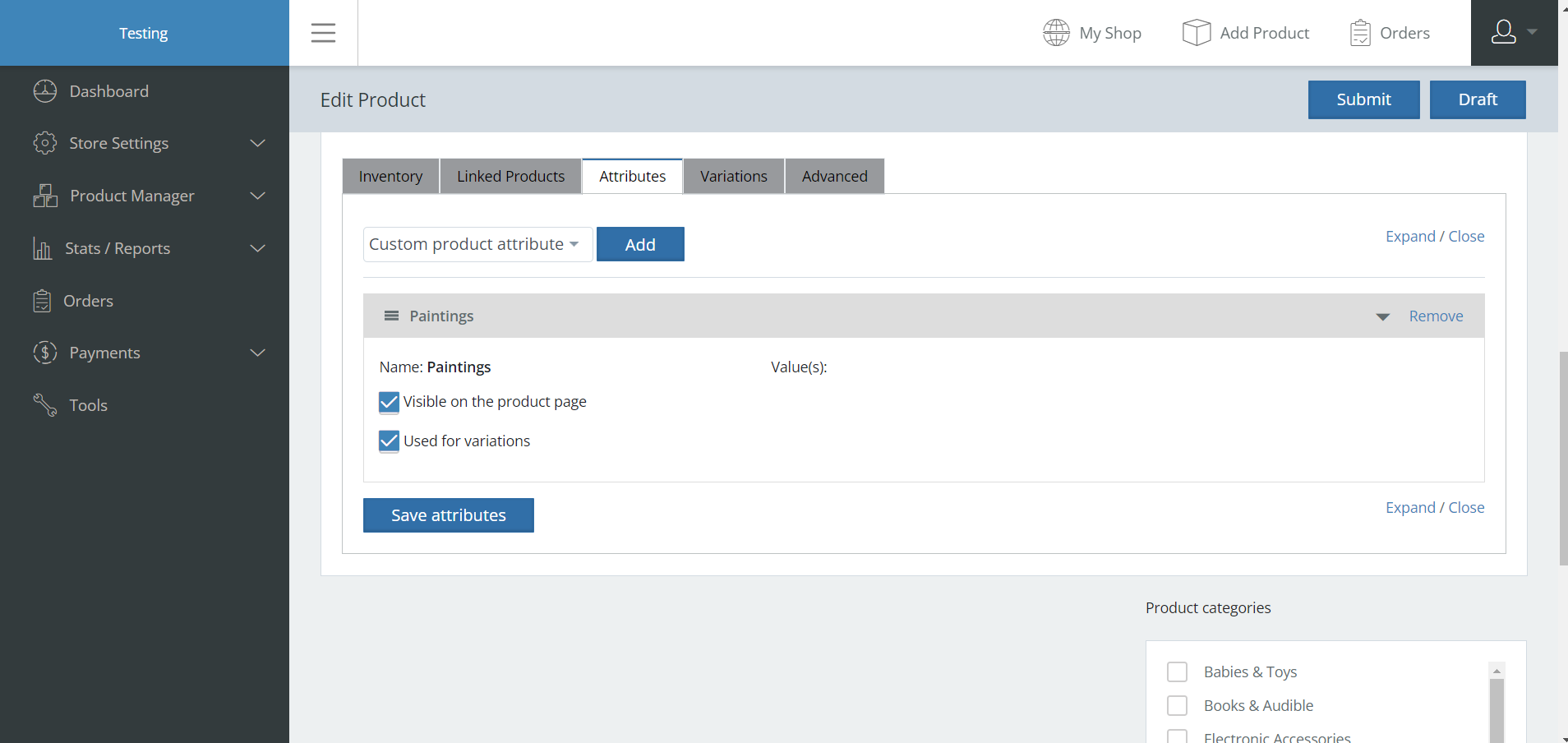
Hello, Here values fields are not displaying in attributes please fix this issue. below I attached screenshot also
Attachments:
-
July 1, 2024 at 11:20 AM #221120Keymaster
Hello @Ram Kumar, Thanks for getting back to us.
Let me share the flow of the Attribute tab to you.
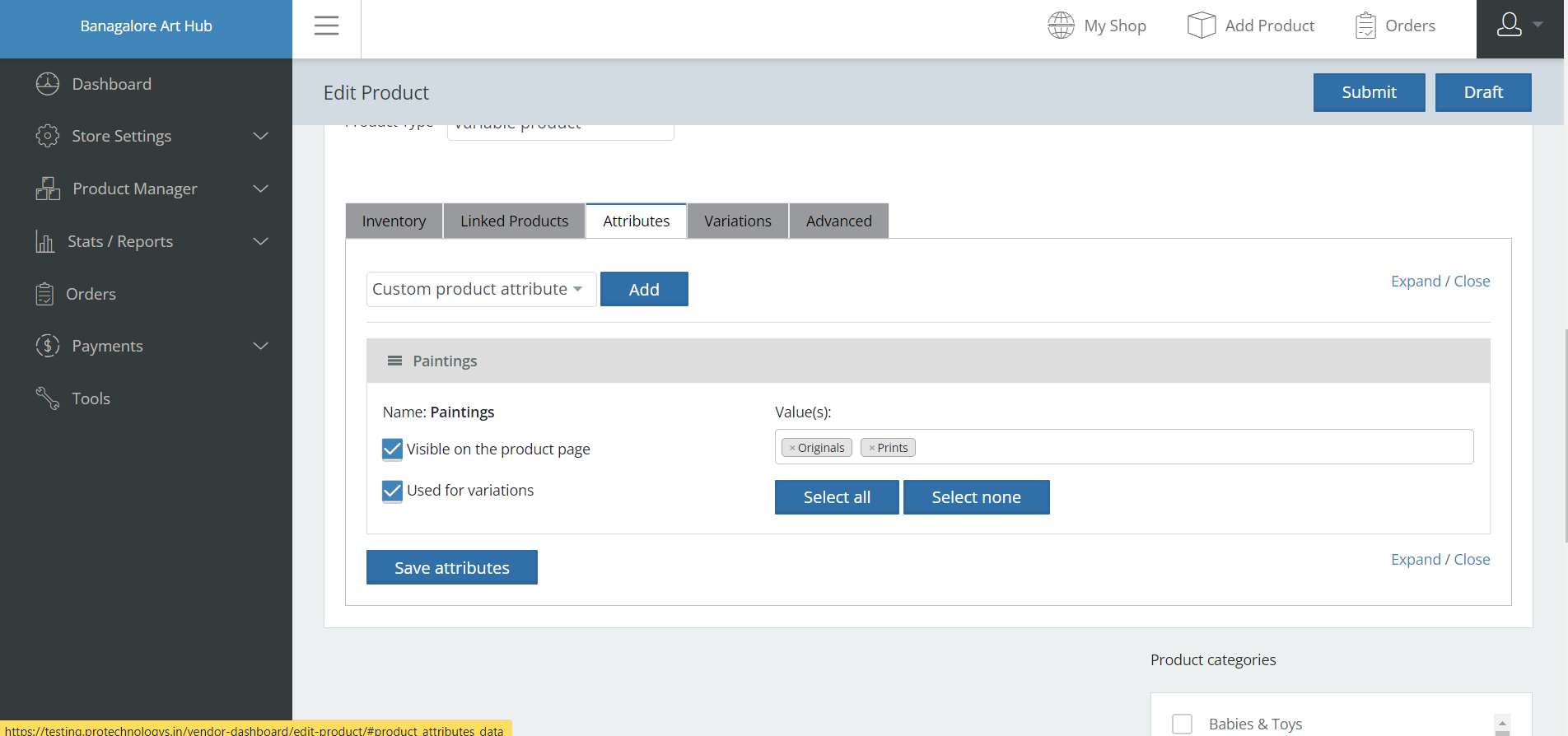
In the attribute section, vendors have two options: adding custom attributes or using predefined attributes. When vendors add custom attributes, they need to specify their own attribute values. However, if they choose a preset attribute, they can select from the predefined options but there is no such option for them of adding custom values for those attributes.Now as I can see from your screenshot that you have chosen the option of adding “Custom attribut” hence you need to add the attribute values accordingly there and then create the variations. We have also checked the flow of creating custom attribute on our end and it is working fine. You can check the video here for the same : https://www.awesomescreenshot.com/video/29121674?key=efe3e11ead7dac0293445d0740d26e66.
Let us know if you need any further assistance from our end.
-
July 1, 2024 at 12:56 PM #221122Keymaster
Hello again, I’ve just checked your site and it seems the issue with the settings page not loading has been resolved, which is great news.
Could you please share what modifications were made to fix this? This information could be helpful for others who might encounter a similar issue.
-
July 4, 2024 at 2:18 PM #221221Participant
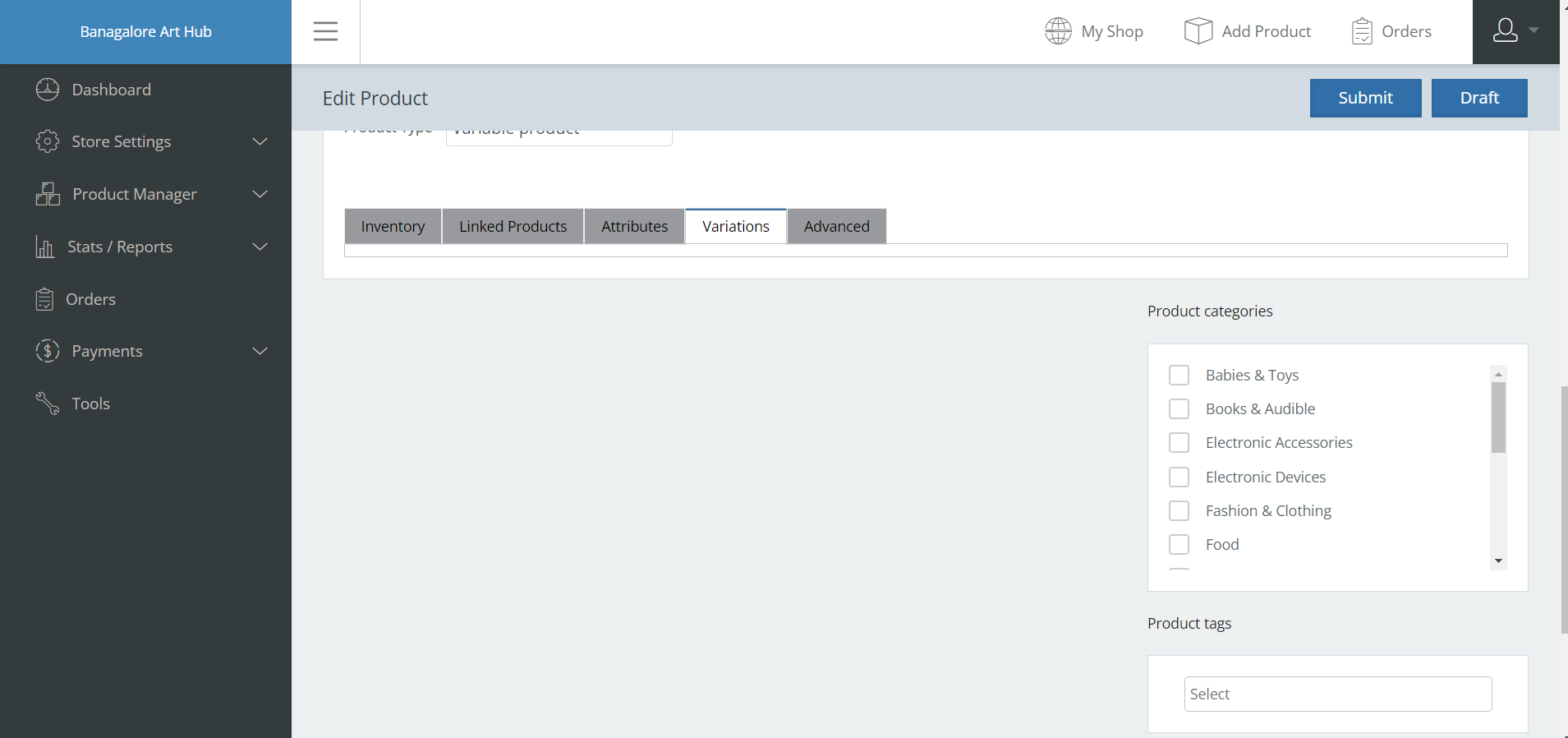
Hello, Here i created the attributes for variable products, but variations field is not displaying in vendor dashboard. Please Fix this issue as soon as possible
-
July 4, 2024 at 6:01 PM #221225Keymaster
Hello @Ram Kumar, We apologize for the issue you’ve encountered. We have been able to replicate the problem on our end. Please allow us some time to implement a fix. We will keep you updated as soon as we have a solution.
Thank you for your understanding.
-
July 5, 2024 at 1:49 PM #221239Participant
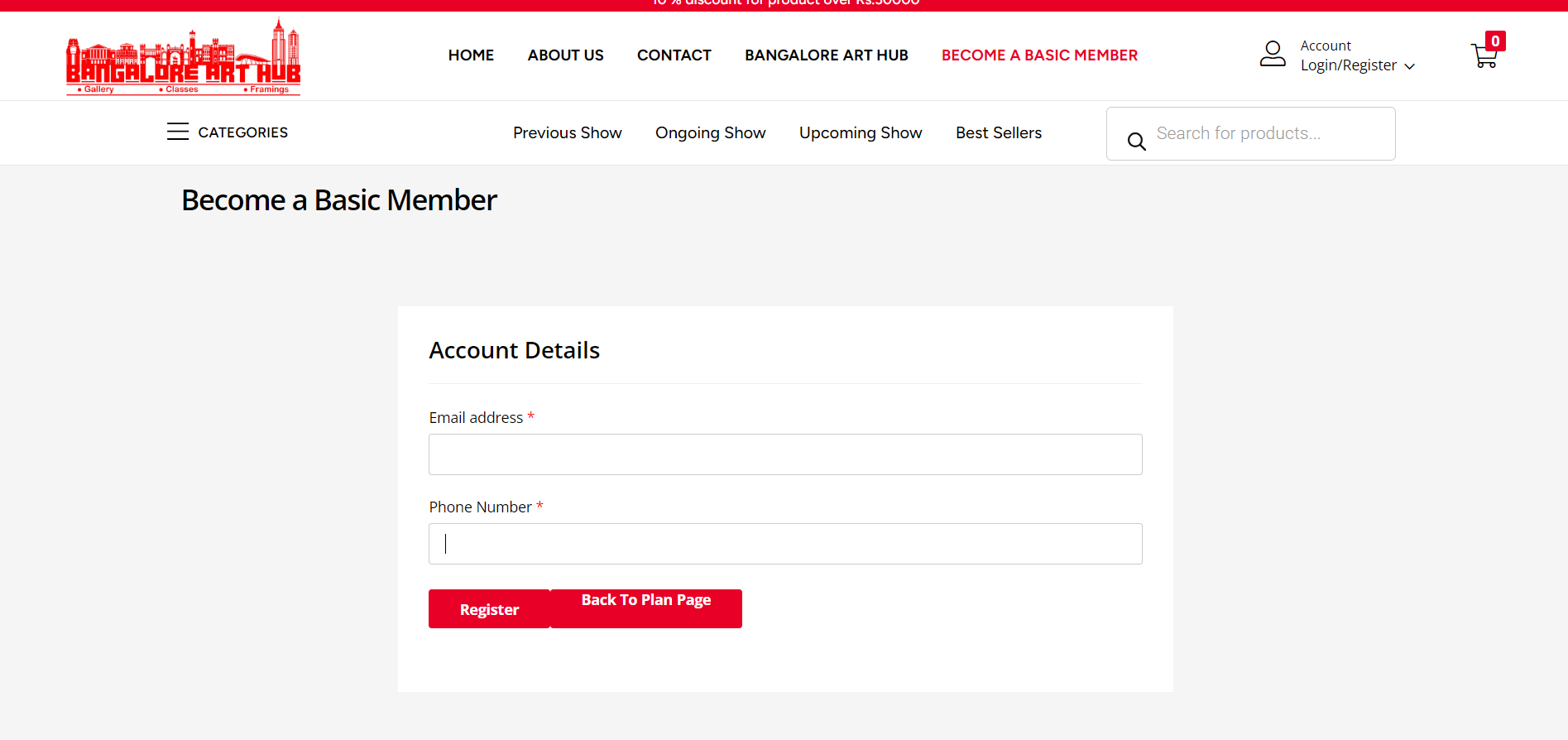
Cant able to register the vendor registration form please fix the issue
Attachments:
-
July 5, 2024 at 2:07 PM #221241Participant
After registration in workboard it shows no plan selected, please fix this issue also
Attachments:
-
July 5, 2024 at 2:19 PM #221243Keymaster
@Ram Kumar,We’re sorry to hear about the issue you’re experiencing. On our end, when users register and complete their payment as per the flow, the plan is successfully assigned to the vendor.
Now as you are facing issue on your end kindly create a staging site that should be an exact replica of your live site(where the issue is replicated) and share the staging site url, temporary admin and FTP access with us so that we can check the issue accordingly and assist you further to resolve that. Also allow us to add our sandbox details on your staging site to check the flow.
Please note, while sharing the access don’t forget to mark your reply as private.
-
July 5, 2024 at 2:26 PM #221244
marchisotti.luca
ParticipantBuongiorno abbiamo riscontrato che dopo laggiornamento di multivendor e multivendor pro gli attributi prodotto dal pannello venditori non vengono salvati e non possono essere usati e urgente grazie woocommerce aggiornato e anche il tema gia sentito quelli del tema e loro non ci sono problemi
-
July 5, 2024 at 4:13 PM #221246Keymaster
@marchisotti.luca,We sincerely apologize for the issue you’ve encountered. We have been able to recreate the same problem on our end, and our team is currently working on the fix for this issue.
We will keep you updated as soon as we have a fix.
Thank you for your understanding and cooperation
-
July 5, 2024 at 10:26 PM #221250Keymaster
Hi there, We have added a fix for the issue with the attributes not getting saved in our github. Kindly download the fixed plugin from here : https://github.com/user-promi/MultiVendorX/tree/issue-788. And then follow these steps :
– Delete the installed MultiVendorX via wp-admin >> plugin
– Unzip the GitHub plugin
– Rename the folder as “dc-woocommerce-multi-vendor” and Now, zip this folder again.
– Install this plugin on your site.
Please do keep us posted. -
July 6, 2024 at 11:30 AM #221340Participant
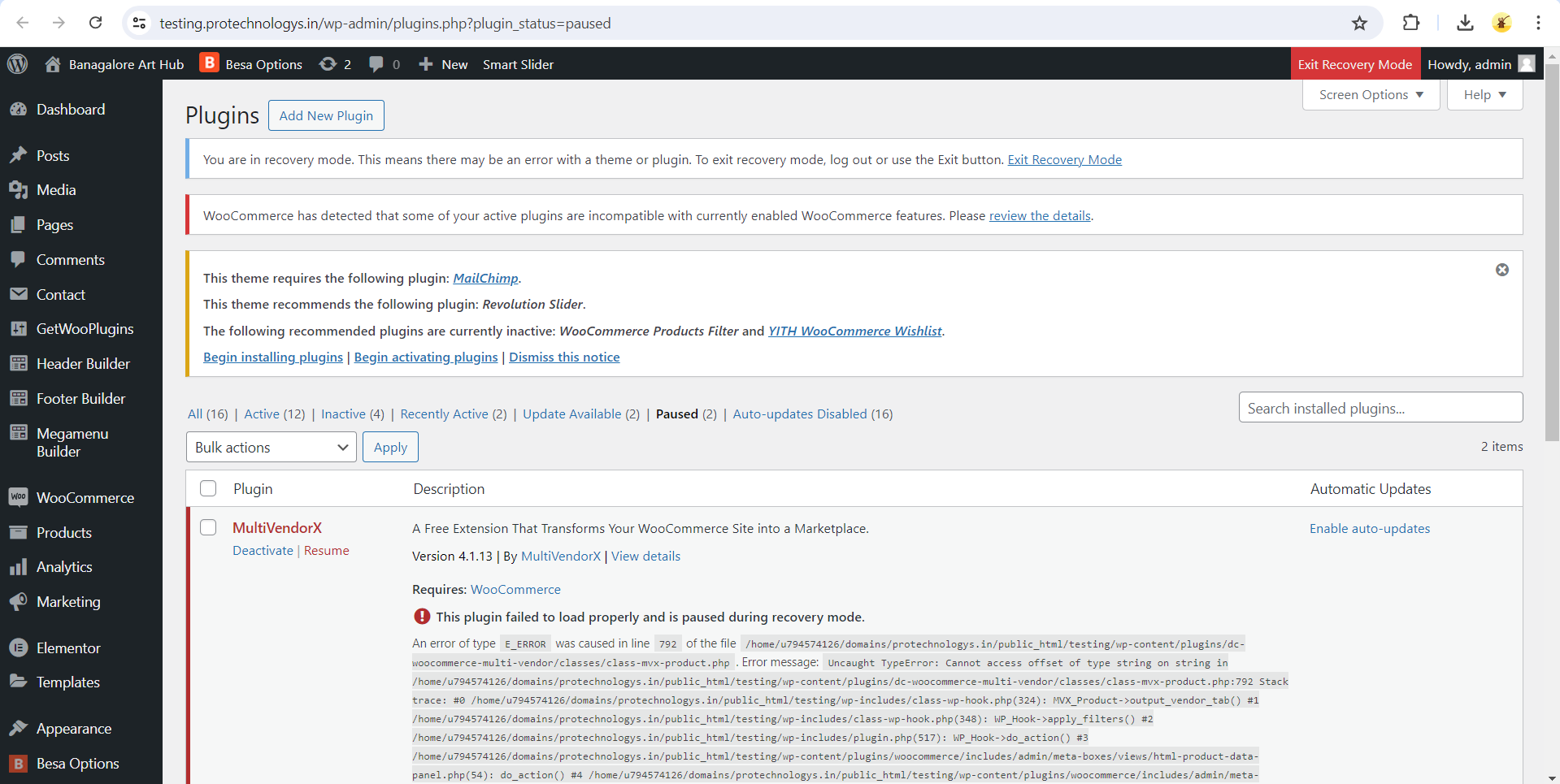
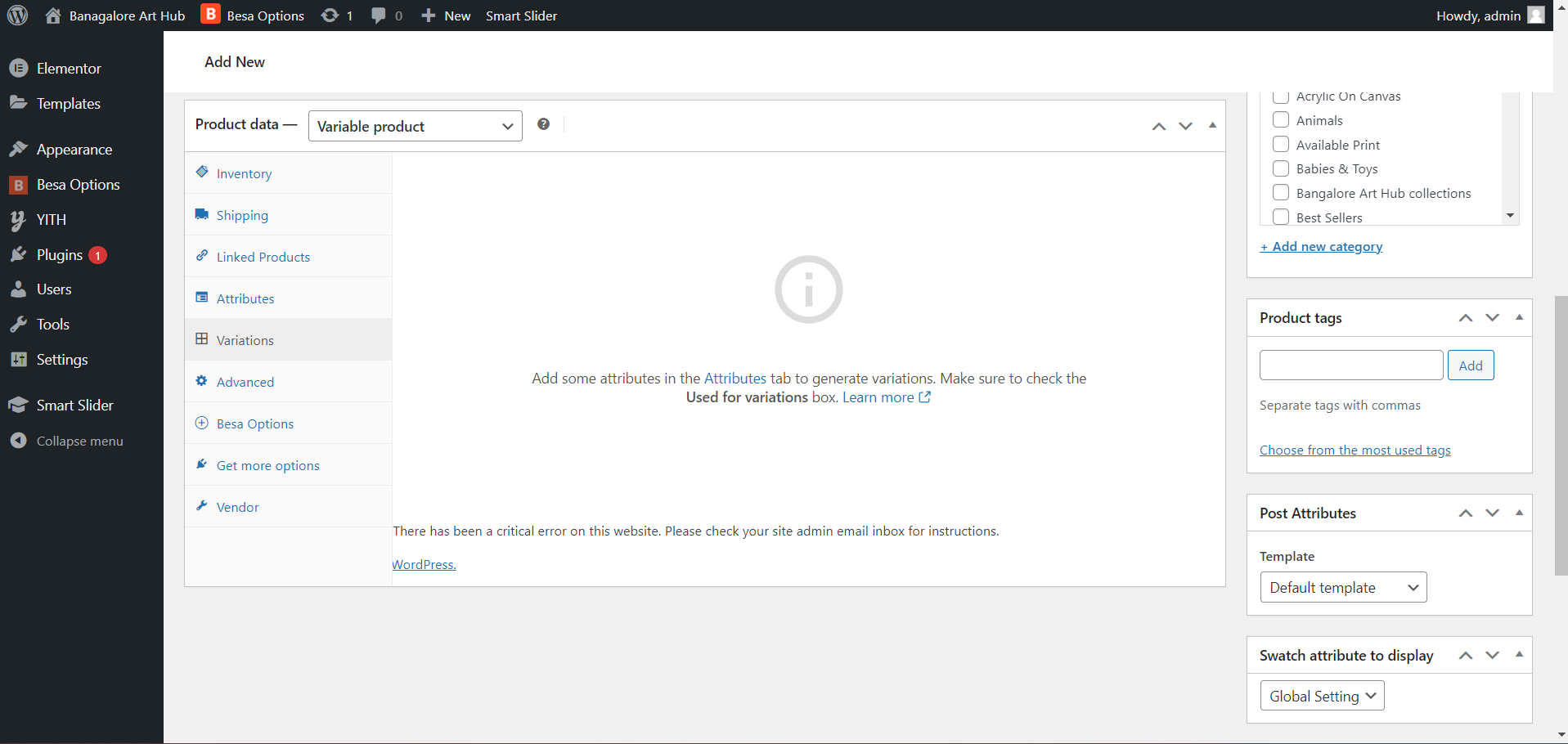
Hello, In admin dashboard we cant able to add any new products its shows error in multivendor plugin. Because of this plugin the website shows error and taking more time to load and we cant able to add any new products. How many issues we will fix, please fix this issue below i attached screenshot also from wordpress.
-
July 6, 2024 at 1:11 PM #221440ParticipantThis reply has been marked as private.
-
July 6, 2024 at 2:16 PM #221457ParticipantThis reply has been marked as private.
-
July 6, 2024 at 3:06 PM #221470Keymaster
Hello Ram, From your screenshot, it appears that the MultiVendorX and the Pro plugin were not installed correctly, leading to the errors you mentioned. Please deactivate and delete both plugins, then download and reinstall them. After that activate the license accordingly on your end.
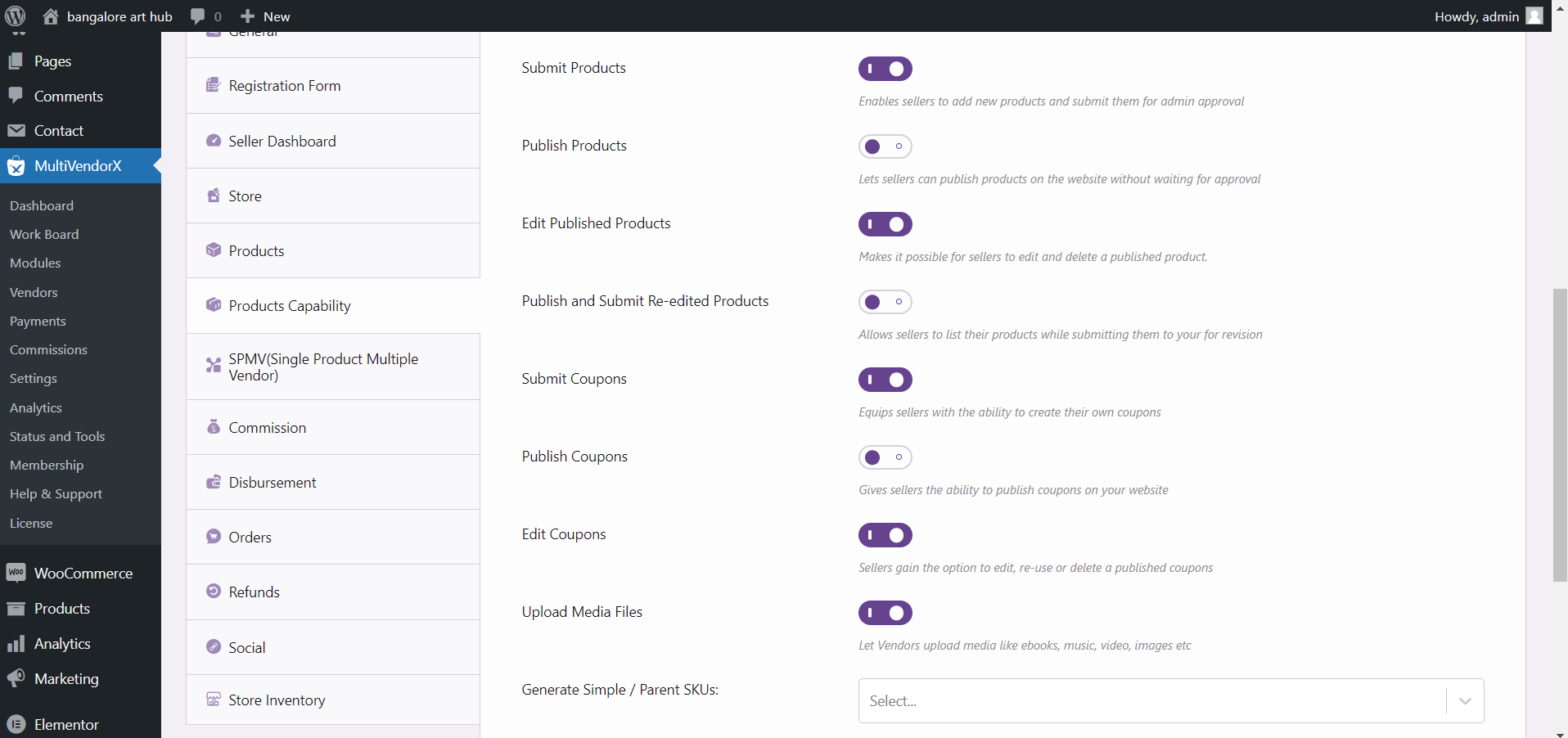
Regarding the ” Add product” option not coming in the vendor dashboard, kindly go to the admin dashboard and navigate to MultiVendorX > Settings > Product Capabilities. Enable the relevant product-related capabilities, and you will see the Product Manager menu in the vendor dashboard, where the vendor can access the “Add Product” option.
Let us know if you need any further assistance.
-
July 6, 2024 at 3:30 PM #221472Participant
Hello, there is no options like (relevant product-related capabilities) below i attched screen shot also
Attachments:
-
July 6, 2024 at 3:44 PM #221474ParticipantThis reply has been marked as private.
-
July 6, 2024 at 3:48 PM #221476Keymaster
Hello there, Can you please check if the vendor is registered under a membership plan?
If yes, then go to the membership plan edit product page from the admin dashboard and check if you have added the product related capabilities for that membership plan.
Also keep us posted regarding your findings.
-
July 6, 2024 at 3:59 PM #221477Participant
yes i installed and checked everything still same issue im facing
-
July 6, 2024 at 4:12 PM #221370ParticipantThis reply has been marked as private.
-
July 6, 2024 at 4:13 PM #221353ParticipantThis reply has been marked as private.
-
July 6, 2024 at 4:19 PM #221480Keymaster
Hello Ram, Kindly share the site where you are facing the issue with the ‘ Product manager’ menu not appearing on the vendor dashboard so that we can check the same there and assist you further.
While sharing the access don’t forget to mark your reply as private.
-
July 6, 2024 at 4:28 PM #221481ParticipantThis reply has been marked as private.
-
July 6, 2024 at 4:40 PM #221484ParticipantThis reply has been marked as private.
-
July 6, 2024 at 4:52 PM #221487Keymaster
Hello there, As shared earlier we have added a fix for the issue with the attributes not getting saved in our github. Kindly download the fixed plugin from here : https://github.com/user-promi/MultiVendorX/tree/issue-788. And then follow these steps :
– Delete the installed MultiVendorX via wp-admin >> plugin
– Unzip the GitHub plugin
– Rename the folder as “dc-woocommerce-multi-vendor” and Now, zip this folder again.
– Install this plugin on your site.
After installing the plugin add variable products from the vendor dashboard.
Let us know if you need any further assistance. -
July 6, 2024 at 6:18 PM #221488ParticipantThis reply has been marked as private.
-
July 6, 2024 at 7:42 PM #221491ParticipantThis reply has been marked as private.
-
July 6, 2024 at 9:23 PM #221496Keymaster
Hello there, There should not be any issue with creating variable products from the admin dashboard because of our plugin.
Still as you are facing issue on your end kindly deactivate all plugins except WooCommerce, MultiVendorX and MultiVendorX pro on your end and check the flow of creating a variable product from the admin dashboard and let us know whether the issue persists.
-
July 7, 2024 at 12:02 PM #221502ParticipantThis reply has been marked as private.
-
July 7, 2024 at 7:29 PM #221510Keymaster
Sorry to hear that you have faced this issue on your end. Can we check the issue on your shared site here https://bah.iksoftec.com/. Also please confirm if we can deactivate plugin/theme there to check the same?
-
July 8, 2024 at 9:46 AM #221517ParticipantThis reply has been marked as private.
-
July 8, 2024 at 10:22 AM #221520ParticipantThis reply has been marked as private.
-
July 8, 2024 at 11:44 AM #221523Keymaster
Hello @Ram Kumar, We checked your site and found that the Commission type was not set in the Settings submenu of MultiVendorX, which was causing the error. We have now configured the “Commission type” for you (https://prnt.sc/ui4uh4RGUPYa), and the issue no longer occurs when adding attributes or variations from the admin dashboard.
In our future update, we will address this error to prevent it from happening again.
Please let us know if you need any further assistance.
-
July 8, 2024 at 2:57 PM #221524ParticipantThis reply has been marked as private.
-
July 8, 2024 at 3:32 PM #221526Keymaster
@Ram Kumar, Could you please share the link to the page you are referring to? This will help us assist you further.
-
July 9, 2024 at 12:45 PM #221538Keymaster
Hello There, We have released an update with the fix for the attributes not getting saved issue. Kindly update the MultiVendorX plugin to the latest version on your end and check the same.
-
September 9, 2024 at 1:54 PM #235153Keymaster
It’s been long and we have not heard back from you. We are closing this thread as of now. If you face issue or need help in future please do create a new support ticket.
-
-
AuthorPosts





- The topic ‘Variable Product Not working Properly’ is closed to new replies.
