






- This topic has 34 replies, 3 voices, and was last updated 6 months, 1 week ago by
Sangita Support Squad.
-
AuthorPosts
-
-
March 16, 2025 at 5:34 AM #239963
Chris Lovchik
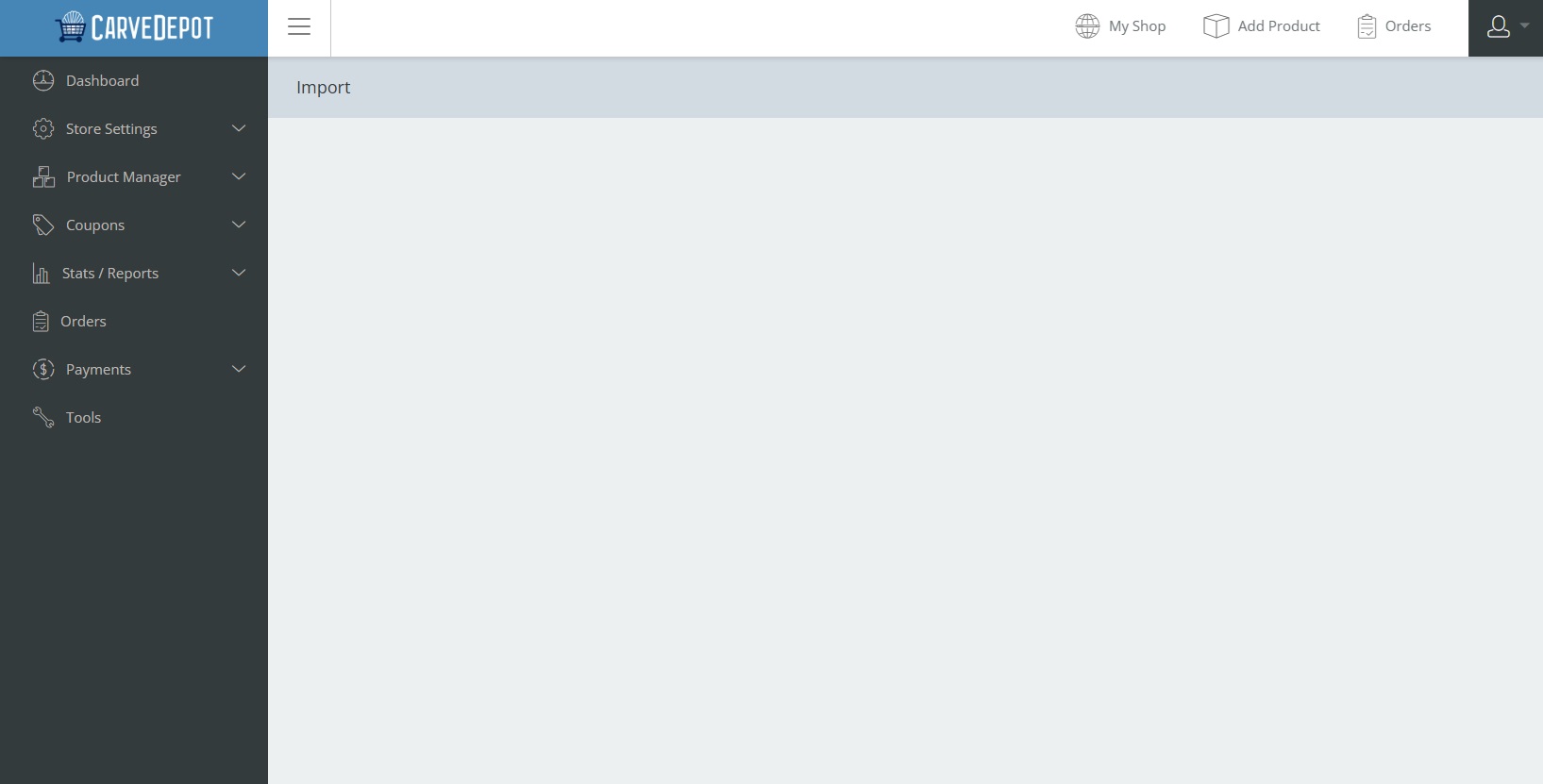
ParticipantAll that is on the screen is the work import.
-
March 16, 2025 at 12:05 PM #239967
Sangita Support Squad
KeymasterHi there, Thanks for getting in touch with us. Kindly share more details about your query so that we can assist you further accordingly.
-
March 17, 2025 at 8:54 PM #239995Participant
The attached image is all I get when I click on import.
Attachments:
-
March 17, 2025 at 9:41 PM #239997Keymaster
Hello there, Sorry to hear that you’re facing this issue. We have tested the flow on our end, and everything is working fine. You can check the video here: https://www.awesomescreenshot.com/video/37691206?key=8d0143596d99726e95fbe30b0a052692.
It seems there might be a conflict with your theme or another plugin. To troubleshoot, please:
— Deactivate all plugins except WooCommerce, MultiVendorX, and MultiVendorX Pro.
— Switch to a default theme such as Twenty Twenty-Five or Storefront.
— Check if the issue still persists.
Let us know the results, and we’ll be happy to assist further. -
March 17, 2025 at 10:11 PM #240002Participant
I Deactivate all plugins except WooCommerce, MultiVendorX, and MultiVendorX Pro. and switched to a default theme and still got the same problem.
-
March 18, 2025 at 10:04 AM #240003Keymaster
@Chris Lovchik, we’re sorry to hear that you’re still experiencing issues. We’ve rechecked on our end, and everything appears to be working fine. Since the issue persists on your end, please create a staging site that is an exact replica of your live site and share the staging site URL along with temporary admin and FTP access. This will allow us to investigate further and assist you more effectively.
Also, please remember to mark your reply as private when sharing the access details.
-
March 19, 2025 at 3:38 AM #240022ParticipantThis reply has been marked as private.
-
March 19, 2025 at 9:02 AM #240028Keymaster
@Chris Lovchik, Thank you for sharing the access details of your site. Kindly provide the FTP access as well. Also, please confirm whether we have permission to deactivate or delete plugins for troubleshooting the issue.
When sharing the FTP access, please remember to mark your reply as private.
-
March 19, 2025 at 7:37 PM #240046ParticipantThis reply has been marked as private.
-
March 20, 2025 at 4:25 AM #240068ParticipantThis reply has been marked as private.
-
March 20, 2025 at 10:48 AM #240069Keymaster
Hello @Chris Lovchik,
Thank you for sharing the access details. However, we were unable to connect to your server using the provided FTP credentials. We encountered the following error:
Status: TLS connection established.
Command: USER temp
Response: 331 Password required for temp
Command: PASS ************
Response: 530 Login incorrect.
Error: Critical error: Could not connect to server
Could you please verify the FTP details and share the correct ones?Additionally, we recommend deleting the current MultiVendorX Pro plugin from your site and downloading the latest version from here : https://multivendorx.com/my-account/api-downloads/. After reinstalling the plugin, please check if the issue persists.
Let us know how it goes. We’re happy to assist further.
-
March 20, 2025 at 8:07 PM #240078ParticipantThis reply has been marked as private.
-
March 20, 2025 at 8:41 PM #240083Keymaster
Thank you for getting back to us. It’s quite unusual that the flow is working fine on our end but not on yours. We appreciate your patience as we take some time to troubleshoot the issue on your side.
Additionally, please share the hosting details for FTP access so we can investigate further.
We look forward to your response.
-
March 20, 2025 at 9:42 PM #240086ParticipantThis reply has been marked as private.
-
March 20, 2025 at 10:09 PM #240089Keymaster
Thank you for providing the details. Kindly provide us with some time to check and we will get back to you accordingly.
-
March 21, 2025 at 5:01 AM #240093ParticipantThis reply has been marked as private.
-
March 21, 2025 at 11:17 AM #240096Keymaster
@Chris Lovchik, Thank you for sharing the details. However, after successfully connecting to the FTP, it shows an “Empty Directory Listing.”
Could you please check and let us know how we should proceed?
Looking forward to your response.
-
March 21, 2025 at 8:52 PM #240111ParticipantThis reply has been marked as private.
-
March 21, 2025 at 9:25 PM #240112Keymaster
Kindly provide us some time to check and we will get back to you accordingly.
-
March 22, 2025 at 12:00 PM #240122Keymaster
Hello @Chris Lovchik, Kindly update the shared admin access so we can check the plugin page on your site. Additionally, it would be helpful if you could enable the debug log on your end. This will allow us to identify the error and assist you in resolving it. We need to check it on your end as everything is working fine with the same plugin version on our end.
Looking forward to your response.
-
March 24, 2025 at 10:19 PM #240170ParticipantThis reply has been marked as private.
-
March 25, 2025 at 1:11 AM #240171ParticipantThis reply has been marked as private.
-
March 25, 2025 at 12:16 PM #240176KeymasterThis reply has been marked as private.
-
March 25, 2025 at 9:41 PM #240201ParticipantThis reply has been marked as private.
-
March 25, 2025 at 10:40 PM #240202Keymaster
Thank you for sharing the access details. Kindly provide us some time to check and we will get back to you accordingly.
-
March 26, 2025 at 12:52 PM #240220KeymasterThis reply has been marked as private.
-
March 26, 2025 at 8:37 PM #240240ParticipantThis reply has been marked as private.
-
March 26, 2025 at 10:37 PM #240243Keymaster
Thank you for your response. However, as mentioned earlier in the screenshot, when we navigate to the carvebit.com folder, we see two folders—multivendorx and temp—but both appear empty. Could you please provide the exact path we should follow to access the site’s plugin folder?
-
March 26, 2025 at 11:53 PM #240246Participant
The plugins are in the same place they are always found for a WordPress site. public_html/wp-content/plugins/
-
March 26, 2025 at 11:54 PM #240247Participant
I have no idea what those directories you found are or where they came from
-
March 27, 2025 at 6:15 PM #240271Keymaster
Thank you for your cooperation. Our development team is currently investigating the issue on your site, and we will keep you updated as soon as we have any updates.
-
April 2, 2025 at 3:28 PM #240380Keymaster
@Chris Lovchik, Thanks for all your cooperation throughout the process.
We have debugged your site and identified the following error:
Fatal error: Uncaught TypeError: call_user_func_array(): Argument #1 ($callback) must be a valid callback, function "fix_import_form_size" not found or invalid function name in /home/jheeth/public_html/wp-includes/class-wp-hook.php:324
Stack trace:
#0 /home/jheeth/public_html/wp-includes/plugin.php(205): WP_Hook->apply_filters(2097152, Array)
#1 /home/jheeth/public_html/wp-content/plugins/woocommerce/includes/admin/importers/class-wc-product-csv-importer-controller.php(465): apply_filters(‘import_upload_s…’, 2097152)
Upon investigation, we found that the issue seems to be caused by custom modifications related to the import_upload_size_limit filter or the fix_import_form_size function.
However, our dev team tried to check to fix the issues by changing the file sizes for the .htaccess file and .user.init file on your end but the issue still seems to be the same. -
April 3, 2025 at 1:04 AM #240388Participant
This problem exsisted before any of those changes were made.
-
April 3, 2025 at 1:58 PM #240397
Anushka Sinha
ModeratorHi there! @Chris Lovchik, Thanks for all your cooperation throughout the process.
As we mentioned earlier, while debugging your site, we came across the error mentioned above, which is caused by the custom code you added.
We’re confident that if you fix this error on your end, our development team can proceed with further debugging. In fact, once this issue is resolved, it’s very likely that the problem you’re facing will be fixed automatically.Please do keep us posted.
-
September 8, 2025 at 10:39 AM #249757Keymaster
It’s been a while since we last heard from you, so we’ll assume your issue has been resolved and will close this thread for now. If you encounter any problems or need assistance in the future, please don’t hesitate to create a new support thread—we’ll be happy to help.
-
-
AuthorPosts
- The topic ‘When I click all products then import I get a blank screen’ is closed to new replies.
