






Tagged: e-mail, MultivendorX, settings, WooCommerce
- This topic has 4 replies, 2 voices, and was last updated 5 months, 2 weeks ago by
Sangita Support Squad.
-
AuthorPosts
-
-
August 12, 2025 at 1:07 PM #249318
LadyBt
ParticipantHi,
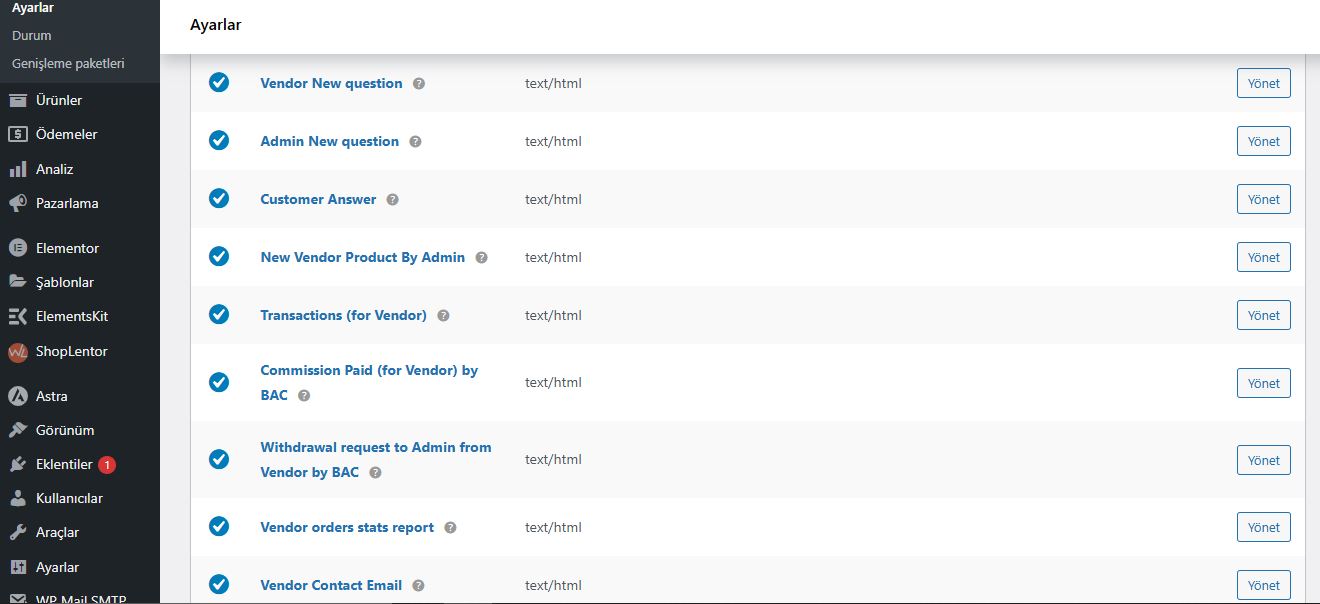
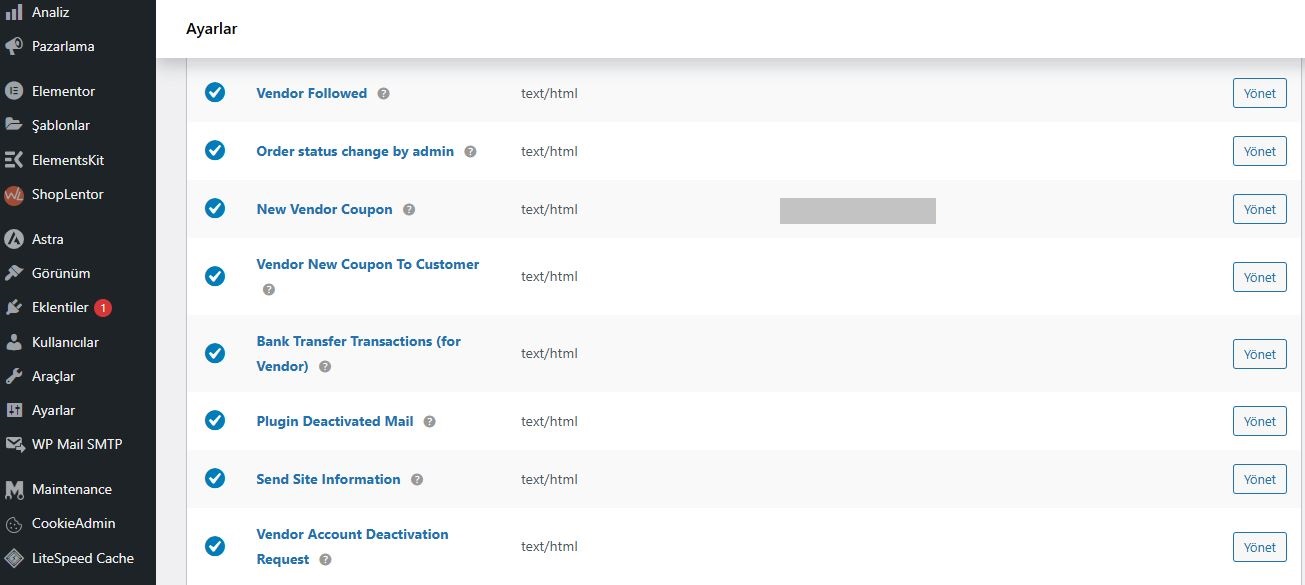
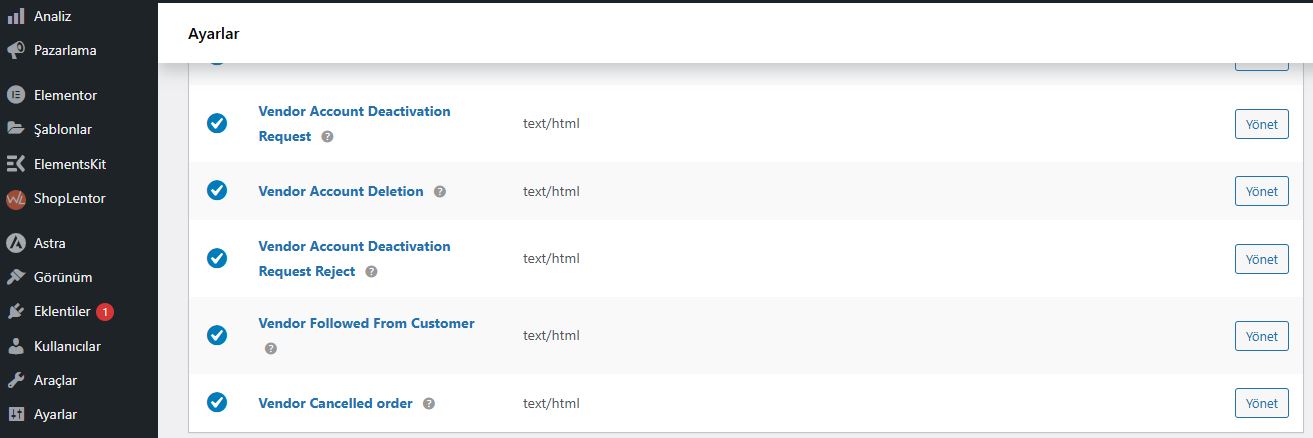
There are a lot of e-mail address for different stage of “multivendor marketplace run” looks empty under WooCommerce ->Settings -> E-Mail.
I already set the smtp and there is no problem to get for example normal status e-mail notifications.
I have tested yesterday and prepared & filled Vendor Registration Form for Test Vendor, as Admin I have received a notification e-mail message says New Vendor Registration. But, as new registered vendor there is no any informing e-mail message to my vendor registered e-mail address.
Do you have any solution and or documentation about the WooCommerce e-mail settings? -
August 12, 2025 at 1:18 PM #249324
Sangita Support Squad
KeymasterHello @ladybt,
Thank you for getting in touch with us and for sharing these details. I understand the concern.
When a new user registers as a vendor, two emails should be triggered by default — one to the site admin (notifying about the new vendor registration) and one to the vendor (sent to the email address they used during registration). We have tested this flow on our end, and it appears to be working correctly. Kindly check the screenshot here https://tinyurl.com/26no5ajg.
Since you are receiving the admin notification but the vendor email is not arriving, I’d recommend installing a plugin like Email Log to check whether the vendor email is being triggered at all.
— If the email is being triggered in the email log, it’s possible that it is landing in the vendor’s spam/junk folder. In that case, please check with your server or hosting team to see why those messages are being filtered.
— If the email is not being triggered, please review your WooCommerce email settings to ensure that the New vendor account email template is enabled and correctly configured.Kindly keep us updated on your findings, and let us know if you need any further assistance.
-
August 12, 2025 at 2:59 PM #249327Participant
Hi again,
I already checked the Email logs and “Woocommerce Settings E-Mail Tab”.
Mostly Vendor Related Email Recipient areas are empty.
Can you please see the attached files that uploaded with my first post. -
August 12, 2025 at 3:50 PM #249329Keymaster
Hello there, No need to worry. The emails intended for vendors do not require adding any specific email addresses. Once those email notifications are enabled, they will be sent to the vendors automatically.
We can assure that all vendor emails will be sent as expected. So please check the email log to confirm that the vendor emails are being triggered on your end as well.
Let us know if you need any further assistance.
-
October 14, 2025 at 6:33 PM #250121Keymaster
Hello, We haven’t heard back from you in a while, so we assume your query has been resolved. We will be closing this support thread for now.
If you encounter any issues in the future or need further assistance, please don’t hesitate to create a new support ticket — we’ll be happy to help.
-
-
AuthorPosts


- The topic ‘Woocommerce E-Mail Recipients Empty’ is closed to new replies.
