






- This topic has 8 replies, 2 voices, and was last updated 5 days, 14 hours ago by
Sangita Support Squad.
-
AuthorPosts
-
-
December 30, 2025 at 8:41 PM #251048
Elizabeth Balay
ParticipantHi Team,
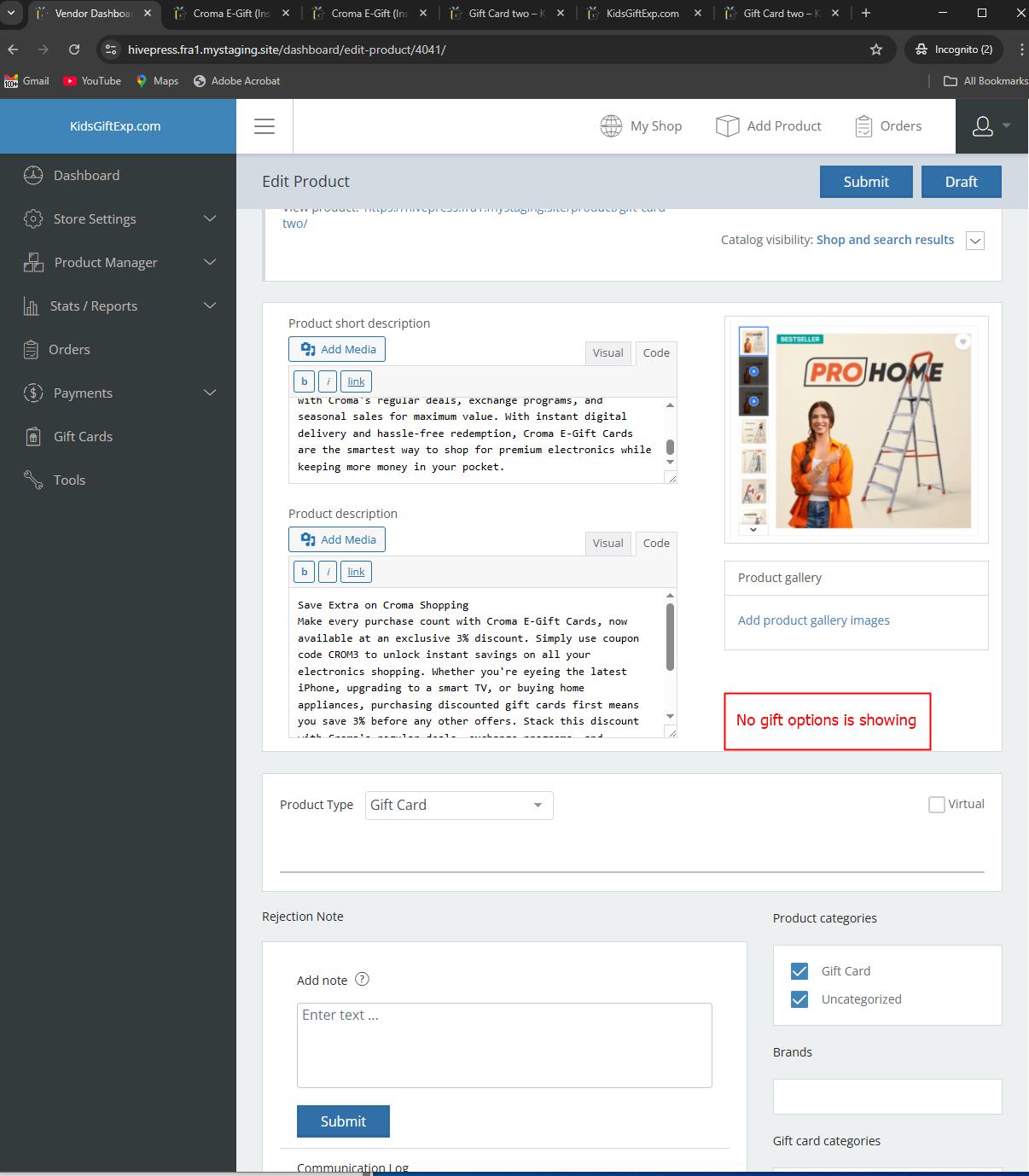
The above plugins are not working.(YITH Gift Cards and MultivendorX Pro)
Gift card options is not showing. No tabs is showing.
Can you check please and let me know.
https://hivepress.fra1.mystaging.site/vendor-registration/Please check and let me know.
I have purchased the MultivendorX Pro and still is not working.
Thanks
Attachments:
-
December 30, 2025 at 9:26 PM #251050
Sangita Support Squad
KeymasterHi there, Thanks for reaching out to us.
Please navigate to the Admin Dashboard → MultiVendorX → Settings → Products. From there, you can select and configure the product fields as needed. Once done please check the vendor dashboard.
Let us know if you need any further assistance.
-
January 19, 2026 at 9:29 PM #251274Participant
Hi There,
I have three more queries.
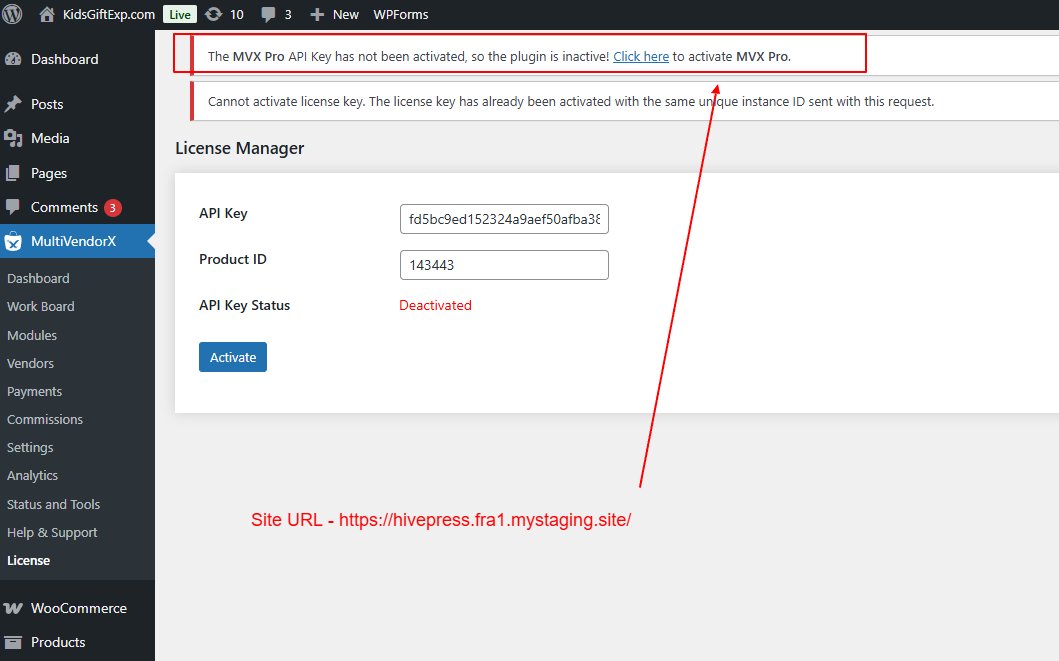
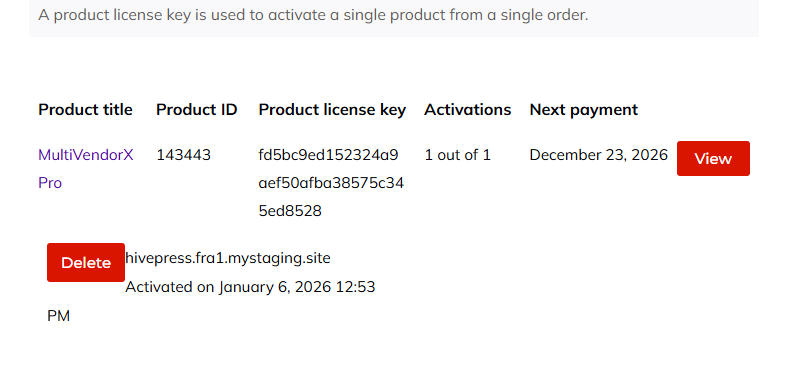
#1 – I have activated code, but still showing “The MVX Pro API Key has not been activated, so the plugin is inactive! Click here to activate MVX Pro.”
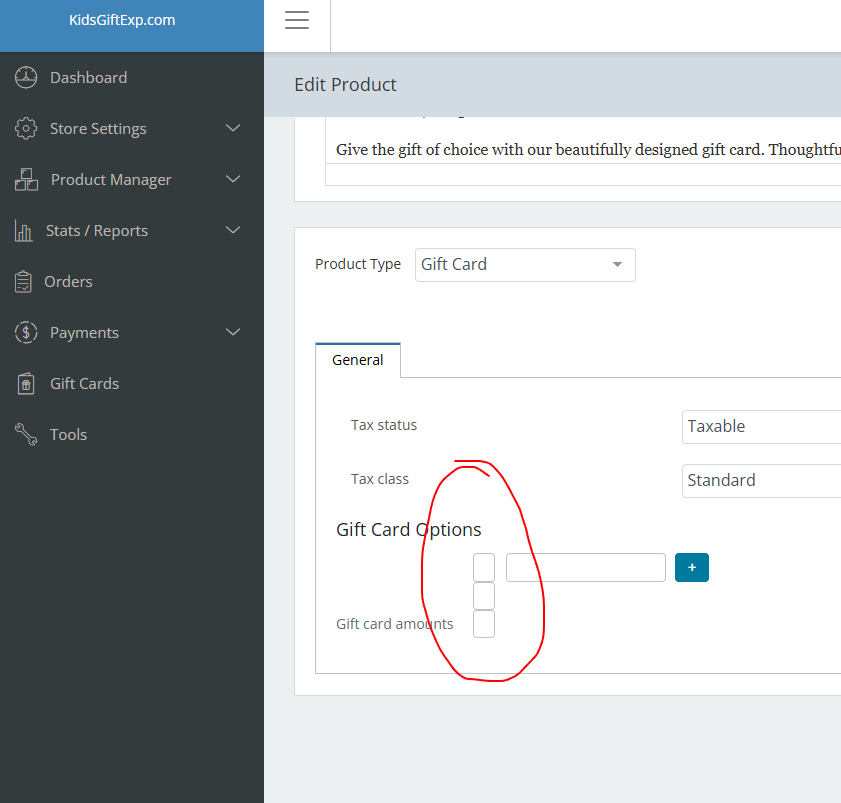
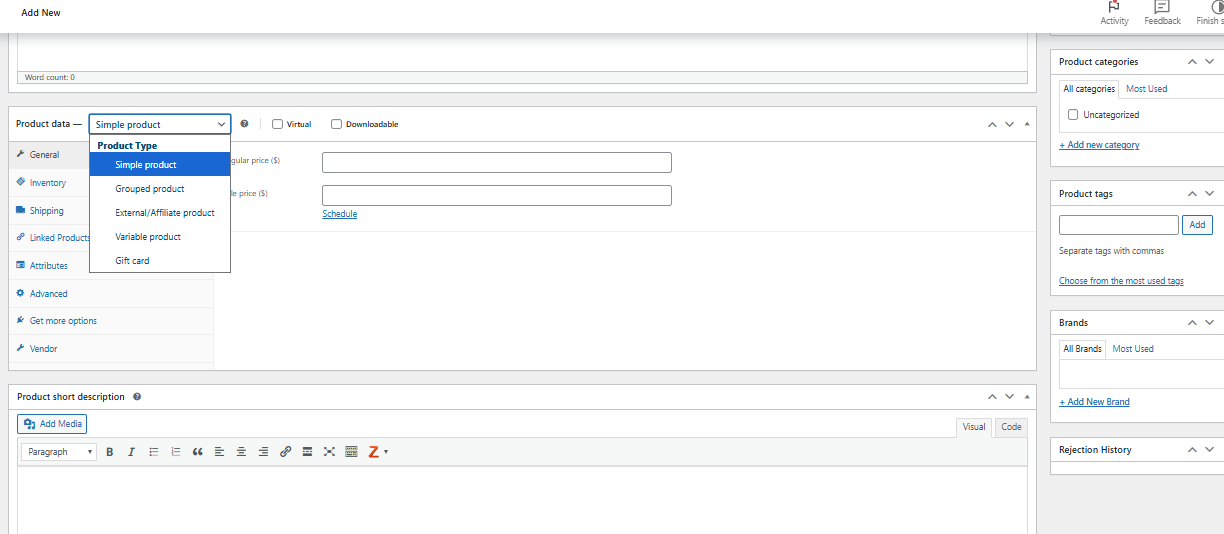
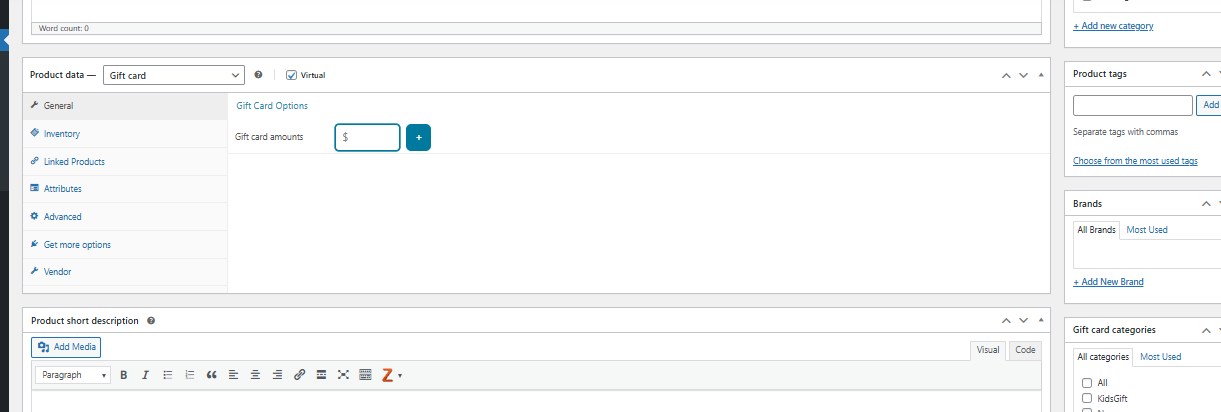
Please check the attached screenshots and let me know how I can solve this.#2 – Upon adding the product the pricing field showing blank. Will you please tell me why it’s showing blank. This should show the price.
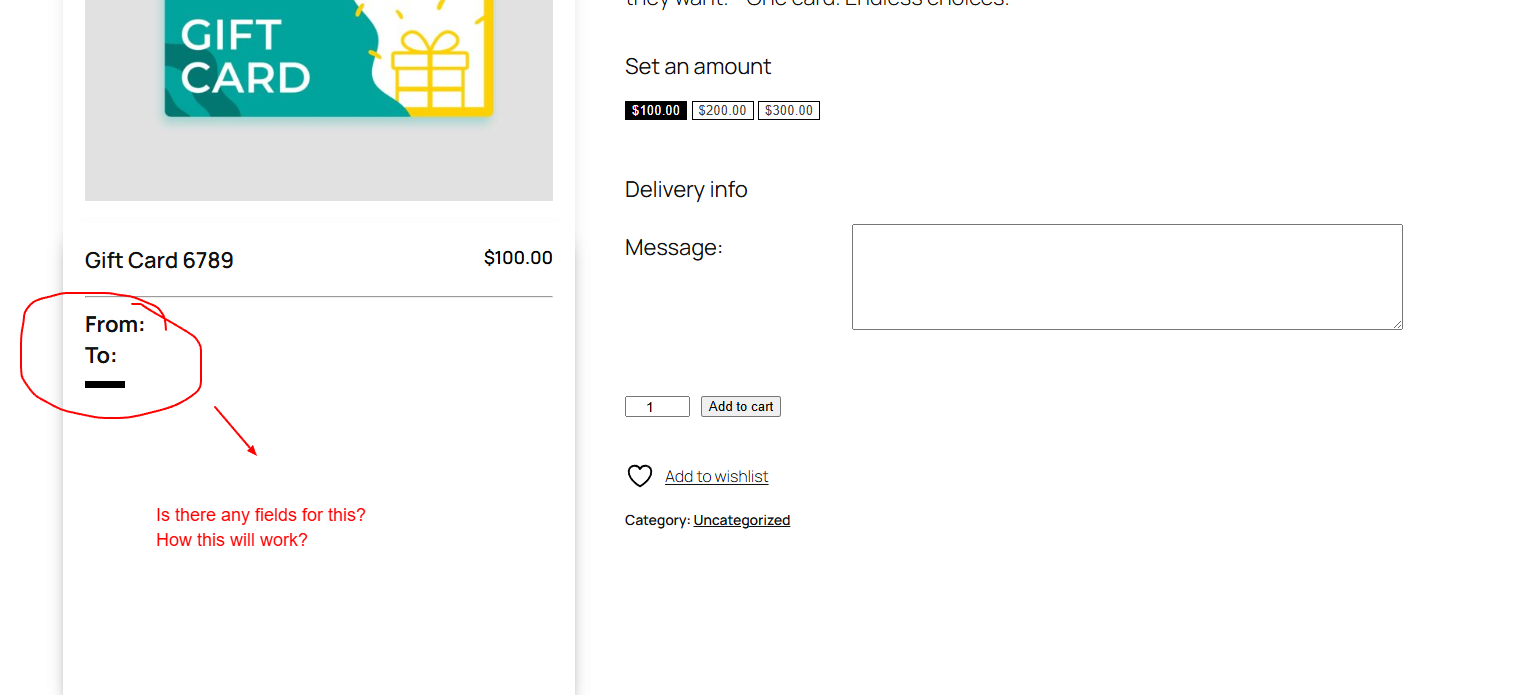
#3 – What is From and To in single gift card page? How this will work? Please check and let me know. https://hivepress.fra1.mystaging.site/product/gift-card-6789/
Please check the attached screenshots.
Thanks
FYI – You can cc to my developer mail – partha.rkl@gmail.com
-
January 19, 2026 at 10:16 PM #251280Keymaster
Hi there,
Thanks for getting back to us. Please find our responses inline below:
1. MVX Pro API Key Activation
We have reset the API keys for your account. Kindly try activating the license again.2. Blank Pricing Field Issue
This appears to be a CSS-related issue. Please allow our team some time to review it, and we will provide a fix for the field accordingly.3. “From” and “To” Fields on the Gift Card Product Page
On the product page, the “From” section is where the customer enters their own details. The “To” section is used to enter the recipient’s details for the gift card.
Once the order is successfully placed and completed, an email containing a unique redemption code will be sent to the email address entered in the “To” section.The recipient can then use this code to redeem the gift card amount.If you need any further assistance or have additional questions, please feel free to let us know. We’re happy to help.
-
February 27, 2026 at 10:27 PM #251491Participant
Hello!
I hope you are well. I have a couple of questions that I need help with.
1. Is there a way to set ‘Gift Card’ as the the default option when a vendor is going to add their product to my site?
2. Is there a way to set a specific minimum amount for the gift card price?Thank you so much for your help in advance!
Best,
Elizabeth
-
February 28, 2026 at 11:17 AM #251502Keymaster
Hello there,
Thank you for getting in touch with us.
Based on the requirements you’ve shared, this would require some custom code implementation. Do you have a developer on your end? If so, we’d be happy to guide them accordingly.
We look forward to hearing back from you.
-
March 2, 2026 at 10:26 AM #251513Participant
Hello Support,
Please share us code.
We will integrate that and check it.Thanks
-
March 2, 2026 at 6:49 PM #251514Keymaster
Hi there,
As shared over email, we have already forwarded your queries to our development team. We will keep you updated as soon as we receive a response from them.
Thank you for your cooperation and patience.
-
March 6, 2026 at 6:24 PM #251535Keymaster
Hi there,
Thank you for your patience and cooperation. Please find our responses to your queries below:
1. Is there a way to set “Gift Card” as the default option when a vendor adds a product to the site?
>> We have added the Product Type dropdown using the filter mvx_active_product_types. Using this filter, you can apply a customization to set the Gift Card product type as the default option.
2. Is there a way to set a specific minimum amount for the gift card price?
>> To achieve this flow, you will need to make a customization in the template file html-product-data-general.php. You can locate this template at the following path:
plugins/mvx-pro/modules/gift-card/templates/html-product-data-general.php.If you have any further queries, please feel free to let us know. We will be happy to assist you.
-
-
AuthorPosts
- You must be logged in to reply to this topic.
