






- This topic has 116 replies, 2 voices, and was last updated 2 weeks, 6 days ago by
Sangita Support Squad.
-
AuthorPosts
-
-
November 29, 2023 at 4:37 PM #214543
kevajo
ParticipantIn Mx, in the sub-tabs, when you click on any link you get an error. Except our two personalized tabs “Payment” and “Penalties”.
-
November 29, 2023 at 4:53 PM #214544ParticipantThis reply has been marked as private.
-
November 29, 2023 at 6:15 PM #214554
Sangita Support Squad
KeymasterWe have already replied here https://multivendorx.com/support-forum/topic/error-when-updating-mx-pro-to-the-latest-version-and-several-mx-inlets-are-not/#post-214501. Kindly check.
-
January 15, 2024 at 5:40 PM #216133ParticipantThis reply has been marked as private.
-
January 15, 2024 at 6:09 PM #216135ParticipantThis reply has been marked as private.
-
January 15, 2024 at 6:16 PM #216136Keymaster
@kevajo, Additionally, please let us know whether you have upgraded MultiVendorX to the most recent version and also If the HPOS feature of WooCommerce is enabled on your end.
-
January 15, 2024 at 6:22 PM #216137ParticipantThis reply has been marked as private.
-
January 15, 2024 at 6:29 PM #216142Keymaster
@kevajo kindly let us know if you have activated the HPOS feature from the Woocommerce settings
-
January 15, 2024 at 6:49 PM #216143ParticipantThis reply has been marked as private.
-
January 15, 2024 at 6:52 PM #216144Keymaster
Kevajo, ensure you’ve upgraded to the most recent MultiVendoX version before activating the HPOS feature in WooCommerce.
-
January 15, 2024 at 6:59 PM #216145ParticipantThis reply has been marked as private.
-
January 15, 2024 at 7:04 PM #216146ParticipantThis reply has been marked as private.
-
January 16, 2024 at 12:47 PM #216187Keymaster
Hello kevajo, We’ve reviewed the configuration of your test site and replicated it on our end. Upon placing an order on our site, the suborders were generated smoothly without any issues. However, when attempting to place an order on your test site, we encountered difficulties due to the checkout configuration.
So it would be better if you can create a new test site that will be an exact replica of your live site (where the issues will be replicated accordingly) and share the test site url, temporary admin and ftp access with us so that we can help you to solve the issue on your end.
While sharing the access don’t forget to mark your reply as private. -
April 19, 2024 at 9:50 PM #219139ParticipantThis reply has been marked as private.
-
April 19, 2024 at 10:24 PM #219141Keymaster
Hello there,We have already added support for the HPOS feature of WooCommerce in our 4.1.0 version of MultiVendorX and the 1.3.0 version of MultiVendorX pro.
So as you are using older versions of both the plugins hence the notification is coming on your end.Once you will update the plugins to the latest versions you will not get the warning any more
-
June 20, 2024 at 2:46 PM #220833ParticipantThis reply has been marked as private.
-
June 20, 2024 at 5:20 PM #220849Keymaster
Hello @kevajo, First and foremost, we sincerely apologize for the delay in implementing the fix in our core plugin. We fully understand your situation and the importance of keeping your plugins updated to the latest versions.
To address the issue, could you please provide us with a staging site that replicates your live site? On this staging site, we will update the plugins to the latest versions and then apply the fix for the ‘Allowed memory size’ issue. Once resolved, you can download the corrected plugins from the staging site and apply them to your live site.
Please note that our development team is currently handling some preassigned tasks, so there might be a slight delay in addressing the fix on your staging site. Rest assured, we are working diligently to resolve this as quickly as possible.
Thank you so much for your patience and understanding. We appreciate your cooperation -
June 20, 2024 at 5:24 PM #220852ParticipantThis reply has been marked as private.
-
June 20, 2024 at 6:09 PM #220855Keymaster
Hi there, Thanks for sharing the site access with us. We need the FTP details too. So kindly share the FTP access with us as well.
-
June 20, 2024 at 6:16 PM #220856ParticipantThis reply has been marked as private.
-
June 20, 2024 at 6:48 PM #220858Keymaster
Thanks for sharing the FTP details with us. Our dev team will look into it accordingly.
Please note that our development team is currently handling some preassigned tasks, so there might be a slight delay in addressing the fix on your staging site. Rest assured, we are working diligently to resolve this as quickly as possible.
Thank you so much for your patience and understanding. We appreciate your cooperation. -
July 2, 2024 at 8:18 PM #221178ParticipantThis reply has been marked as private.
-
July 2, 2024 at 8:45 PM #221180Keymaster
Hello Kevajo,
Thank you for your cooperation and understanding. We apologize for the delay. Our dev team has been busy with preassigned tasks, which caused the delay in addressing your issue.
Rest assured, our team will add a fix for the “Allowed memory size” issue on your end as soon as possible . We will keep you posted on the progress.
Thanks again.
-
July 2, 2024 at 9:44 PM #221181ParticipantThis reply has been marked as private.
-
July 2, 2024 at 10:06 PM #221184Keymaster
Thanks for your understanding. We will add a the fix on your end as soon as possible and keep you posted accordingly.
-
July 19, 2024 at 1:32 PM #221793Participant
hello give me update
-
July 22, 2024 at 4:29 PM #221837Keymaster
Hello @kevajo, First of all, we are extremely sorry for the delay. We completely understand how important it is for you to upgrade to the latest version of the plugin to benefit from the latest fixes and enhancements. Unfortunately, our development team is currently a bit occupied with further development, which has caused the delay in addressing your issue.
We understand the critical nature of the “Allowed memory size” issue and expect that by next week, our team will be free from their current work and able to focus fully on your site. We will keep you posted as soon as we address the issue.
We kindly request that you keep your site access open for our team. We are truly grateful for your understanding and cooperation thus far. -
August 5, 2024 at 10:09 PM #222106ParticipantThis reply has been marked as private.
-
August 6, 2024 at 6:02 PM #222140Keymaster
@kevajo, We sincerely apologize for the extended delay in addressing your issue. Your patience and cooperation throughout this process have been truly appreciated.
As previously mentioned, our development team has been heavily engaged with critical projects over the past few weeks, which unfortunately led to a delay in resolving your specific concern.
We want to assure you that your issue has not been forgotten. Our team is planning to start working on a fix for your site by next week. We’ll keep you updated on our progress and inform you promptly once the fix is implemented.
In the meantime, we kindly request that you share the staging site(a exact replica of your live site) access and FTP access available for our team. This will ensure we can proceed without any access-related delays when we begin work on your issue.
Thank you again for your understanding. -
August 6, 2024 at 10:14 PM #222142ParticipantThis reply has been marked as private.
-
August 7, 2024 at 9:58 AM #222148Keymaster
@kevajo, thanks for sharing the access details with us.
As soon as we implement a fix for the issue on your site, we will keep you posted accordingly.
Thank you again for all your cooperation and understanding so far.
-
August 7, 2024 at 6:24 PM #222165Keymaster
Hello @kevajo, We’ve applied a fix for the allowed memory size issue on your staging site. Please download the updated plugin from there and use it on your live site.
Note that this fix is currently applied only to your staging site and has not yet been added to our core plugin. Please avoid updating the plugin on your end until we notify you to do so.
We’ll keep you informed when the fix is incorporated into the core plugin.
Let us know if you need any further assistance.
-
August 8, 2024 at 3:26 PM #222184ParticipantThis reply has been marked as private.
-
August 8, 2024 at 4:24 PM #222185Keymaster
Hello There, sorry to hear that you have faced issue on your end.
Kindly share a video of the flow you are referring to, so that we can look into it and assist you further accordingly.
-
August 8, 2024 at 5:05 PM #222187ParticipantThis reply has been marked as private.
-
August 8, 2024 at 5:33 PM #222189KeymasterThis reply has been marked as private.
-
August 8, 2024 at 5:35 PM #222190ParticipantThis reply has been marked as private.
-
August 8, 2024 at 6:05 PM #222192Keymaster
Hello @kevajo, We reviewed the flow on your staging site, and the suborders are being generated correctly. We manually created order #287111 and then regenerated the suborders without encountering any issues.
Please double-check on your end to confirm everything is working as expected.
-
August 8, 2024 at 6:37 PM #222196ParticipantThis reply has been marked as private.
-
August 8, 2024 at 7:45 PM #222197Keymaster
Kindly provide us some time to check this and we will get back to you accordingly.
Thanks for your understanding. -
August 9, 2024 at 1:07 PM #222213Keymaster
Hi @kevajo, We’ve created orders with multiple products and varying stock quantities on your site but didn’t encounter any issues with suborder generation. You can review this on your staging site.
Could you please provide a detailed step-by-step guide on how to recreate the issue? This will help us assist you more effectively in resolving it.
-
August 9, 2024 at 1:13 PM #222214ParticipantThis reply has been marked as private.
-
August 9, 2024 at 3:32 PM #222215Keymaster
Hello, Thank you for sharing the details with us. We are able to recreate the issue on our end, and our team will investigate it further. We plan to include a fix for this in our upcoming update.
You can track the progress of this issue here: https://github.com/multivendorx/MultiVendorX/issues/813.
-
August 12, 2024 at 2:26 PM #222250ParticipantThis reply has been marked as private.
-
August 12, 2024 at 3:27 PM #222251Keymaster
Hello There, As shared earlier we have already filed this issue in our github and our team will add a fix for this in our future updates. Once the fix gets implemented we will surely keep you posted.
You can also keep track of the progress of the issue from here https://github.com/multivendorx/MultiVendorX/issues/813.
-
August 19, 2024 at 9:50 PM #222375ParticipantThis reply has been marked as private.
-
August 20, 2024 at 11:55 AM #222390Keymaster
Hello, We apologize for the delay. We’ve just released an update today with various fixes. Rest assured, we will keep you updated as soon as we have a fix for the issue you mentioned.
In the meantime, you can track the progress of this issue here: https://github.com/multivendorx/MultiVendorX/issues/813.
-
August 20, 2024 at 7:26 PM #222407ParticipantThis reply has been marked as private.
-
August 20, 2024 at 7:56 PM #222408ParticipantThis reply has been marked as private.
-
August 20, 2024 at 10:07 PM #222409Keymaster
Hello Kevajo, We have not implemented the fix for the issue with suborder regeneration in our latest update.
But not to worry. Hopefully in our next update we will be able to implement the fix and once the fix is implemented on our end, we will add the same for you as well.
Thanks for your understanding and cooperation so far. -
September 3, 2024 at 2:45 PM #234970ParticipantThis reply has been marked as private.
-
September 3, 2024 at 4:06 PM #234971Keymaster
Hi @kevajo, Thank you for your patience and understanding. Our team hasn’t yet had the opportunity to address the suborder regeneration issue you mentioned, but we’re actively working on it.
We’re optimistic that our next update will include a fix for this issue, and we’ll make sure to apply it to your site as well.
We apologize for the delay and truly appreciate your continued patience and support.
-
September 19, 2024 at 3:17 PM #235441ParticipantThis reply has been marked as private.
-
September 19, 2024 at 4:02 PM #235442Keymaster
Hi @kevajo, We have updated the plugin on your staging site and implemented the fix. Please check to see if everything is functioning correctly.
If all looks good, you can download the updated plugin from your staging site and apply it to your live site.
If you have any further questions, please don’t hesitate to reach out.
-
September 20, 2024 at 3:28 AM #235458ParticipantThis reply has been marked as private.
-
September 20, 2024 at 9:50 AM #235460Keymaster
We are happy to assist you.
-
November 8, 2024 at 6:03 PM #236756ParticipantThis reply has been marked as private.
-
November 8, 2024 at 6:10 PM #236757Keymaster
@kevajo, No worries—we’ll update the plugins on your test site and apply the necessary fixes. Once done, we’ll let you know so you can implement the updated plugins on your live site.
Thank you for your cooperation.
-
November 8, 2024 at 6:13 PM #236758ParticipantThis reply has been marked as private.
-
November 8, 2024 at 6:16 PM #236759Keymaster
@kevajo, We will definately do that as soon as possible.
Thanks for all your cooperation and understanding thus far.
-
November 8, 2024 at 6:17 PM #236760ParticipantThis reply has been marked as private.
-
November 8, 2024 at 10:08 PM #236766Keymaster
We will add the fix on your test site as soon as possible and keep you posted accordingly regarding the same.
-
November 11, 2024 at 2:00 AM #236799ParticipantThis reply has been marked as private.
-
November 11, 2024 at 3:01 PM #236813ParticipantThis reply has been marked as private.
-
November 11, 2024 at 6:22 PM #236826Keymaster
@kevajo, We’ve applied the fix on your end. Please download the updated plugin from the test site and install it on your main site.
Let us know if you need any further assistance from our end.
-
November 11, 2024 at 11:29 PM #236849ParticipantThis reply has been marked as private.
-
November 12, 2024 at 9:46 AM #236855Keymaster
@kevajo, I’m sorry to hear about the issue you’re experiencing. We’ve checked your test site, where the updated plugin is active, and found no errors when accessing the MultiVendorX submenus. Could you please let us know the specific error you’re encountering on your end? This will help us assist you more effectively.
-
November 12, 2024 at 9:49 AM #236838ParticipantThis reply has been marked as private.
-
November 12, 2024 at 9:52 AM #236858Keymaster
@kevajo, thank you for providing the error details. Could you please share the steps to replicate the error on our end? This will allow us to assist you more effectively in resolving the error.
-
November 12, 2024 at 12:36 PM #236860ParticipantThis reply has been marked as private.
-
November 12, 2024 at 12:55 PM #236862Keymaster
Hello there, We’ve re-checked your test site, and no errors appear when accessing the MultiVendorX submenu pages. You can view our findings here: https://www.awesomescreenshot.com/video/33511393?key=23e4f830c9e174e848603c5281b21ae7.
Could you please let us know where you’re seeing the error on your end? A video demonstrating the issue would be really helpful for us to replicate and address it effectively.
-
November 19, 2024 at 7:30 PM #237094ParticipantThis reply has been marked as private.
-
November 19, 2024 at 8:21 PM #237095Keymaster
Kindly provide us some time. Our team will add the fixes on your test site and keep you posted accordingly.
Thank you for your understanding. -
November 22, 2024 at 4:55 PM #237177ParticipantThis reply has been marked as private.
-
November 22, 2024 at 6:09 PM #237181Keymaster
Hello, We’ve verified that vendors receive an email notification as soon as an order for their product is placed. You can check the process here:https://tinyurl.com/2cqjtquu.
If you’re facing issues, we recommend installing a plugin like “Email Log” to track the email flow.
If the issue persist, please let us know, and we’ll assist you further.
-
November 25, 2024 at 1:36 PM #237229ParticipantThis reply has been marked as private.
-
November 25, 2024 at 3:38 PM #237233Keymaster
Hi @kevajo, Thank you for getting back to us.
As per the intended flow of our plugin, emails should be triggered to vendors for new orders of their products, and you’ve confirmed that the trigger is functioning as expected. However, as the emails are not being delivered to the vendors, it is likely that your server is blocking them from reaching the recipients.
We recommend contacting your server team to investigate this issue further. Please share the relevant details with them to help resolve the matter.
If you require any additional assistance from our end, feel free to let us know.
-
December 11, 2024 at 7:25 PM #237682Participant
Hello
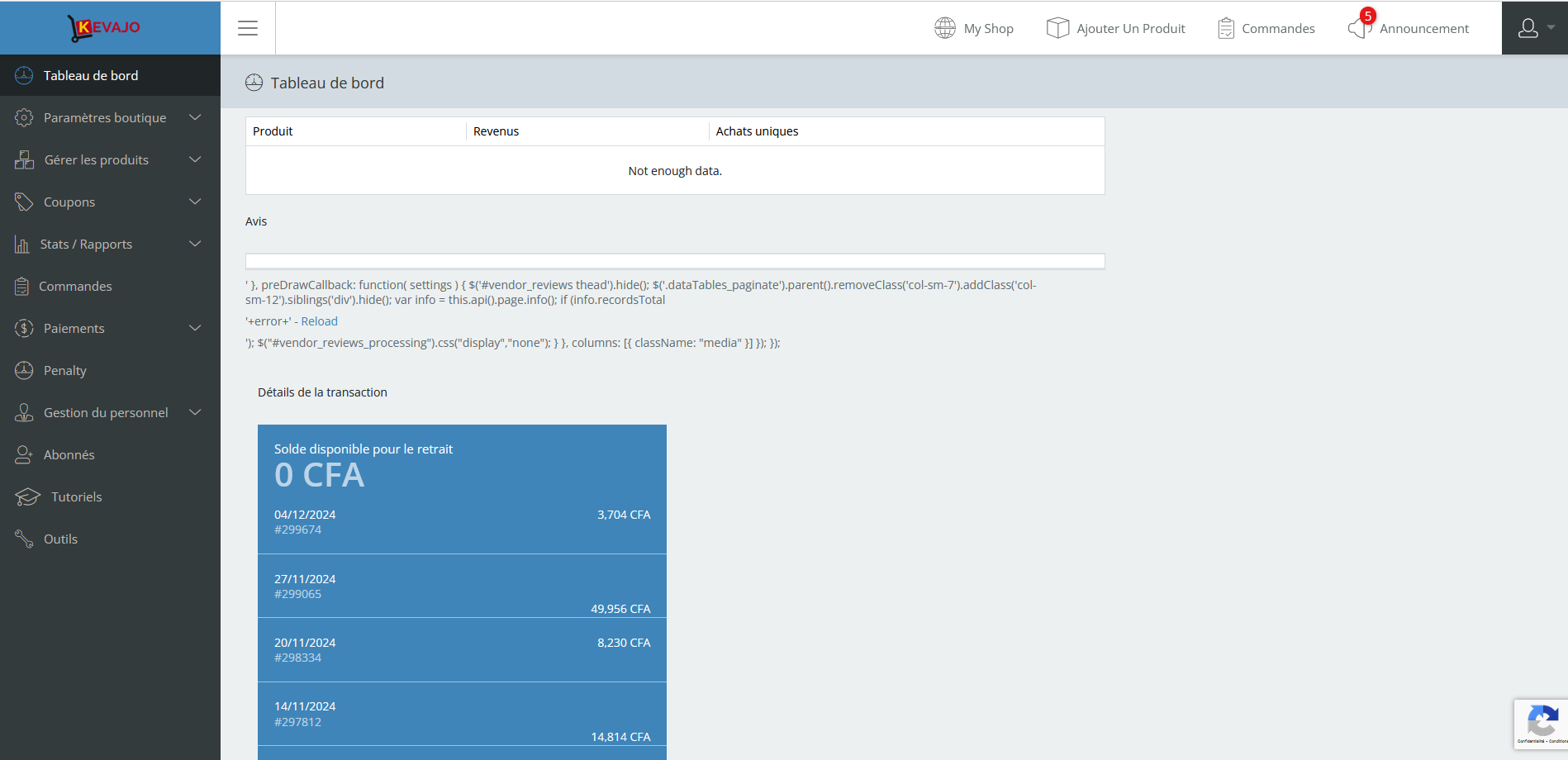
there is an error on the seller dashboard and we are still waiting for the MX update.Attachments:
-
December 11, 2024 at 7:39 PM #237685Keymaster
Sorry to hear that you have faced an issue on your end. It seems there might be some theme/plugin conflict on your end. So just to be sure,deactivate all plugins except WooCommerce, MultiVendorX and MultiVendorX Pro on your end and also switch to some default theme such as twenty twenty four or storefront and check whether the issue still persist.
Please do keep us posted about your findings.
-
February 12, 2025 at 1:07 PM #239167ParticipantThis reply has been marked as private.
-
February 12, 2025 at 1:30 PM #239169ParticipantThis reply has been marked as private.
-
February 12, 2025 at 4:35 PM #239174Keymaster
@kevajo, We have applied the fix on your shared test site. Please download the updated plugin from there and install it on your end.
Also we sincerely apologize for the delay in adding a permanent fix to our plugin and truly appreciate your patience and cooperation. Thank you for your understanding!
-
April 2, 2025 at 3:53 PM #240382ParticipantThis reply has been marked as private.
-
April 2, 2025 at 5:35 PM #240383Keymaster
@kevajo, We have applied the fix on your site. Please download the updated plugin from your test site and install it on your end.
Regarding the delivery slips issue, could you please share more details? This will help us assist you more effectively.
-
May 20, 2025 at 8:14 PM #241045ParticipantThis reply has been marked as private.
-
May 21, 2025 at 9:58 AM #241052Keymaster
Hi @kevajo,
Could you please share a staging site where we can apply the fixes using the latest version of MultiVendorX? We’re currently unable to access the test site you shared earlier.
When sharing the credentials, kindly mark your reply as private for security purposes. Also, it would be helpful if you could provide a bit more detail regarding the issues you’re facing with packing slips and commissions. This will allow us to investigate the matter more thoroughly and assist you accordingly.
We will look forward to hearing back from you with details.
-
May 21, 2025 at 10:09 AM #241054ParticipantThis reply has been marked as private.
-
May 21, 2025 at 6:40 PM #241064Keymaster
@kevajo, We’ve implemented the fix using the latest version of MultiVendorX on the site you shared. Kindly check and let us know if everything is working as expected.
-
May 21, 2025 at 9:01 PM #241066ParticipantThis reply has been marked as private.
-
May 21, 2025 at 9:17 PM #241068Keymaster
Thank you for informing this. Our team is looking into it. Please provide us some time to check and we will get back to you accordingly.
-
May 22, 2025 at 6:00 PM #241071Keymaster
@kevajo The loading issue in the Commission tab has been resolved. Please check and download the updated plugin from the test site.
Let us know if you need any further assistance—we’re here to help!
-
June 24, 2025 at 7:21 PM #247889ParticipantThis reply has been marked as private.
-
June 24, 2025 at 9:07 PM #247915Keymaster
Thank you for getting back, and we sincerely apologize for the inconvenience you’re experiencing with the updates.
We understand your frustration, and we truly appreciate your patience. Our team is actively working on a major update that includes a complete revamp of the system. Once released, it will resolve the current issues and streamline the update process for you.
In the meantime, we’ll go ahead and update the plugins to the latest versions on your shared test site and add the fixes.
Once done we will keep you posted accordingly.
Thank you again for your understanding and continued support.
-
June 25, 2025 at 9:53 AM #247923Keymaster
Hi there, We’re currently unable to log in to the test site you shared: https://test.kevajo.com/.
Could you please check the access and provide us with temporary admin and FTP credentials? This will allow us to proceed with updating the plugins and applying the necessary fixes.
Also, while sharing the access details don’t forget to mark your reply as private.
-
June 25, 2025 at 1:05 PM #247935ParticipantThis reply has been marked as private.
-
June 25, 2025 at 6:52 PM #247969Keymaster
Hi Kevajo, We’ve implemented the fix on your staging site. You can now download the updated MultiVendorX plugin from the staging environment and install it on your live site.
For the MultiVendorX Pro plugin, you can simply download the latest version from your account here:
https://multivendorx.com/my-account/api-downloads/
and upload it to your live site.If you need any further assistance, feel free to reach out—we’re here to help.
-
August 21, 2025 at 1:49 AM #249474ParticipantThis reply has been marked as private.
-
August 21, 2025 at 4:02 PM #249483ParticipantThis reply has been marked as private.
-
August 21, 2025 at 6:10 PM #249485Keymaster
Hello Kevajo, We sincerely apologize for the inconvenience you’ve experienced.
For now, we’ve updated MultiVendorX to the latest version on your test site. You can download the fixed plugin from there and install it on your site. For MultiVendorX Pro, you can download the latest version directly from your My Account page here: https://multivendorx.com/my-account/api-downloads/.
Additionally, our team is working on a major revamp of MultiVendorX. Once this is released, you will no longer face issues with updates on your end.
Thank you very much for your cooperation and understanding.
-
September 10, 2025 at 11:37 PM #249808Participant
hello , give me new update
-
September 11, 2025 at 7:57 AM #249810ParticipantThis reply has been marked as private.
-
September 11, 2025 at 6:34 PM #249817Keymaster
Hi there, We’re happy to inform you that a fix has been implemented for the commission page loading issue you were experiencing. Please check the updated functionality on the site you shared with us. Once everything is working correctly, you can go ahead and download the same plugin from the staging site and add that on your main site.
Regarding updates, in the last release there weren’t any major bug fixes or new implementations included. That said, we kindly request a little more time, as we’re currently working on a major revamp of the plugin. With this upcoming update, we’re hopeful that you’ll no longer face such issues during updates, and you won’t need to depend on us for assistance.
In the meantime, we kindly request you to provide us with a staging site and keep the access details available for us. This way, as soon as the revamped version is ready, we can directly run a migration on your staging site to make sure everything transfers smoothly. Once verified, you’ll then be able to update the plugin confidently on your live site.
We sincerely appreciate your patience and cooperation throughout this process. We’re looking forward to delivering the revamped version soon so that your experience is seamless going forward.
-
September 11, 2025 at 6:36 PM #249819ParticipantThis reply has been marked as private.
-
September 11, 2025 at 7:00 PM #249820Keymaster
Sorry to hear that. Kindly allow us some time to look into this, and we will get back to you with an update.
We appreciate your patience.
-
September 11, 2025 at 7:08 PM #249822ParticipantThis reply has been marked as private.
-
September 11, 2025 at 7:19 PM #249823Keymaster
Hi Kevajo,
No need to worry — I’ve informed the team about the issues, and they are currently investigating. We appreciate your patience, and we’ll keep you updated as soon as we have more information.
Thank you for your understanding.
-
November 3, 2025 at 5:09 PM #250264ParticipantThis reply has been marked as private.
-
November 3, 2025 at 6:50 PM #250265Keymaster
I’ve shared this with our development team, and they’re currently looking into it. We’ll keep you updated on the progress.
Thank you for your patience and cooperation.
-
November 5, 2025 at 10:30 AM #250283Keymaster
Hello There, Thanks for your continued support.
We’ve updated the MultiVendorX plugin on your staging site and applied the necessary fix. Please review the changes to ensure everything is working correctly. Once you’ve confirmed that the issue is resolved on the staging site, you can safely add the same fixed plugin on your live site.
-
December 12, 2025 at 9:20 PM #250882ParticipantThis reply has been marked as private.
-
December 12, 2025 at 10:08 PM #250883Keymaster
Please give us a little time. We’ll update the plugin on your staging site and keep you posted. Thank you for your continued support.
-
December 13, 2025 at 6:00 PM #250890Keymaster
Hello there,
We have updated the MultiVendorX plugin to the latest version on your staging site. Kindly review and test it there. If everything is working as expected, please proceed to download the updated plugin from the staging site and apply it to your live site accordingly.
Let us know if you need further assistance.
-
February 16, 2026 at 10:25 PM #251445ParticipantThis reply has been marked as private.
-
February 17, 2026 at 7:00 PM #251447Keymaster
Hi there,
Our team is currently working on the fix for your site. We will keep you informed as soon as the fix is implemented and the plugin is updated on your site.
Thank you for your continued support and patience.
-
February 18, 2026 at 2:45 PM #251449ParticipantThis reply has been marked as private.
-
February 19, 2026 at 11:39 PM #251467Keymaster
Hi there,
We’ve updated the MultiVendorX plugin to the latest version and applied the required fix. Kindly download
the updated plugin from the staging site and install it on your site.
Also we sincerely apologize for the inconvenience caused by the need to apply fixes manually during
updates. Please be assured that with the upcoming revamp of MultiVendorX 5.0, this issue will no longer
occur, and the update process will be much smoother on your end.
As we are nearing the release of the revamped MultiVendorX 5.0, we kindly request you to create a
separate staging site—an exact replica of your live site, including all data. This will help us thoroughly test
the update on your setup, ensure proper data migration, and prevent any potential issues before the
release.
Once the staging site is ready, please share the staging URL along with the FTP access credentials.
While sharing these details, kindly ensure that your reply is marked as private.
Thank you for your cooperation. Please feel free to reach out if you need any assistance-we’re always
happy to help.
-
-
AuthorPosts
- You must be logged in to reply to this topic.
