






- This topic has 8 replies, 2 voices, and was last updated 2 years, 2 months ago by
Sangita Support Squad.
-
AuthorPosts
-
-
December 27, 2023 at 5:26 PM #215510
FRESHOPP FRESHOPP
ParticipantGood morning,
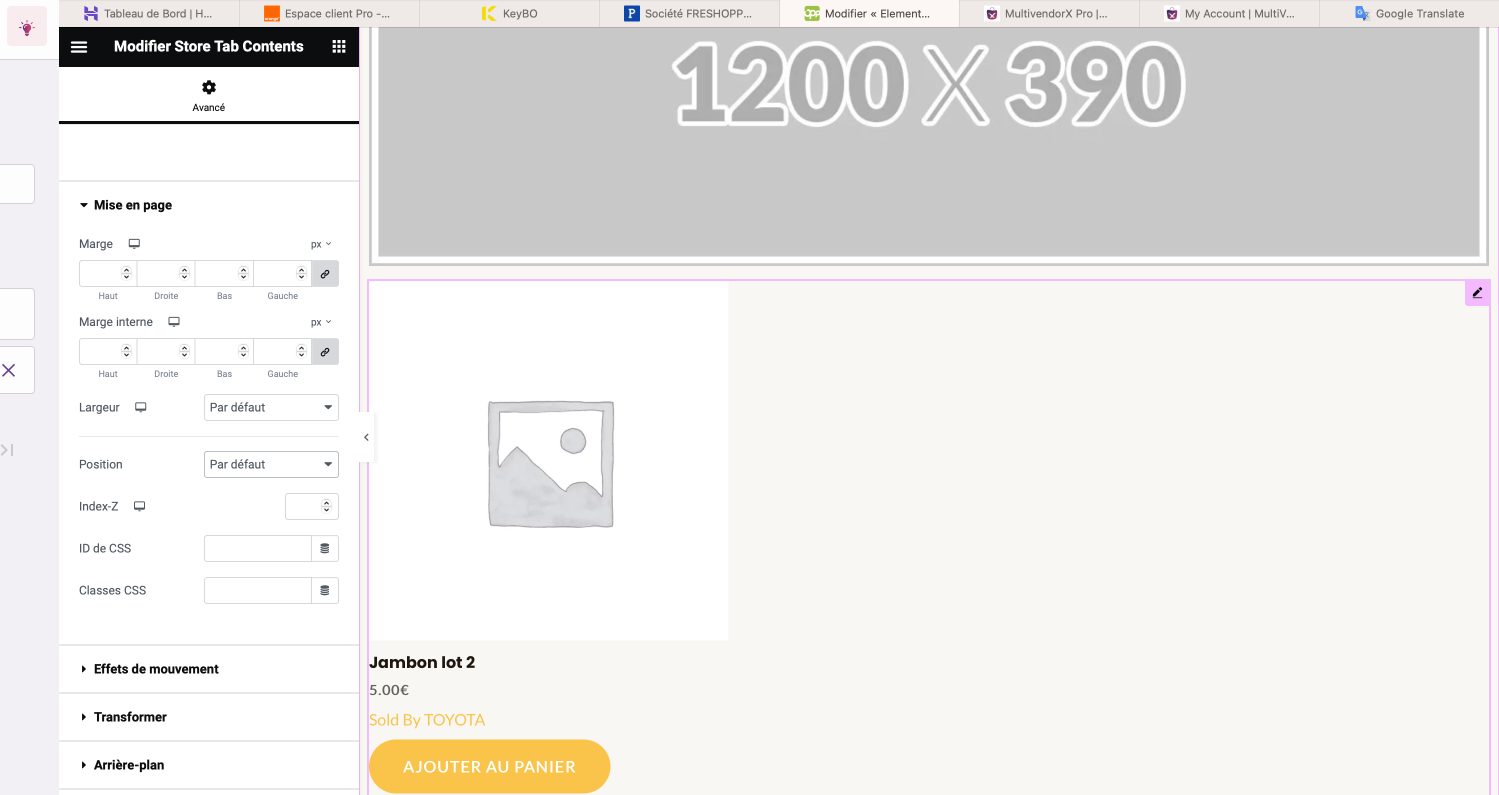
When configuring with the “ELEMENTOR” module, we see the “add to cart” button below the product. When uploaded it is no longer visible.How to make it visible?
THANKS
Attachments:
-
December 27, 2023 at 6:00 PM #215514
Sangita Support Squad
Keymaster@FRESHOPP FRESHOPP We have checked this on our end and the add to cart options are showing accordingly on the vendor store page. Kindly check the video here https://www.awesomescreenshot.com/video/23596232.
-
December 27, 2023 at 8:03 PM #215517Participant
No vidéo
Attachments:
-
December 28, 2023 at 12:16 PM #215534KeymasterThis reply has been marked as private.
-
December 28, 2023 at 9:48 PM #215568ParticipantThis reply has been marked as private.
-
-
December 29, 2023 at 12:47 PM #215583Keymaster
Thanks for sharing the access with us. We logged into your site but were not able to create a MVX Store page using the elementor to check the issue as the elementor is not configured on your staging site. So kindly complete the configuration of the elementor pro on the staging and inform us about the same so that we can proceed with the testing on your end.
-
December 29, 2023 at 1:15 PM #215587Participant
Hello, I have just reactivated elementor pro
Thanks for your feedback
-
-
December 29, 2023 at 3:04 PM #215589KeymasterThis reply has been marked as private.
-
February 29, 2024 at 1:34 PM #217652Keymaster
It’s been long and we have not heard back from you. We presume your query is resolved now. We are closing this thread. If you need help or face issue in future please do open a new support thread.
-
-
AuthorPosts
- The topic ‘Added “add to cart” button’ is closed to new replies.
