






- This topic has 7 replies, 2 voices, and was last updated 1 year, 2 months ago by
Sangita Support Squad.
-
AuthorPosts
-
-
January 4, 2025 at 12:41 AM #238166
l.gan
ParticipantHello
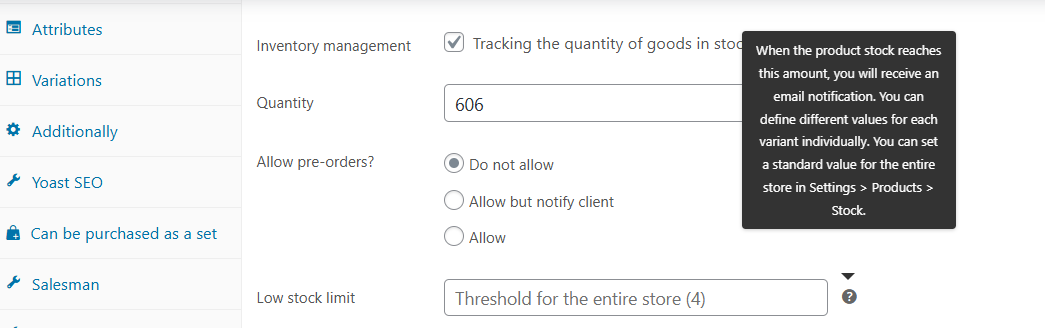
From the woocommerce side:
1. Go to Products.
2. Go to any product and start filling in product information.
3. Next to the fields you will see the “Question mark” icon – hover over it with your mouse.
4. You will see a pop-up tooltip with a field hint. See photo.Problem:
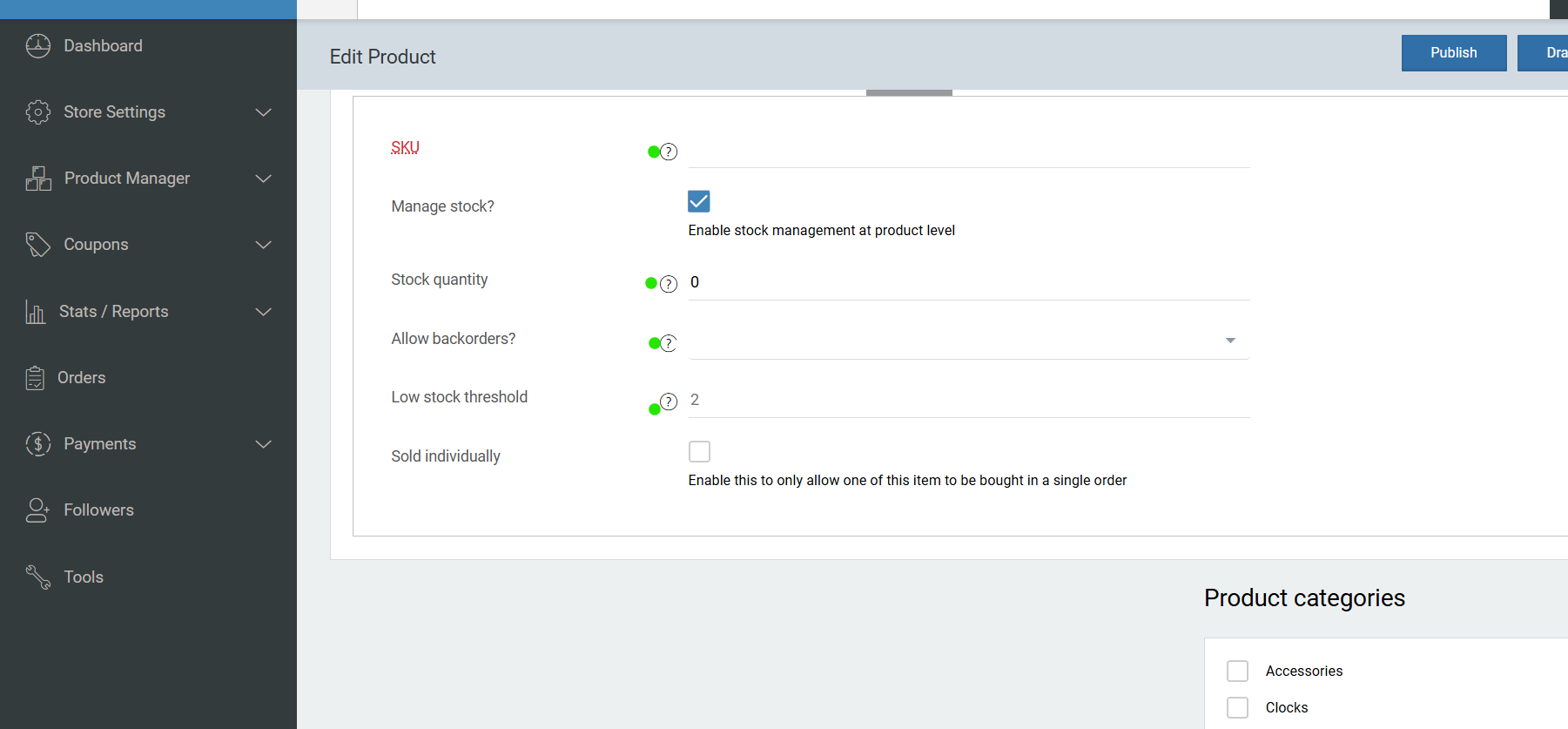
1. Go to the vendor dashboard.
2. Go to the product information tab.
3. Find the field with a question mark in a circle (see photo).
4. Hover over it with your mouse.
5. You will see that there is no pop-up tooltip with a hint.Correct:
If the pop-up tooltip with a hint from the dashboard side will have the information that is in the wooCommerce plugin.Attachments:
-
January 4, 2025 at 10:29 PM #238177
Sangita Support Squad
KeymasterHello there, Thanks for getting in touch with us. Kindly provide us some time to check the same on our end and we will get back to you accordingly.
-
January 6, 2025 at 11:28 AM #238196Keymaster
Hello, Thank you for your cooperation.
We’ve reviewed the flow you mentioned on our end, and the information in the pop-up is appearing correctly in the vendor dashboard. You can check it here:https://www.awesomescreenshot.com/video/35229874?key=b5caca63ce52ff6dcd51f998b171c648.
Now as you are facing issue on your end, please try deactivating all plugins except WooCommerce and MultiVendorX. Also, switch to a default theme, such as Twenty Twenty-One or Storefront, and check again.
Kindly keep us posted on your findings.
-
January 7, 2025 at 6:35 PM #238235Keymaster
Thank you for sharing the information. Our development team is currently looking into it. We kindly request your patience, and we’ll get back to you with an update as soon as possible.
-
January 7, 2025 at 10:55 PM #238238Keymaster
Hi there, kindly add the below code in the functions.php file of your active theme and check –
function load_jquery_migrate() {

    wp_enqueue_script('jquery-migrate');

}

add_action('wp_enqueue_scripts', 'load_jquery_migrate');
If you need any further assistance please do let us know.
-
January 10, 2025 at 6:18 PM #238296Keymaster
Glad to hear that. We are closing this thread. If you need help or face issue in future please do create a new support ticket.
-
-
AuthorPosts
- The topic ‘Should tooltips from vendor dashboard be empty?’ is closed to new replies.
