






- This topic has 30 replies, 2 voices, and was last updated 1 year, 5 months ago by
Sangita Support Squad.
-
AuthorPosts
-
-
June 12, 2024 at 6:57 PM #220635
Simon Thomas
ParticipantHi,
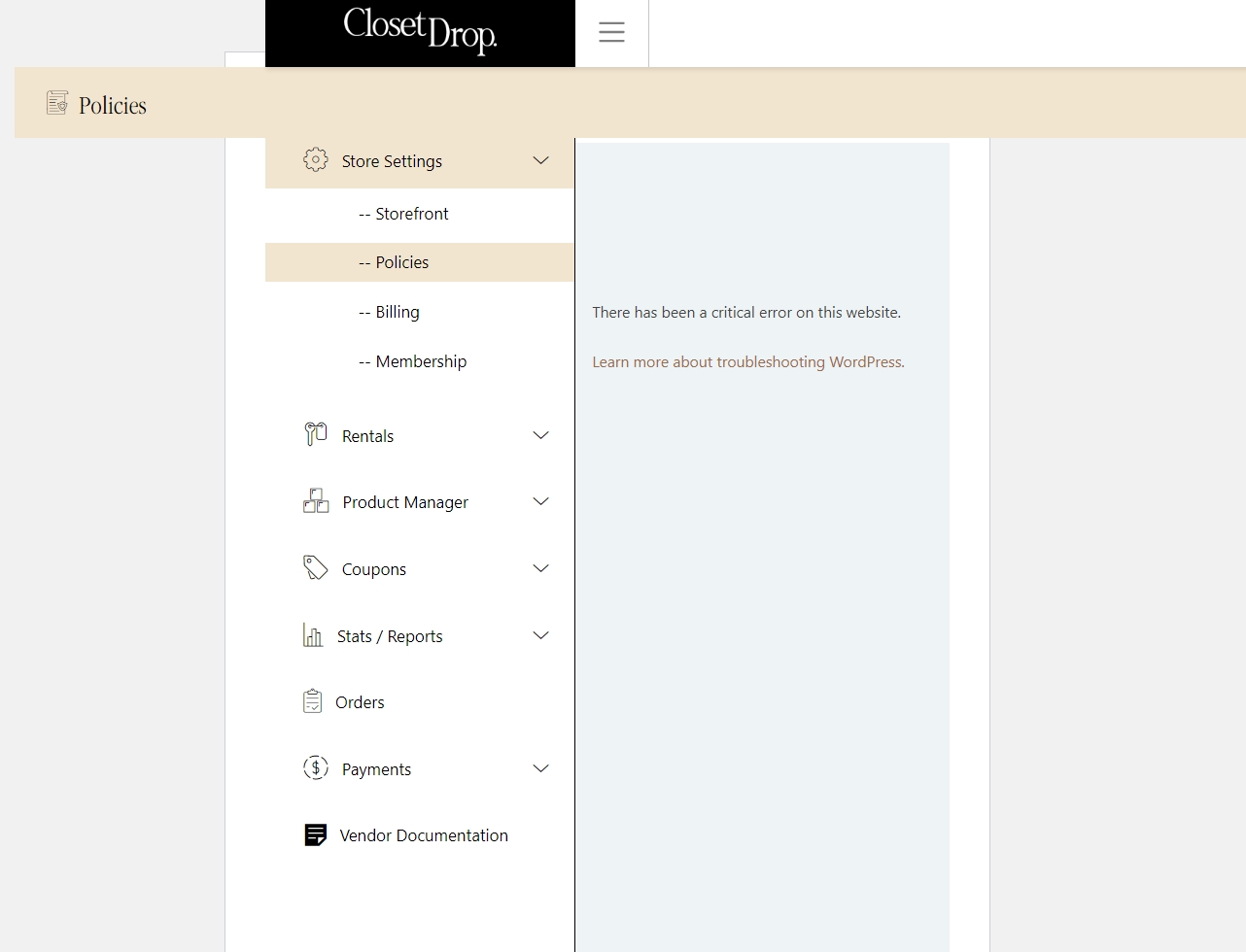
I want to set Policies under my Vendor Store Settings but I get critical error (attached).
Can you please help in resolving this issue, urgent please?This is from the error_log when checked in under wordpress
[12-Jun-2024 11:58:14 UTC] PHP Fatal error: Uncaught TypeError: Cannot access offset of type string on string in /home/closetdr/public_html/wp-content/themes/astra-child/MultiVendorX/vendor-dashboard/vendor-policy.php:20
Stack trace:
#0 /home/closetdr/public_html/wp-content/plugins/dc-woocommerce-multi-vendor/classes/class-mvx-template.php(38): include()
#1 /home/closetdr/public_html/wp-content/plugins/dc-woocommerce-multi-vendor/classes/class-mvx-vendor-hooks.php(414): MVX_Template->get_template()
#2 /home/closetdr/public_html/wp-includes/class-wp-hook.php(324): MVX_Vendor_Hooks->mvx_vendor_dashboard_vendor_policies_endpoint()
#3 /home/closetdr/public_html/wp-includes/class-wp-hook.php(348): WP_Hook->apply_filters()
#4 /home/closetdr/public_html/wp-includes/plugin.php(517): WP_Hook->do_action()
#5 /home/closetdr/public_html/wp-content/plugins/dc-woocommerce-multi-vendor/classes/class-mvx-vendor-hooks.php(291): do_action()
#6 /home/closetdr/public_html/wp-includes/class-wp-hook.php(324): MVX_Vendor_Hooks->mvx_create_vendor_dashboard_content()
#7 /home/closetdr/public_html/wp-includes/class-wp-hook.php(348): WP_Hook->apply_filters()
#8 /home/closetdr/public_html/wp-includes/plugin.php(517): WP_Hook->do_action()
#9 /home/closetdr/public_html/wp-content/plugins/dc-woocommerce-multi-vendor/templates/shortcode/vendor_dashboard.php(47): do_action()
#10 /home/closetdr/public_html/wp-content/plugins/dc-woocommerce-multi-vendor/classes/class-mvx-template.php(38): include(‘/home/closetdr/…’)
#11 /home/closetdr/public_html/wp-content/plugins/dc-woocommerce-multi-vendor/classes/shortcode/class-mvx-shortcode-vendor-dashboard.php(48): MVX_Template->get_template()
#12 /home/closetdr/public_html/wp-content/plugins/dc-woocommerce-multi-vendor/classes/class-mvx-shortcode.php(89): MVX_Vendor_Dashboard_Shortcode::output()
#13 /home/closetdr/public_html/wp-content/plugins/dc-woocommerce-multi-vendor/classes/class-mvx-shortcode.php(57): MVX_Shortcode::shortcode_wrapper()
#14 /home/closetdr/public_html/wp-includes/shortcodes.php(433): MVX_Shortcode::mvx_vendor_dashboard_shortcode()
#15 [internal function]: do_shortcode_tag()
#16 /home/closetdr/public_html/wp-includes/shortcodes.php(273): preg_replace_callback()
#17 /home/closetdr/public_html/wp-includes/class-wp-hook.php(324): do_shortcode()
#18 /home/closetdr/public_html/wp-includes/plugin.php(205): WP_Hook->apply_filters()
#19 /home/closetdr/public_html/wp-includes/post-template.php(256): apply_filters()
#20 /home/closetdr/public_html/wp-content/plugins/dc-woocommerce-multi-vendor/templates/template-vendor-dashboard.php(36): the_content()
#21 /home/closetdr/public_html/wp-includes/template-loader.php(106): include(‘/home/closetdr/…’)
#22 /home/closetdr/public_html/wp-blog-header.php(19): require_once(‘/home/closetdr/…’)
#23 /home/closetdr/public_html/index.php(17): require(‘/home/closetdr/…’)
#24 {main}
thrown in /home/closetdr/public_html/wp-content/themes/astra-child/MultiVendorX/vendor-dashboard/vendor-policy.php on line 20
[12-Jun-2024 11:58:20 UTC] PHP Warning: Undefined array key 0 in /home/closetdr/public_html/wp-content/themes/astra-child/functions.php on line 249 -
June 12, 2024 at 7:10 PM #220637
Sangita Support Squad
KeymasterHi there, sorry to hear that you have faced an issue on your end.
Looking at the error it seems that you have added some modifications on your end and as a result of that this error is occurring
So kindly let us know what modifications have you added on your end so that we can assist you accordingly. -
June 13, 2024 at 7:44 PM #220669Participant
Hi Sangita,
Thanks for your reply.
We have just changed the tech partner.
How can we show you the modifications?
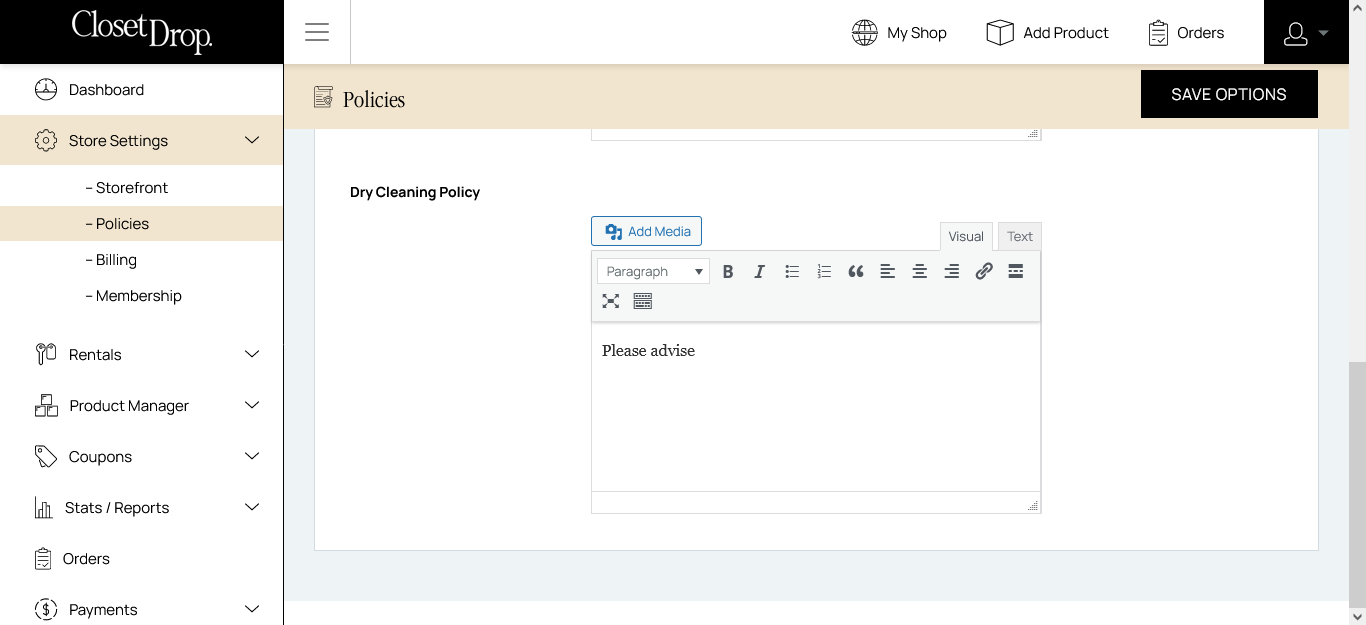
The same functionality is working on https://staging.closetdrop.com.au which is the backup of the live site taken few days old for testing purposes. I have also attached the screen shot of the staging site.
I have also added the error log to this case.
Can you help?Attachments:
-
June 14, 2024 at 11:29 AM #220679Keymaster
Hello @Steph Conway,I totally understand your end.
But please understand if the issue had arisen from the default settings of our plugin, I would have surely assisted you in fixing it. However, since the issue stems from your custom code, which is beyond our plugin’s default settings, it is difficult for us to debug and assist to fix this error coming from your custom code.
Now to troubleshoot, I suggest removing all custom code and verifying whether the default flow for the policies works correctly on your end. If it does, reintroduce the custom code step by step to identify which part is causing the error. This approach will help you pinpoint the problematic code. Once identified, you can modify the code accordingly. If you are the developer, you should be able to fix it; otherwise, please contact the developer who provided you with the code.
Let us know if you need any further assistance from our end.
-
June 15, 2024 at 2:07 PM #220701Participant
Thanks for your reply Sangita.
We disabled the MVX-Pro and the policies started working.
How to add my developer zaid@ozbitech.com.au to this support?
We are trying to find the list of customizations from the old technical partner. -
June 15, 2024 at 3:59 PM #220707Keymaster
Could you please check the store policy flow on your end by enabling only WooCommerce, MultiVendorX, and MultiVendorX Pro? Also, switch to a default theme such as Twenty Twenty-Four or Storefront, and let us know if you encounter any issues with the default plugins and themes enabled.
-
June 15, 2024 at 6:39 PM #220709ParticipantThis reply has been marked as private.
-
June 15, 2024 at 6:55 PM #220710Keymaster
You can check the knowledgebase doc here https://multivendorx.com/docs/knowledgebase/store-policy/ for the store policy module.
Let us know if you need any further assistance from our end.
-
June 16, 2024 at 9:00 PM #220719Participant
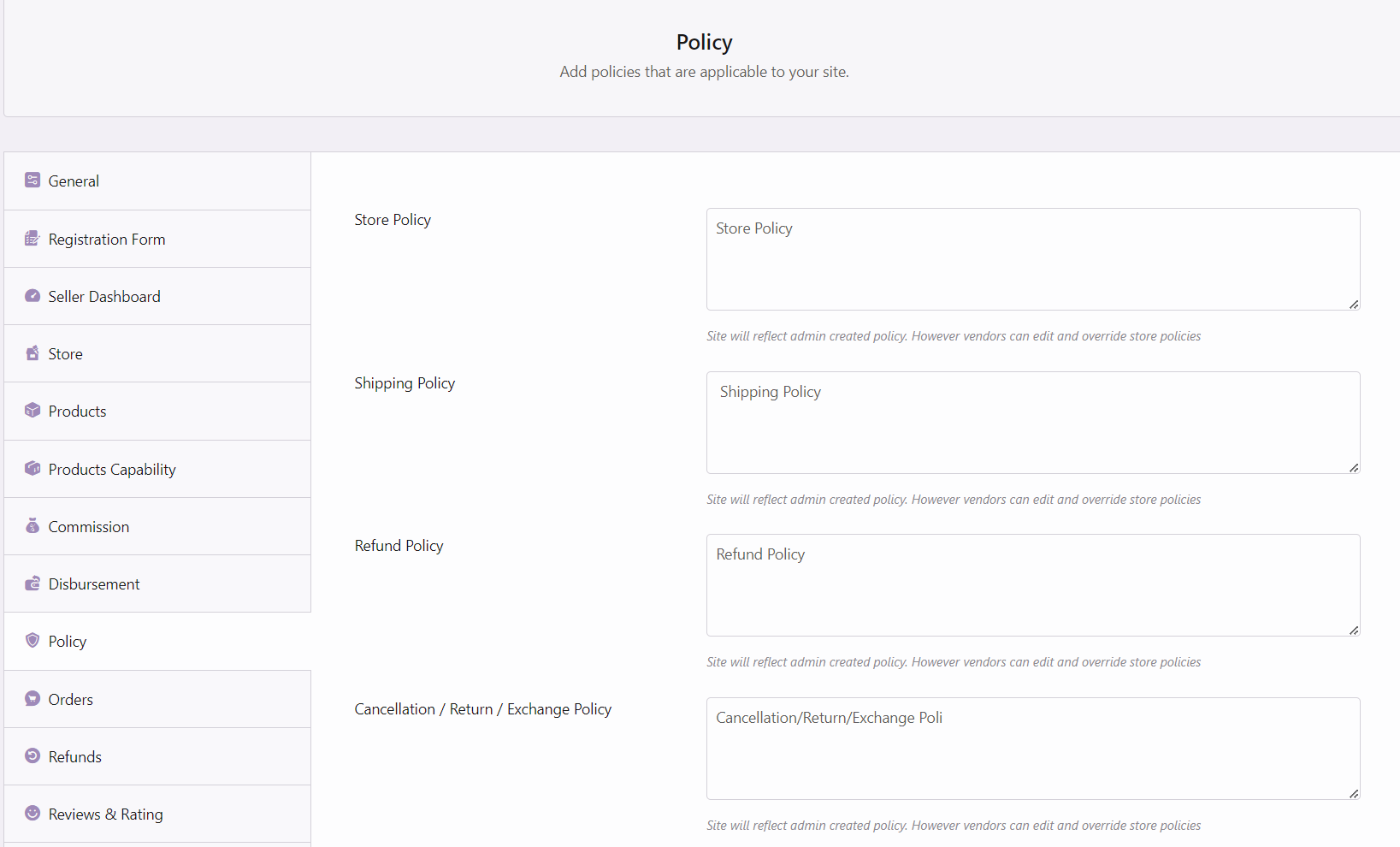
Yes thanks, We got it. It shows the site policies as attached. WIth mvx_pro disabled, could see the policies on vendor dashboard and on the product preview page, however the site showed few other issues like no vendor registration etc. We have enabled the mvx_pro back and now policies showing fatal error again on vendor dashboard. We have yet to try to default theme.
Attachments:
-
June 16, 2024 at 9:53 PM #220722Keymaster
Thank you for the update. Please check the store policy flow and any other issues you’re encountering with WooCommerce, MultiVendorX, and MultiVendorX Pro activated. Additionally, try all the flow switching to a default theme such as Twenty Twenty-Four or Storefront.
Keep us informed if you experience any issues with the default plugins and themes activated.
-
June 27, 2024 at 7:26 PM #221009ParticipantThis reply has been marked as private.
-
June 27, 2024 at 8:54 PM #221011Keymaster
Hello,Thank you for getting back to us. Could you please confirm if the error occurs when only WooCommerce, MultiVendorX, and MultiVendorX Pro plugins are activated along with a default theme such as twenty twenty four or storefront?
If the error persists with the default theme and plugins active, please create a staging site that is an exact replica of your live site. Share the staging site URL, temporary admin, and FTP access of the staging site with us so we can investigate and assist you in resolving the issue.
When sharing the access, please ensure your reply is marked as private.
-
June 28, 2024 at 6:17 PM #221032ParticipantThis reply has been marked as private.
-
June 28, 2024 at 6:42 PM #221039Keymaster
@Steph Conway, We are not able to access the WordPress backend with the admin access shared by you.
So can you please check the user role of the user you have shared with us and share the updated admin access with us so that we can look into your issue and assist you accordingly to solve your issue on your end.
-
June 29, 2024 at 2:11 PM #221060ParticipantThis reply has been marked as private.
-
June 29, 2024 at 4:08 PM #221067Keymaster
Hello @Steph Conway, Thank you for sharing the access details with us. We have added an updated version of the MultiVendorX Pro plugin on your end, which includes a fix for the issue.
Please check this on your staging site. You can download the fixed plugin from your staging site and apply it to your live site. We will also include this fix in the next MultiVendorX Pro update.
Let us know if you need any further assistance.
-
June 29, 2024 at 6:29 PM #221083ParticipantThis reply has been marked as private.
-
June 29, 2024 at 6:35 PM #221085Keymaster
Hello there, You just need to download the MultiVendorX pro plugin folder from the staging site and then delete the current MultiVendorX pro from the live site and add the downloaded(fixed) plugin there in the live site.
Let us know if you need any further assistance from our end.
-
June 30, 2024 at 7:24 PM #221098Participant
Hi, I followed the steps on the live site but I do not see the Policies option anymore on the Vendor Dashboard?? It works fine on staging. See attached screen shots on live site.
Also It says API Key are is activated on live. I added the API Key, it did not activated. No API Resources Available. -
June 30, 2024 at 8:27 PM #221106Keymaster
Hello there, For the vendor policies tab to appear on the vendor dashboard you need to add “Can edit policies” option in the Miscellaneous settings while adding membership plans. Once you add the option accordingly in the membership plan then tab Policy tab will appear in the vendor dashboard.
Regarding the license activation, kindly go here https://multivendorx.com/my-account/api-keys/ and delete the active site associated with your license and then activate the license on your live site accordingly.
Let us know if you need any further assistance from our end.
-
July 2, 2024 at 12:41 PM #221154Participant
Hi Sangita,
I have applied the fix on live but upon some testing found errors when adding inventory and adding products. Both have errors. Adding inventory not showing the days range (screen shot attached). When creating new product, upon submitting its saying your website has critical errors. I tested this on live site and error log attached. Can you please help?Attachments:
-
July 2, 2024 at 12:56 PM #221156ParticipantThis reply has been marked as private.
-
July 2, 2024 at 4:13 PM #221162Keymaster
Hello @Steph Conway, We’re glad to hear that your issues have been resolved.
However, we reviewed your error log and found that the errors looged there are not related to the API license. Also, our API keys do not have any control over the functionalities of our plugin; they only ensure you receive updates for your purchased plugin accordingly.So it seems you may have changed some settings on your end , which resolved your issue.
Also, if you wish to activate the license key on your staging site as well, you can upgrade to a higher license plan.
Please let us know if you need any further assistance.
-
July 2, 2024 at 7:48 PM #221175ParticipantThis reply has been marked as private.
-
July 2, 2024 at 8:38 PM #221179Keymaster
Sorry to hear that you have faced an issue. Kindly provide us with some time to check this on your end and we will get back to you accordingly.
Also please confirm if we can deactivate plugin/theme on your end to debug the issue. -
July 3, 2024 at 11:44 AM #221197Keymaster
Hello @Steph Conway, We reviewed your site and found that the “No allowed product types” issue is due to not adding any product types for the vendor registered plan (https://prnt.sc/RjJT8lSlO8B8). To resolve this, add the necessary product types in the “Allowed product types” section on the membership plan edit page.
For the “Add inventory” issue, it seems to be caused by a conflict with another plugin or a customization on your end, as everything is working fine on our side. You can check the video demonstration here: https://www.awesomescreenshot.com/video/29196111?key=6fae6bbeedf16cecbe74bf6a94547f12.
So to troubleshoot the issue on your staging site, please deactivate all plugins except WooCommerce, MultiVendorX, MultiVendorX Pro, and the WooCommerce rental and booking plugin. Additionally, switch to a default theme like Twenty Twenty-Four or Storefront and see if the issue persists.
Also do keep us posted regarding the same.
-
July 17, 2024 at 8:38 PM #221729ParticipantThis reply has been marked as private.
-
July 17, 2024 at 9:01 PM #221733Keymaster
Sorry to hear that you have faced an issue on your end. We have checked the flow on our end but we are not able to recreate the same on our end. So we kindly request you to create a staging site that should be an exact replica of your live site and share the staging site url, temporary admin and FTP access with us so that we can look into the issue on your end and assist you accordingly.
Also while sharing the access don’t forget to mark your reply as private. -
July 18, 2024 at 6:35 PM #221758ParticipantThis reply has been marked as private.
-
July 18, 2024 at 7:31 PM #221762Keymaster
Hello there, Thanks for sharing the access details with us. We have logged into your site and added vendor products in the cart. But did not face the issue with the Stripe secret key coming up in the cart or in the checkout.
So kindly check the same and let us know how we can recreate the issue on your end and assist you further in resolving it.
-
September 17, 2024 at 2:08 PM #235350Keymaster
We haven’t heard back from you in a while, so we assume your issue has been resolved. We’re closing this thread now. If you need further assistance or encounter any issues in the future, please feel free to open a new support ticket.
-
-
AuthorPosts


- The topic ‘Critical Error on Policies’ is closed to new replies.
