






- This topic has 14 replies, 3 voices, and was last updated 10 months, 2 weeks ago by
Anushka Sinha.
-
AuthorPosts
-
-
March 27, 2025 at 4:56 AM #240250
Chris Lovchik
ParticipantI want to hide the items shown in the yellow box in the attach screenshot on the add product page. How do I do that?
Attachments:
-
March 27, 2025 at 3:30 PM #240267
Sangita Support Squad
KeymasterHello, Thank you for reaching out to us!
You can override the html-product-data-general.php template file and remove lines 129 to 177 to achieve the desired changes.
To override the template, follow this path:
yourtheme/MultiVendorX/vendor-dashboard/product-manager/views/html-product-data-general.phpIf you need further assistance, feel free to let us know. We’re happy to help!
-
March 28, 2025 at 3:28 AM #240275Participant
That worked great thank you. Can you tell me the best way to hide these additional items shown in the yellow box in the attach screenshot on the add product page?
Attachments:
-
March 28, 2025 at 3:57 PM #240282Keymaster
Hello there, Great to hear that the previous solution worked for you!
To remove the marked section, kindly override the edit-product.php template file and remove lines 169 to 204.
You need to follow the below mentioned path for overriding the template file –
yourtheme/MultiVendorX/vendor-dashboard/product-manager/edit-product.phpIf you need any further assistance, feel free to reach out—we’re happy to help!
-
March 30, 2025 at 5:57 AM #240304Participant
Thank you again. This is just a simple product so there is just the general tab. When I removed those lines the general tab is collapsed (You have to click on it to open it up). Is it possible to have the tab stay open?
-
March 30, 2025 at 3:00 PM #240309Keymaster
Thank you for getting back to me. I’m sharing this with my developer, and I’ll update you as soon as I hear back from them.
-
March 31, 2025 at 11:23 AM #240322Keymaster
@Chris Lovchik, We just checked on our end, and after removing lines 169 to 204 from the edit-product.php template, the page appears like this: https://tinyurl.com/2doc8lqn.
Could you please let us know how the pages appear on your end? This will help us better understand and assist you further.
Looking forward to your response.
-
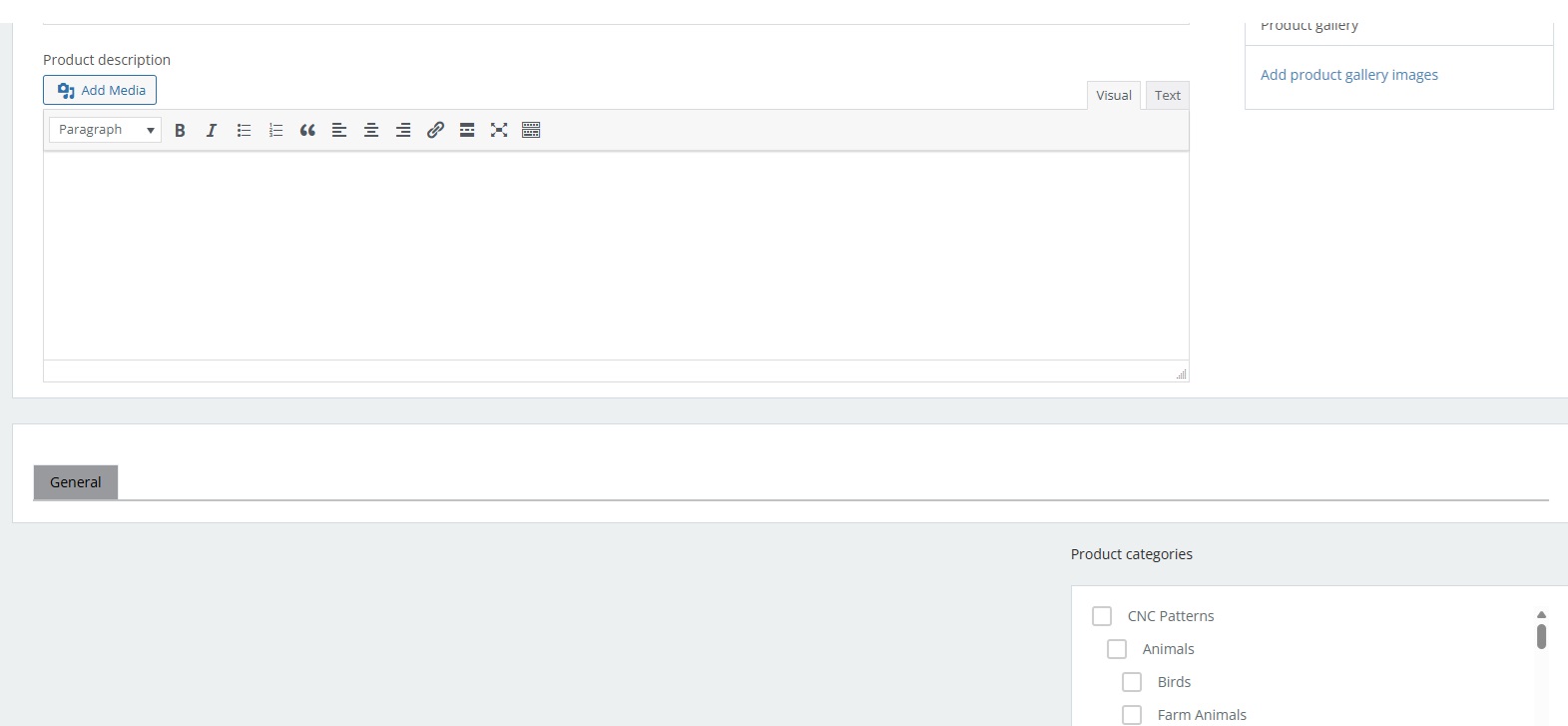
March 31, 2025 at 8:19 PM #240334Participant
It looks like this until I click on general
Attachments:
-
March 31, 2025 at 10:10 PM #240336Keymaster
Once you remove the previously mentioned lines, only the General tab will be visible. Clicking on it will reveal the details of the tab. Now could you please clarify the flow you have in mind?
-
April 1, 2025 at 7:05 AM #240345Participant
I would like the details of the tab to be visible with out clicking on it.
-
April 1, 2025 at 6:41 PM #240370Keymaster
Thank you for sharing this detail with us. I have forwarded your query to our development team, and they are currently looking into it. I’ll keep you updated as soon as I receive any updates from them.
-
April 2, 2025 at 12:30 PM #240379
Anushka Sinha
ModeratorThis reply has been marked as private. -
April 3, 2025 at 1:06 AM #240389ParticipantThis reply has been marked as private.
-
April 3, 2025 at 6:08 PM #240411Keymaster
Hello @Chris Lovchik, Thank you for sharing the details. Please add the following CSS by navigating to Admin Dashboard → MultiVendorX → Settings → Seller Dashboard → Custom CSS.
#mvx-edit-product-form #woocommerce-product-data .add-product-info-header{

    display:none;

}
Let us know if you need any further assistance from our end.
-
July 1, 2025 at 12:30 PM #248101Moderator
Hello @Chris Lovchik,
We haven’t heard back from you in a while, so we assume your query has been resolved. We’ll be closing this thread now.If you need any assistance in the future or encounter any issues, feel free to create a new support thread. We’re happy to help!
-
-
AuthorPosts


- The topic ‘I want to hide sections of the add product page’ is closed to new replies.
