





- This topic has 12 replies, 2 voices, and was last updated 1 year, 6 months ago by
Sangita Support Squad.
-
AuthorPosts
-
-
September 23, 2024 at 10:54 PM #235546
webmaster.mid
ParticipantHello MultiVendorX Support Team,
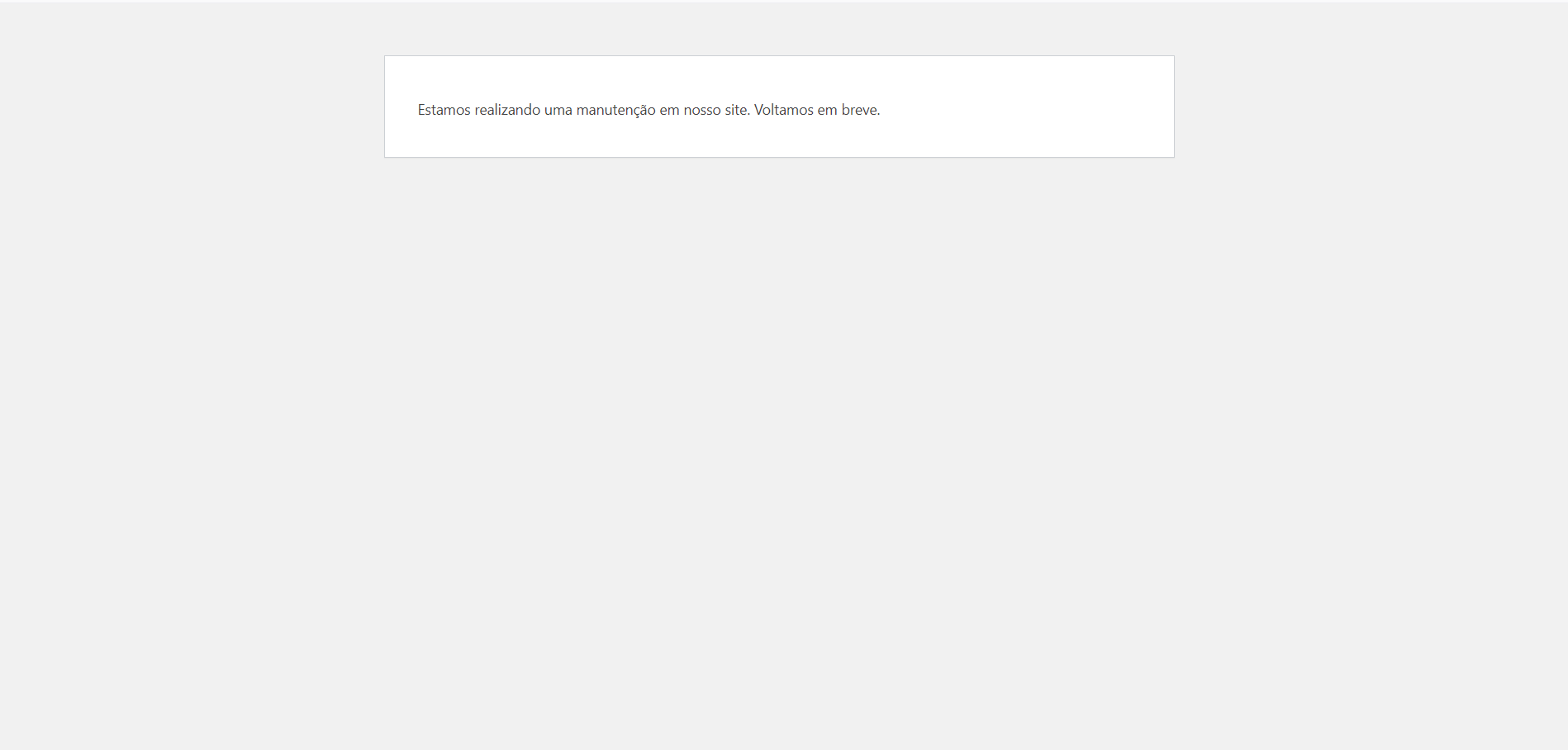
I am experiencing a critical issue in my WordPress admin panel when attempting to access any MultiVendorX links. The issue results in a fatal error, which seems to be caused by memory overload on my server.
Here is the error from the debug log:
[23-Sep-2024 17:01:03 UTC] PHP Fatal error: Allowed memory size of 536870912 bytes exhausted (tried to allocate 20480 bytes) in /www/devdeezign_595/public/wp-includes/class-wpdb.php on line 2425
I am using Kinsta as my hosting provider, and my server’s memory is already maxed out at 512MB. I am unable to increase the memory limit further, and it seems clear that there is a memory optimization issue within the MultiVendorX plugin causing this overload.Would you please investigate this and provide a solution or optimization to prevent such heavy memory usage? This is critical for the functionality of my site, and I’m unable to access key features in the MultiVendorX dashboard because of this error.
Attachments:
-
September 24, 2024 at 10:24 AM #235555
Sangita Support Squad
KeymasterHello @webmaster.mid, We are extremely sorry to hear that you’re experiencing the “Allowed memory size” issue on your end. To assist you better, could you please create a staging site that replicates your live site where the issue can be reproduced? Once done, kindly share the URL, along with temporary admin and FTP access for the staging site, so we can investigate further.
Please remember to mark your reply as private when sharing the access details.
-
September 25, 2024 at 9:44 AM #235611ParticipantThis reply has been marked as private.
-
-
September 25, 2024 at 9:44 AM #235605ParticipantThis reply has been marked as private.
-
September 25, 2024 at 9:57 AM #235624Keymaster
Hello @webmaster.mid, Thanks for proving the access details.
Can you please confirm if we can deactivate plugins and themes on your end to debug the issue further.
-
September 25, 2024 at 3:53 PM #235701Participant
Hi Sangita,
Yes you can disable theme and plugins, but I need to say to you be careful, cause the server shared with you is also our development environments. So, if disable any plugin or theme, re-active again please.
In that way we can work together
-
September 25, 2024 at 4:47 PM #235708Keymaster
Hi @webmaster.mid, We’ve implemented a fix for the issue on your staging site. Please download the updated plugin from there and install it on your live site.
Just a reminder: until we provide a permanent fix in our core plugin, please avoid updating the plugin on your main site directly, as the temporary fix we’ve applied may be removed with updates, potentially causing the same issue to reoccur.
Before updating the plugin on your live site, test the updates on your staging site first. If everything works correctly, you can then proceed with the update on your live site.
If you encounter any issues on your staging site after the update, please let us know so we can assist you accordingly.
-
September 26, 2024 at 1:26 AM #235720Participant
Hi,
Really the links working right now. Can you give more information about the fix?
What’s happened to crash the wp-admin?
I need more details to documentation in my end how the bug were fixed
-
September 26, 2024 at 1:52 PM #235734Keymaster
Hi @webmaster.mid, we have added the fix in the following files :
class-mvx-admin.php — line no. – 165
class-mvx-rest-controller.php — line no. – 3171 -
October 11, 2024 at 7:51 PM #236056Participant
Hi Sagita,
We tried updating the MVX plugin to the latest version, but we still noticed this performance issue in the dashboard. When we made the same changes, the problem persisted. Do you have any solutions or an estimate for when this issue will be resolved?
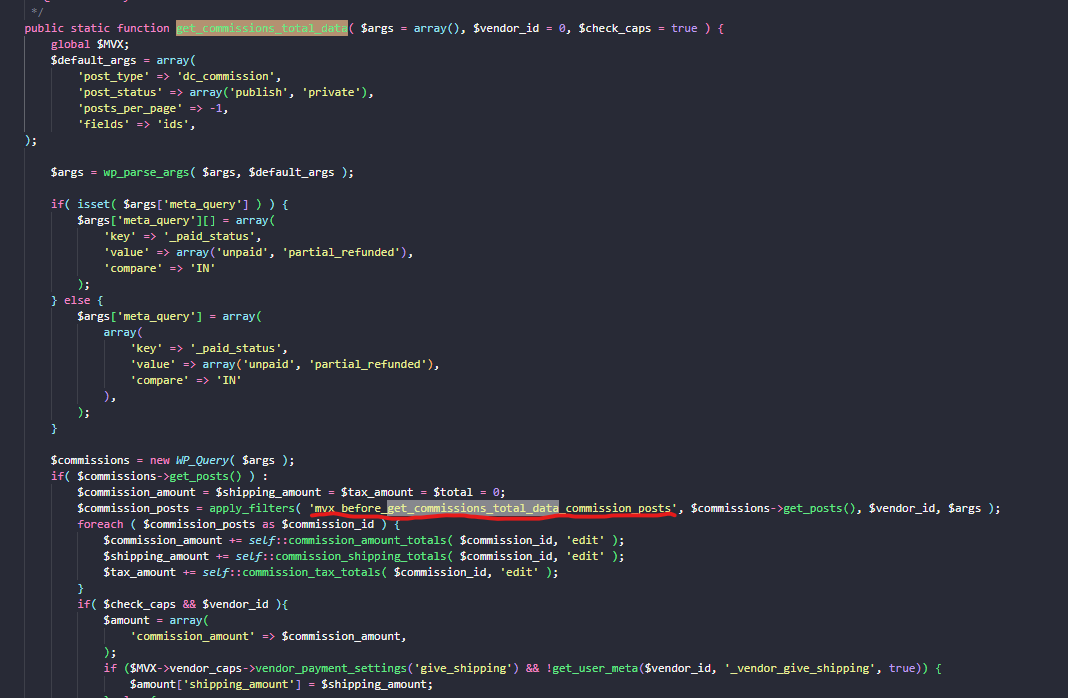
Additionally, we also noticed a memory leak at another point, specifically during order creation. Please see the screenshot.
I noticed that the function $commission->get_posts() retrieves all posts of the commission type, which is causing a memory leak during checkout. To resolve this, I had to add some code to the filter mvx_before_get_commissions_total_data_commission_posts.add_filter(
‘mvx_before_get_commissions_total_data_commission_posts’,
function ( $commissions, $vendor_id, $args ) {
return array();
},
10,
3
);Attachments:
-
October 12, 2024 at 10:13 AM #236064Keymaster
@webmaster.mid, I’m sorry to hear that you’re still facing the issue. Could you please confirm if the issue is occurring on the staging site you previously shared? This will help our team investigate and assist you further in resolving it.
-
October 14, 2024 at 10:26 AM #236101Keymaster
We are still awaiting your confirmation on whether the issue has been replicated on the staging site you shared. Once confirmed, our team can begin investigating the issue and provide the necessary assistance to resolve it.
-
December 13, 2024 at 5:42 PM #237735Keymaster
It’s been a while since we last heard from you, and we’re assuming your query has been resolved. We’ll go ahead and close this thread.
If you need any assistance or encounter issues in the future, please don’t hesitate to create a new support ticket. We’re here to help!
-
-
AuthorPosts
- The topic ‘Memory Exhaustion Issue with MultiVendorX Links in WP-Admin’ is closed to new replies.
