Brief Introduction #
Customer reviews help build trust in a marketplace by allowing buyers to share their shopping experiences. Reviews also help store owners understand customer feedback and improve their services.
The MultiVendorX Store Review module allows customers to rate and review stores directly from different sections of the marketplace. Store owners and admins can easily monitor and manage these reviews from their dashboards.
Required Module #
- Store Review
Go to:
- WordPress Dashboard → MultiVendorX → Modules
- At the top, select the Customer Experience tab
- Find the Store Review module in the list
- Enable it
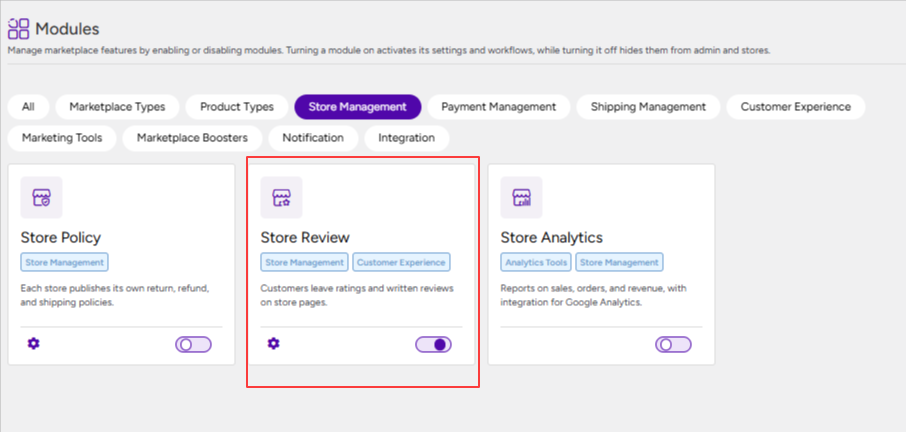
Once the module is activated, we can proceed with the configuration. To access the settings:
Store Review Configuration #
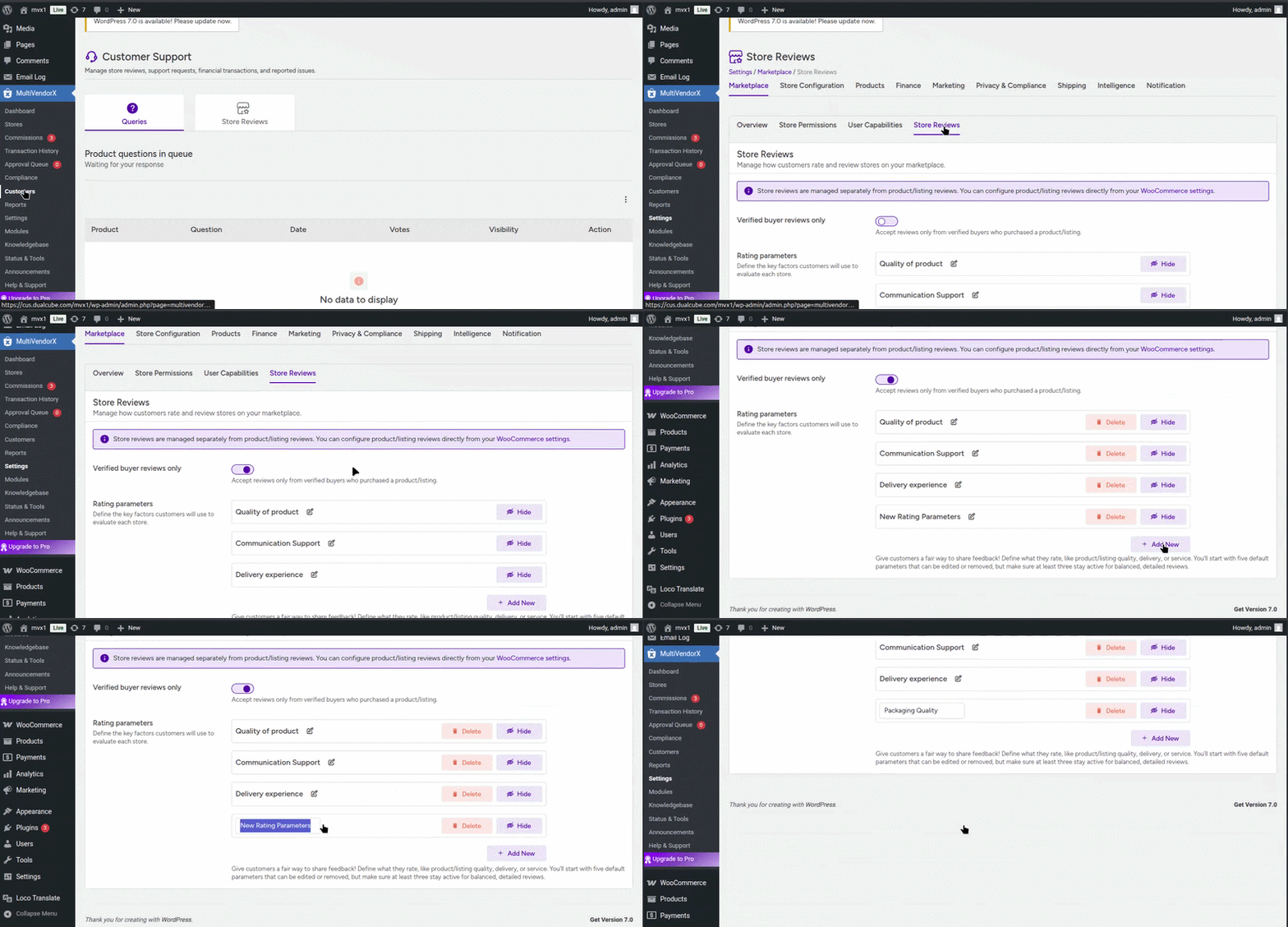
- Go to MultiVendorX and click on the Settings submenu
- Open the Marketplace tab
- Click Store Reviews to manage how customers review stores
Here are the settings you can configure:
- Verified Buyer Reviews Only – Enabling this ensures that only customers who have actually purchased from a store can leave a review.
- Rating Parameters – Admins can define the review criteria customers will use while rating stores.
Default review parameters include:
- Quality of Product
- Communication Support
- Delivery Experience
Note: These predefined review fields cannot be edited or deleted. However, Admins can add additional custom review parameters based on marketplace requirements.
NOTE: What we are configuring here is the Store Review settings. This has nothing to do with product review. Product reviews are handled directly by Woocommerce. To enable that go to Woocommerce → Settings → Products → Enable Product Reviews.
Customer/Buyer Ratings #
Customers can submit store reviews from two locations in the marketplace.
- Visit the store’s shop page and leave a review
- Leave feedback from the suborder details page under:

Review Option in the Store Dashboard #
From the Store Dashboard store owners can easily check reviews for their store:
- Go to Store Support in the menu
- Click on Customer Reviews from the dropdown
The reviews will be visible here. Store owners can reply to reviews by clicking on the action option.

Review option in the Admin Dashboard #
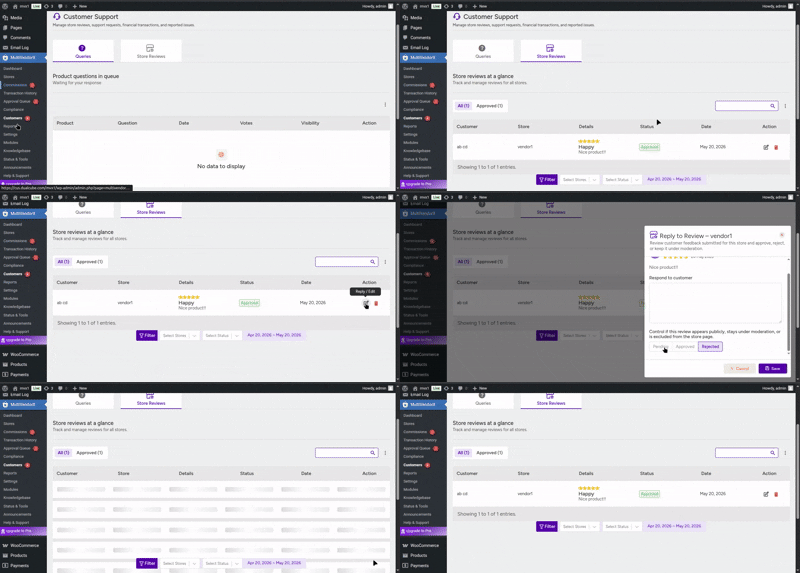
The admin can also view the details of reviews submitted by customers by following the steps below:
- Go to the Admin Dashboard and click on MultiVendorX.
- Navigate to Customer’s → Store Reviews.
- From here, the admin can view all customer reviews, reply to them, or delete them if required.