


Claim your freedom to choose the perfect partner for your multi-vendor journey.

FREEDOM25

Celebrate the festive season by giving your marketplace a powerful lift!

FESTIVE20

5.0.x
Multi-store. Franchise. Facilitator. AI tools.
Everything your marketplace needs - now in one platform.
Power your marketplace dreams with unbeatable Black Friday deals!

MVXBLACK30

Supercharge your marketplace vision with unstoppable Cyber Monday deals!

MVXCYBER30

Holiday cheer, bigger savings
Take 25% off-because your marketplace deserves a gift too.

happyholiday

-
DAYS
-
HOURS
-
MINUTES
-
SECONDS
20% Off Is Temporary. The Benefits Aren't.

HAPPY20

Join the MultiVendorX Facebook Community

Contact, share, and grow with thousands of MultiVendorX users around the world.
View Categories

Install MultiVendorX Pro

In this article, we will show you how to upgrade to MultiVendorX PRO. We have a full video of the process here as well:

How to install MultiVendorX

  • First, you need to purchase a license of MultiVendorX Pro.
  • Then download MultiVendorX Pro from your dashboard.
  • After you’ve downloaded the MultiVendorX Pro edition, go to your WordPress dashboard > Plugins > Add New and install it. Then select Upload Plugin from the drop-down menu. 
  • By selecting the Choose file option, you may select the zip file that you downloaded. Then press the Install Now button.
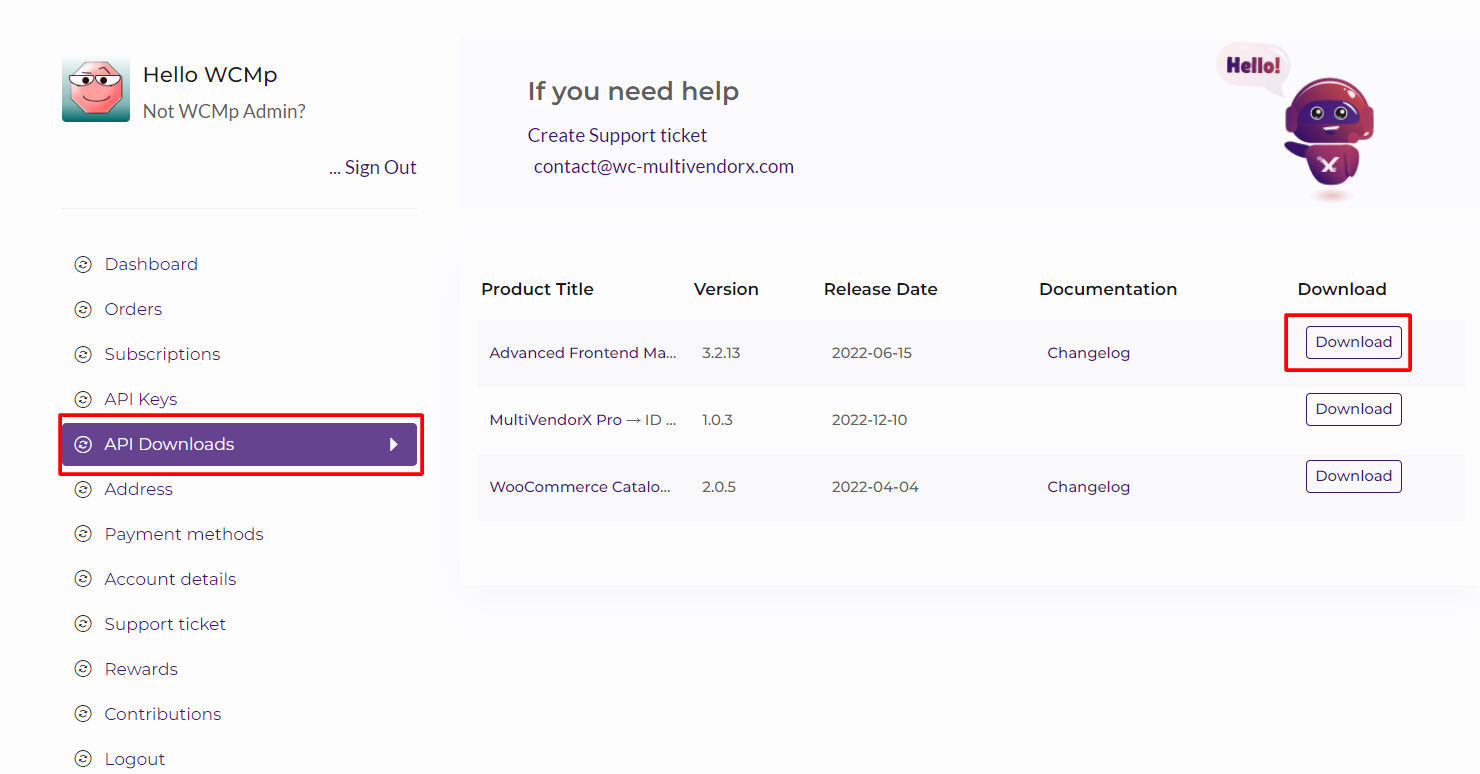
API Downloads
  • To activate your license, navigate to WordPress Dashboard > MultiVendorX > License.
  • Paste the API Key and Product ID that you’ve copied from the API Key tab on your My Account page.
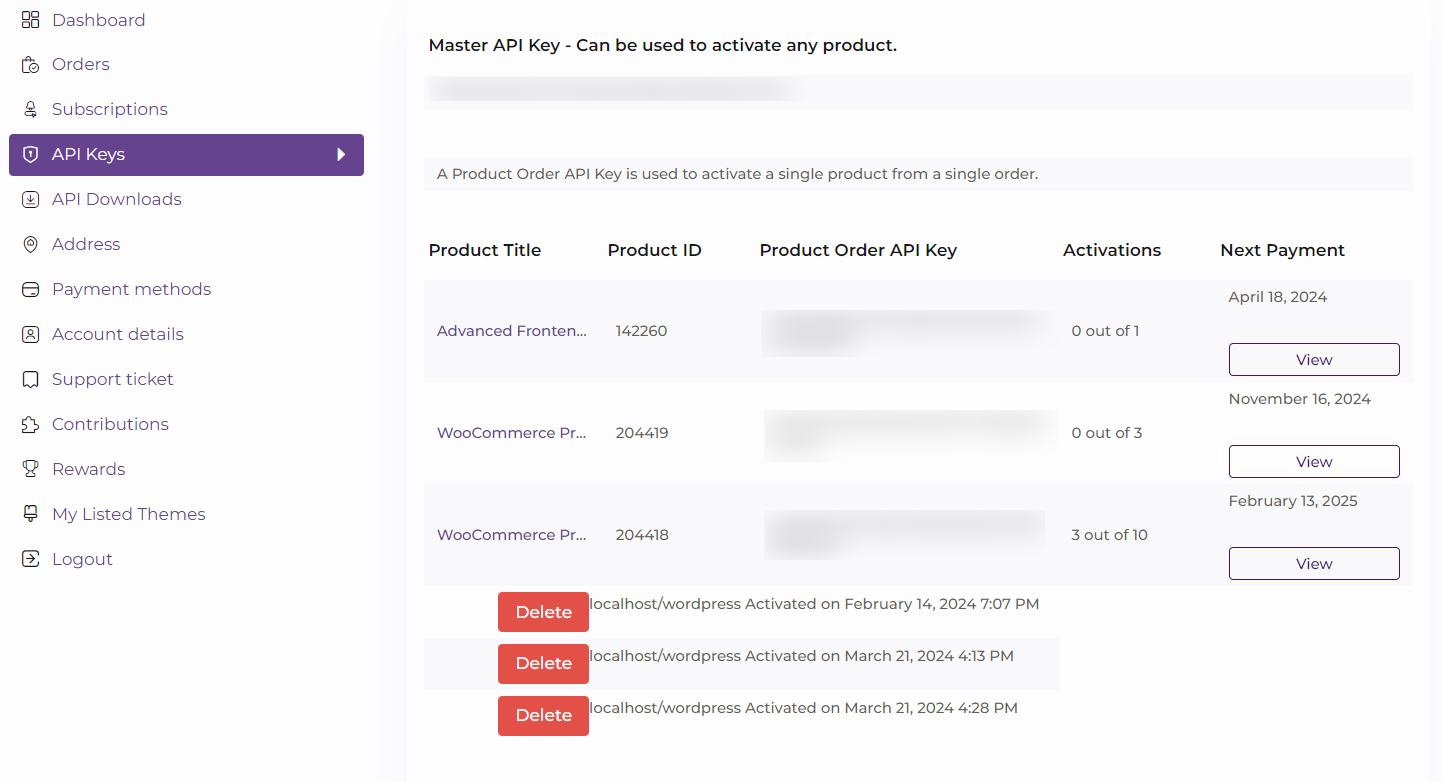
API Keys
  • Finally, click the “Activate” button to complete the activation process.

Leave a Reply

Shopping Cart
Launch Your Marketplace
in Days, Not Month
Get expert guidance to build, scale, and grow your MultiVendorX marketplace
Book Free Strategy Call
Trusted by 10000+ marketplace Owners
Scroll to Top
